How Developers Use AI Prompts to Write Code Faster: BestGuide

BestPrompt.art — The Prompt Engineering Reference
Developer Productivity · Prompt Engineering · AI Coding
- The promise is real, but uneven. GitHub’s controlled experiment found developers completed a JavaScript server task 55.8% faster with Copilot (Peng et al., 2023). METR’s 2025 RCT found experienced open-source developers took 19% longer on their own codebases. Both are true simultaneously — context matters enormously.
- Prompt quality is the actual variable. Most developers treat AI like a magic search box. Developers who structure prompts with context, constraints, and expected format consistently get far better results — and faster ones.
- Five frameworks dominate real workflows: the PCTF method (Persona/Context/Task/Format), Chain-of-Thought debugging, the “rubber-duck scaffold” pattern, few-shot code examples, and the Architecture-First prompt sequence.
- Watch the review bottleneck. Faros AI’s study of 10,000+ developers showed teams with high AI adoption merged 98% more PRs — but review time went up 91%. More code does not mean faster delivery.
- Vibe coding has a ceiling. For throwaway scripts and weekend projects, it works fine. For production systems, it creates ratcheting technical debt unless you prompt deliberately and review rigorously.
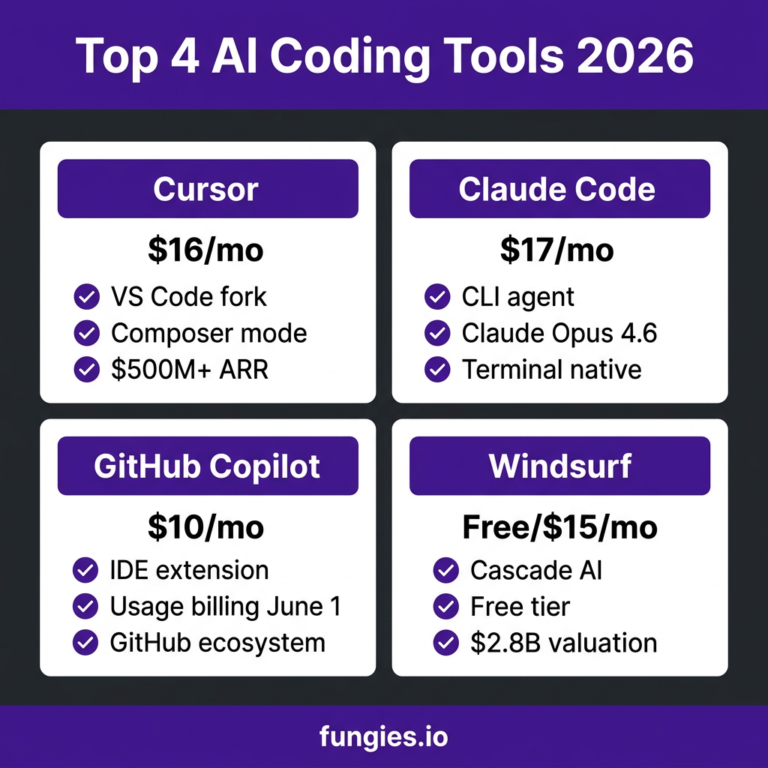
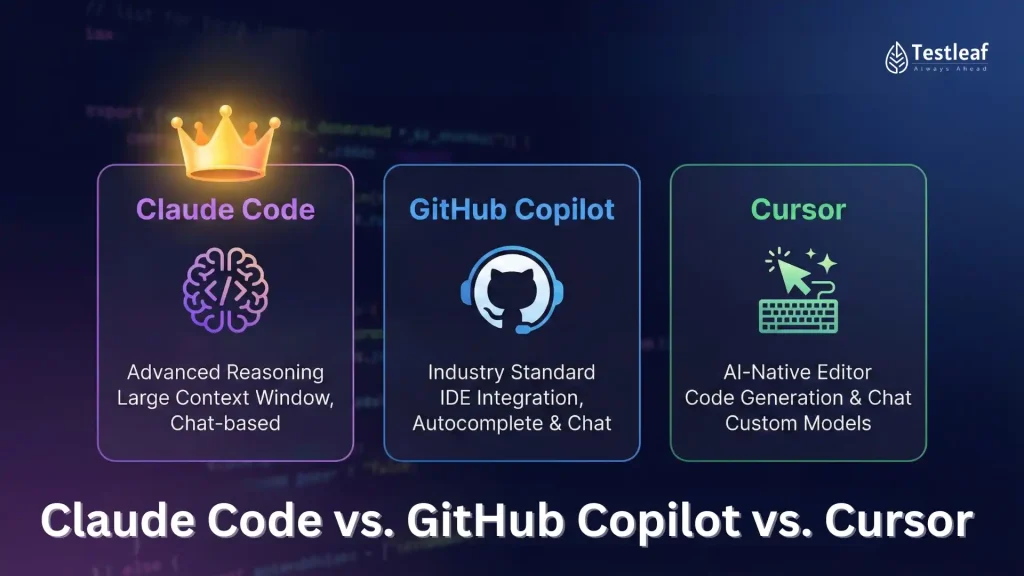
- Best tools as of mid-2026: Cursor (IDE with Claude 3.7/4), GitHub Copilot (editor integration), Claude Code (agentic tasks), ChatGPT/GPT-5.2 (architectural reasoning). Mix them — power users run 3+ tools in parallel.
Everyone who works in software has an opinion about AI coding tools right now. Half your team swears they’re saving hours every day. The other half quietly rolls their eyes and fixes the AI’s bugs after standup. The gap between those two experiences is almost entirely explained by one thing: how they write their prompts.
The conversation around AI-assisted development has gotten weirdly binary. Enthusiasts cite 55% speed gains; skeptics cite METR’s finding that developers actually slowed down by 19%. Both studies are real. Both are measuring something true. The difference is that the 55% figure comes from a structured task with clear success criteria, and the 19% figure comes from experienced developers maintaining complex, mature codebases they’ve owned for years.
Neither number is the full story. What determines which camp you fall into is, in large part, whether you’ve learned to communicate effectively with these tools — which means understanding how to structure a prompt, when AI is the right tool, and when it’ll just burn your afternoon.
This guide is the one I wish had existed when I started actually paying attention to this. It’s built from published research, my own workflows across a range of project types, and the experiences of developers who’ve been honest about what breaks as often as they’ve been honest about what works.
Before we get into techniques, it’s worth sitting with the actual research — not the vendor marketing, not the breathless LinkedIn posts, but the peer-reviewed work.
55.8%
Faster task completion with Copilot (controlled lab test)
Peng et al., 2023 · arxiv.org/abs/2302.06590
+19%
Longer task time for experienced devs on own codebases (RCT)
METR, July 2025 · arxiv.org/abs/2507.09089
84%
Of developers use or plan to use AI tools in their workflow
index.dev, 2026
26.9%
Of production code now AI-authored (4.2M devs, Q4 2025–Q1 2026)
Shiftmag, Feb 2026
The METR study is the most rigorous piece of evidence we have, and it’s worth reading carefully rather than dismissively. Sixteen experienced open-source developers completed 246 tasks on repositories they’d worked on for an average of five years. Half the tasks allowed AI tools; half didn’t. The researchers expected to see speedups. They didn’t. Tasks took 19% longer with AI enabled, and yet those same developers believed they’d been 20% faster.
That’s a 39-point perception gap. Developers feel more productive with AI even when the clock says otherwise. That’s not a minor observation — it’s the central paradox of this moment.
“Before starting tasks, developers forecast that allowing AI will reduce completion time by 24%. After completing the study, developers estimate that allowing AI reduced completion time by 20%. Surprisingly, we find that allowing AI actually increases task completion time by 19%.” — METR, “Measuring the Impact of Early-2025 AI on Experienced Open-Source Developer Productivity” (arxiv.org/abs/2507.09089)
Importantly, METR’s follow-up in February 2026 noted that developers are “more sped up from AI tools now — in early 2026 — compared to early 2025,” partly due to the rise of agentic tools like Claude Code and OpenAI Codex. The 19% figure is a snapshot of a specific moment with specific tools. The direction of travel is positive, but gradually.
Meanwhile, Faros AI looked at 10,000+ developers across 1,255 teams and found something equally interesting: teams with high AI adoption merged 98% more pull requests, but review time went up 91% and bugs increased 9%. Delivery throughput (their DORA metrics) remained essentially flat. More code, faster generation, same end-to-end speed. The bottleneck just shifted from writing to reviewing.
The Amdahl’s Law Problem: Coding accounts for roughly 25–35% of the software development lifecycle. Even if AI makes you 100% faster at writing code, system throughput improves by at most 15–25% unless the review, testing, and deployment stages also improve. Prompt engineering that reduces review burden — through cleaner, more explicit code and better documentation — is more valuable than prompt engineering that simply generates more code faster.
Here’s what distinguishes developers who consistently get value from AI tools from those who don’t: the former treat prompting as a skill they’ve deliberately practiced, and the latter treat it as typing a question into a box and seeing what comes out.
The GitHub team published their own analysis on this. In their testing with Copilot, adding structured context, examples, and format specifications dramatically changed output quality. When developers gave minimal prompts — “write a function to sort users” — they got technically functional but contextually inappropriate code. When they provided role context, edge-case requirements, and expected output format, the accepted suggestion rate improved substantially.
The mechanism isn’t mystical. Large language models are pattern-completion engines. The more relevant context you include, the more precisely the model can complete toward what you actually need. Garbage in, garbage out applies here with unusual force, because LLMs are very good at generating plausible-looking garbage.
Most developer prompts fall somewhere on a spectrum from “it works by accident” to “it works because you designed it to.”
| Prompt Type | Example | Typical Result | Works When |
|---|---|---|---|
| Bare | “Write a login function” | Generic code, wrong stack, no error handling | Simple boilerplate, learning |
| Context-aware | “Write a login function for a FastAPI app using JWT, PostgreSQL via SQLAlchemy” | Stack-appropriate, but no edge cases | Standard features in familiar stack |
| Structured | Role + Context + Task + Format + Constraints | Clean, production-leaning code with error paths | Most production work |
| Few-shot | Show 1–2 examples of existing style/pattern + request | Stylistically consistent with your codebase | Teams with shared conventions |
| Chain-of-Thought debug | “Here’s the code. Here’s the error. Reason through it step by step before suggesting a fix.” | Root cause identified, not just symptom fixed | Complex bugs, logic errors |
The PCTF framework, popularized by prompt engineering practitioners like Andrii Furmanets, is the closest thing to a universal structure for coding prompts. It’s not the only way, but it’s a reliable starting point that forces you to think through what you’re actually asking.
Persona means assigning the model a relevant role. “Act as a senior backend engineer who values simplicity and has worked extensively with distributed systems” produces different output than a bare request — not because the model becomes a different entity, but because it shifts the tone, vocabulary, and priority ordering of its completions.
Context is where most developers leave money on the table. The more you tell the AI about your existing codebase, constraints, and team conventions, the more relevant the output. Paste in relevant interfaces, schema snippets, or even just describe the architecture in two sentences.
Task should be singular and specific. Vague tasks produce vague code. “Refactor this function to be more readable” is worse than “Refactor this function to reduce nesting depth below 3 and extract the validation logic into a separate helper with a docstring.”
Format often gets skipped entirely, but it matters. Specifying that you want typed Python, with docstrings, using snake_case, without any external dependencies beyond the standard library, prevents the model from importing half of PyPI.
Chain-of-Thought prompting, where you explicitly ask the model to reason step by step before providing an answer, is well-documented in academic literature as improving accuracy on complex reasoning tasks. For debugging, it works particularly well because it forces the model to identify root cause rather than just patching the immediate error.
The difference between “fix this bug” and “reason through what this code is trying to do, what the error message means in that context, and what the likely root cause is before suggesting a fix” is significant. The second version produces analyses that are often correct on the first try. The first version produces code that compiles but breaks differently.
Framework 3: The Rubber-Duck Scaffold
Before asking AI to write code, ask it to help you design the approach. Describe the problem, ask it to outline three different ways to solve it with the tradeoffs of each, then choose and execute. This sounds slower, but it’s faster overall because you avoid the common trap of AI generating technically correct code for the wrong approach.
This is borrowed from the classic programmer’s “rubber duck debugging” technique — you understand the problem better by explaining it. AI makes the rubber duck actually argue back.
Framework 4: Few-Shot Style Matching
If you want AI-generated code that looks like it belongs in your codebase rather than in a generic tutorial, paste in 1–2 examples of your actual code before making your request. The model will pick up patterns — your error handling style, your naming conventions, your logging approach — and apply them. GitHub’s own documentation on Copilot recommends this approach explicitly.
Framework 5: Architecture-First Sequencing
For anything beyond a simple function, never start with implementation. Start with interfaces. Ask the AI to draft the public API or function signatures first, review and refine those, then ask for implementation. This keeps you in control of the design and prevents the common failure mode where you end up with working code that has the wrong shape.
4. Copy-Paste Prompt Templates for Real Work
These aren’t hypothetical. Each of these templates represents a pattern I’ve seen work repeatedly across different developers and stacks. Adapt the specifics to your context.
Template 1 — New Feature from Scratch
PCTF Feature Generation Prompt
You are a senior [language] developer working on a [type of app] using [framework/stack].
Context: [Describe relevant existing code in 2–4 sentences. Include key interfaces, constraints, or architectural decisions that affect this feature.]
Task: Implement [specific feature]. The function/component should:
– [Concrete requirement 1]
– [Concrete requirement 2]
– Handle edge cases: [list specific edge cases]
– NOT do: [anti-requirements — what you explicitly don’t want]
Format requirements:
– [Language + type annotations if applicable]
– [Naming conventions, e.g. snake_case for Python]
– [Error handling approach, e.g. return Result types / raise exceptions]
– [Documentation style, e.g. Google-style docstrings]
– No external dependencies beyond: [list what’s allowed]
Before writing code, briefly state your approach in one sentence.
Template 2 — Debugging Complex Issues
Chain-of-Thought Debug Prompt
Here is the function producing an error:
[PASTE CODE]
Here is the error message and stack trace:
[PASTE ERROR]
Here is what the function is supposed to do:
[Brief description — 2–3 sentences]
Please work through this step by step:
1. What is the code actually trying to do at the point of failure?
2. What does the error message indicate about the root cause?
3. Is this a symptom or the actual root cause?
4. What is the minimal change that fixes the root cause without introducing side effects?
5. Are there any related parts of the code that should be checked as well?
Only propose a fix after completing the analysis.
Template 3 — Code Review and Improvement
Review & Improve Prompt
Review this [language] code as a senior engineer preparing it for production:
[PASTE CODE]
Focus specifically on:
1. Edge cases that aren’t handled
2. Security issues (if any)
3. Performance problems at scale (assume [expected load or data size])
4. Readability issues that would slow down future maintainers
5. Missing or incorrect tests
For each issue found:
– Describe the problem clearly
– Explain the potential impact
– Suggest the specific change, with code if non-trivial
Do not suggest stylistic changes if the code is functionally correct and readable.
Do not rewrite the entire function unless you explain why a full rewrite is warranted.
Template 4 — Documentation Generation
Documentation Prompt
Generate documentation for the following [language] code.
[PASTE CODE]
Requirements:
– Docstring style: [Google / NumPy / reStructuredText / JSDoc]
– Audience: [junior devs on the team / external API consumers / internal use only]
– For each function/method: purpose, parameters with types, return value, exceptions raised, brief example if the usage is non-obvious
– For the module/class overall: what problem it solves, when to use it, known limitations
Write documentation that a developer who has never seen this code could understand in under 60 seconds.
Template 5 — Architecture Scaffolding
Architecture-First Prompt
I need to build [feature/system]. Before writing any implementation code, help me design the structure.
Context:
– Stack: [languages, frameworks, databases]
– Scale: [expected users, data volume, request rates]
– Team constraints: [size, experience level, existing patterns]
– Non-negotiables: [compliance requirements, performance SLAs, integrations that must be preserved]
Step 1: Propose 2–3 different architectural approaches to this problem. For each, describe the core data model or interface structure, the main tradeoffs, and when you would choose it over the others.
Step 2: After I choose an approach, we will define the public interfaces/function signatures before writing any implementation.
Do not write implementation code in this step.
5. Tool Comparison: Copilot vs Cursor vs Claude Code (Mid-2026)
The AI coding tool landscape is genuinely dynamic. What was true six months ago is often not true now. Here’s the practical state of the main options as of mid-2026, based on usage patterns and current capabilities.
| Tool | Best For | Prompt Interface | Codebase Awareness | Price (approx.) |
|---|---|---|---|---|
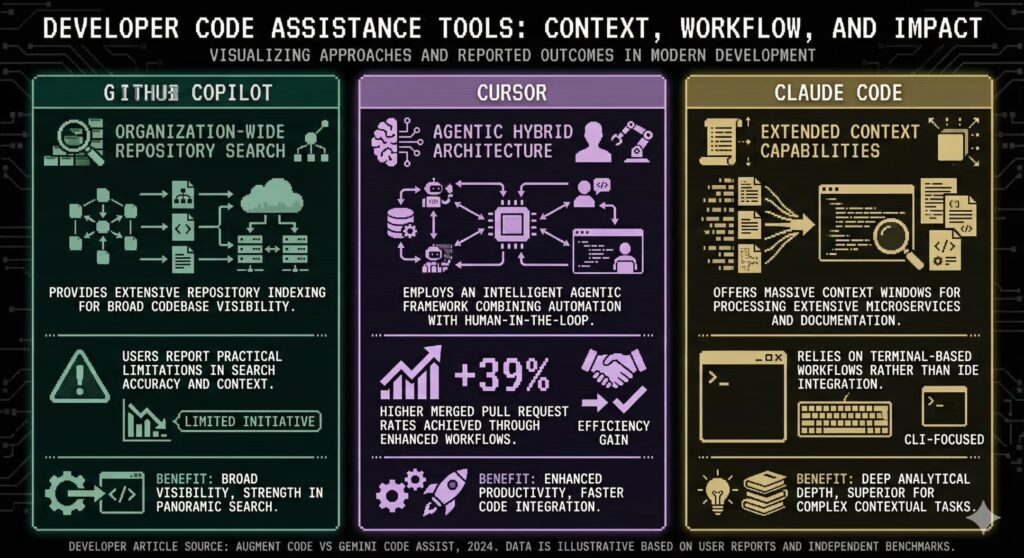
| GitHub Copilot | Inline completion, editor integration, teams on existing GitHub workflows | Inline + chat sidebar | Good (open files, workspace) | $10–$39/user/mo |
| Cursor | Agentic editing, multi-file changes, deep codebase queries | Chat + direct edit + Composer | Excellent (full codebase indexing) | $20/mo individual |
| Claude Code | Long-context reasoning, complex multi-step tasks, terminal-based agents | CLI / agentic | Very good (reads repo on demand) | API usage-based |
| ChatGPT / GPT-5.2 | Architecture brainstorming, unfamiliar domains, teaching/explaining | Chat interface | Only what you paste | $20/mo (Plus) |
| Amazon Q Developer | AWS-heavy teams, compliance, security scanning | IDE plugin + chat | Good with AWS context | Free tier / $19+/mo |
The power-user pattern that has emerged is using Cursor for active development (because it can see your whole codebase and make coordinated multi-file changes), Claude Code or ChatGPT for architectural reasoning and complex problem decomposition, and Copilot for quick completions in familiar territory. Using 3+ tools in parallel is normal among developers who’ve optimized their workflows — a 2026 survey found 59% of developers run three or more AI tools simultaneously.
The Cursor advantage for complex work: Cursor’s Composer mode lets you describe a multi-file change in natural language and preview all the edits before applying them. For large refactors or feature work that touches 5+ files, this is qualitatively different from copy-pasting code into a chat window. It’s worth trying even if you’re committed to another tool for daily use.
6. A Real Developer Workflow: Before and After
Abstract frameworks are only so useful. Here’s a concrete example of how prompting discipline changes an actual workflow.
The Task: Adding a Rate-Limited API Endpoint
A developer needs to add a rate-limited endpoint to a FastAPI application. The endpoint should allow 100 requests per minute per user, return a 429 with a Retry-After header when exceeded, and use Redis for the sliding window counter.
Before: The Typical Developer Approach
// PROMPT (unstructured)
"Write a rate limiting middleware for FastAPI using Redis"
What comes back: A generic rate limiter that uses a fixed window (not sliding), doesn’t include the Retry-After header, requires a specific Redis library the team doesn’t use, and ignores the existing middleware pattern in the codebase. The developer spends 40 minutes adapting it.
After: Using the PCTF Framework
// PROMPT (structured)
"""
Persona: Senior Python developer working on a FastAPI service.

Context: We're using FastAPI 0.110+, Python 3.12, and aioredis 2.x for async Redis.
Our existing middleware is in middleware/base.py and follows this pattern:
[paste the 20-line BaseMiddleware class]
Our user identity comes from a verified JWT in request.state.user_id.

Task: Implement a sliding window rate limiter middleware that:
- Allows 100 requests per minute per user (configurable)
- Returns HTTP 429 with a Retry-After header (seconds until reset) when exceeded
- Uses Redis sorted sets for the sliding window
- Extends our BaseMiddleware pattern
- Fails open (allows requests) if Redis is unavailable, and logs a warning

Format:
- Python 3.12 with full type annotations
- Google-style docstrings
- Async throughout (no sync Redis calls)
- No new external dependencies beyond aioredis
- Unit testable: dependency-inject the Redis client, don't hardcode

Before writing code, state the sliding window algorithm you'll use in one sentence.
"""
What comes back: A 60-line implementation that slots directly into the existing codebase pattern, uses the correct Redis library, implements a proper sliding window algorithm, includes the Retry-After header, and has a comment about the fail-open behavior. Review time: about 8 minutes. One minor tweak needed for the error logging format.
Same task. Vastly different outcomes. The second prompt took about 4 minutes to write. That’s still a net time save of roughly 28 minutes — but more importantly, the output was actually deployable without a full rewrite.
7. Pitfalls: What Breaks and Why
No guide to AI-assisted coding is honest without spending real time on failure modes. These aren’t edge cases. They’re the daily reality that explains the productivity gap.
The Confidence Miscalibration Problem
AI coding tools are confident. They sound authoritative whether they’re writing a correct quicksort or hallucinating a nonexistent library function. The Stanford study finding that developers using AI wrote less secure code in 4 out of 5 tasks, while feeling more confident about security, is the sharpest illustration of this problem. The model’s fluent output style is not a signal of correctness.
A 2025 analysis found that 73% of AI-generated code samples contained at least one vulnerability when reviewed manually. More alarming: AI-assisted developers in that study felt more confident their code was secure. Treat AI output as a first draft from a smart intern who doesn’t know your threat model.
The Onboarding Trap for Junior Developers
Junior developers who start with AI tools from day one risk skipping the formative struggle that builds genuine debugging intuition. When you never have to figure out why a loop is off-by-one, you don’t develop the mental model that would let you catch a more subtle variant of that bug in complex production code.
This isn’t a theoretical concern. Multiple senior engineers have noted that their newest hires have very different skill profiles than developers from even three years ago — competent at directing AI, less competent at reading code they didn’t generate. This is a real long-term risk for teams and individuals that’s worth thinking about explicitly.
The Review Bottleneck
We already covered the Faros AI data: 98% more PRs, 91% longer review times. If you’re a solo developer, the review burden falls entirely on you. AI-generated code is often more verbose, introduces patterns you didn’t ask for, and can be structurally inconsistent with your existing codebase in ways that take time to see. You have to be willing to say no to code that works but doesn’t fit, which requires knowing what “fits” means — which requires judgment you built by writing code the hard way.
Vibe Coding in Production
Andrej Karpathy’s “vibe coding” coinage — just keep accepting suggestions, don’t look too hard at the details — is great for prototypes and fine for small utilities. It does not scale to systems that need to be maintained. The McKinsey number that 25% of Y Combinator’s Winter 2025 cohort had codebases that were 95% AI-generated is fascinating, but those startups are at an inflection point where the next 12 months will show what that debt costs. Several developer teams have reported that AI-heavy codebases become notoriously hard to extend after the initial sprint, as architectural inconsistencies compound.
8. Advanced Patterns: The 2026 State of the Art
Context Engineering Over Prompt Engineering
The phrase “prompt engineering” is gradually being superseded by “context engineering” in serious developer circles. The distinction matters. A prompt is a single input; context is everything the model sees — your system instructions, conversation history, retrieved documents, available tools, and the order and framing of all of it.
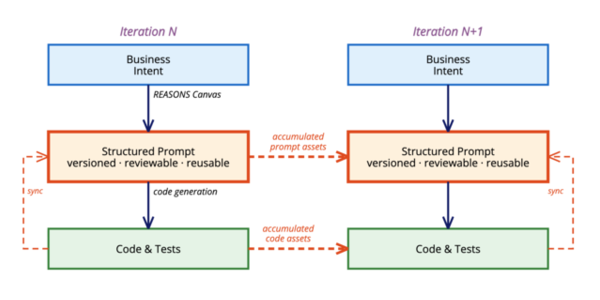
As the 2026 trend analysis notes, the move is from writing one-off prompts to designing reusable, versioned prompt libraries — modular components with defined inputs that get tested and maintained like code. Top engineering teams store prompts in version-controlled files, parameterize them, and run regression tests when they change. This is Prompt DevOps, and it’s no longer a niche concept.
The Agentic Shift
Tools like Claude Code and OpenAI Codex are meaningfully different from inline completions. They can read your entire codebase, run tests, fix failures, and iterate autonomously on multi-step tasks. METR’s February 2026 update specifically notes that the rise of these agentic tools among open-source developers during 2025 changed the productivity picture compared to their earlier measurements.
Prompting for agentic tools requires a different mental model. You’re not writing a request for a single completion; you’re writing a specification for a process that will run semi-autonomously. That means:
- Define success criteria explicitly — the agent needs to know when it’s done.
- Define failure conditions — what should it do if a test suite fails? Retry? Ask you? Give up and explain?
- Set scope limits — “only modify files in src/api, don’t touch tests unless I specify.”
- Ask for a plan first — “outline the steps you’ll take before making any changes.”
Meta-Prompting
An emerging pattern is using AI to improve your prompts before using them. You have a rough idea of what you want, you give it to a meta-prompt that specializes in prompt optimization, and you get back a structured version that’s more likely to produce the output you need. This sounds circular but works surprisingly well in practice — the model has seen enough bad and good prompts that it can identify missing context you didn’t think to include.
Prompt Libraries as Team Infrastructure
The most productive teams in 2026 are building shared prompt libraries. Instead of each developer reinventing how to ask for a code review or a refactor, the team maintains a structured set of templates — version-controlled, reviewed, and iterated on like any other codebase asset. The accumulation of team knowledge about what works for your specific stack and style is genuinely valuable and doesn’t need to live inside each developer’s head.
9. Getting Started: Your First Week
If you’re starting from scratch, here’s a practical plan that avoids the usual mistake of trying to use AI tools for everything at once before you understand where they work and where they don’t.
- Day 1–2: Pick one tool and one use case. Don’t start with Claude Code agentic workflows or elaborate prompt libraries. Open GitHub Copilot or Cursor, and use it exclusively for writing unit tests on code you’ve already written. This is low-stakes (you know what the tests should verify), immediately productive, and builds familiarity with how to phrase what you want.
- Day 3–4: Add structured prompts to debugging. The next time you hit a bug you’d normally sit with for 20+ minutes, use the Chain-of-Thought debug template above. Compare the result to your own diagnostic process. Most developers find this genuinely helpful in ways that inline completion isn’t.
- Day 5–7: Write your first reusable prompt. Pick one type of task you do repeatedly — writing API endpoints, writing migration scripts, documenting classes — and build a structured prompt template for it. Save it somewhere you’ll actually reuse it. This is the start of your personal prompt library.
- Week 2+: Add context engineering. Start including code snippets, interface definitions, and conventions in your prompts. Notice how output quality changes. Begin building a short-form description of your stack’s conventions that you paste into any new coding request.
One counterintuitive tip: Also keep a log of AI failures. Every time a prompt produces output you have to substantially rewrite, note what was missing from the prompt. After two weeks, you’ll have a clearer picture of your own blind spots than any tutorial can give you.
10. Frequently Asked Questions
Does AI actually make me faster, or does it just feel that way?
Both, depending on context. GitHub’s controlled study showed 55.8% faster completion for isolated, well-defined tasks. METR’s RCT on complex real-world work showed 19% slower completion for experienced developers on their own mature codebases. The honest answer is: it depends on the task type, your experience with the codebase, and how well you prompt. For new code on a new problem, gains are real. For deep debugging on code you know intimately, AI often adds friction.
Is GitHub Copilot worth the cost?
For most professional developers, yes — but the ROI varies significantly. Developers who invest time in structured prompting see better results than those who use bare autocomplete. The most honest benchmark: GitHub’s own data shows PR cycle time dropped from 9.6 days to 2.4 days for Copilot users, though this comes with the caveat that review time per PR increased. At $10–$19/month, it pays for itself if you save even 30 minutes a week, which most active users report.
What’s the difference between Cursor and GitHub Copilot?
Copilot is primarily an IDE extension that adds inline completion and a chat sidebar to existing editors. Cursor is a full VS Code fork with AI built into the core editing experience, including a “Composer” mode that can plan and execute multi-file changes. For small completions and questions, either is fine. For complex refactoring or feature work spanning multiple files, Cursor’s architecture is meaningfully better. Many developers use both.
Will AI replace developers?
Not in any near-term horizon that the evidence supports. The more interesting question is what developer roles look like. The trend is toward developers spending more time on architecture, review, and requirements — the parts AI is genuinely bad at — and less time on boilerplate. That’s a shift, not a replacement. The developers who will struggle are those who resist learning to work with these tools, not those who use them.
How do I get AI to match my codebase’s style?
Two approaches work well in practice. First: paste examples of your actual code into the prompt before making a request (few-shot style). Second: write a short “style guide” paragraph describing your conventions — naming, error handling, documentation format — and include it at the top of prompts for new code. For teams, maintaining this as a shared snippet is more efficient than each developer re-creating it.
Is AI-generated code safe to deploy?
Not without review. The Stanford study found that developers using AI wrote less secure code in 4 out of 5 tasks, and a separate analysis found 73% of AI code samples contained at least one vulnerability on manual review. AI does not have your threat model, your compliance requirements, or knowledge of your specific infrastructure. Treat every AI-generated output as a first draft that needs a security-aware review, not a final product.
What’s “vibe coding” and should I do it?
Vibe coding — accepting AI suggestions rapidly without deeply reading the code — is the term coined by Andrej Karpathy for an approach where you stay at the intent level and let AI handle implementation details. It’s genuinely useful for prototypes, experiments, and throwaway scripts. Karpathy himself said it’s “not too bad for weekend projects.” For production systems where you’ll maintain the code for years, it’s a way to accumulate technical debt very quickly. Use it consciously, not by default.
How long does it take to see real productivity gains?
One Medium analysis noted it takes developers approximately 11 weeks on average to realize actual productivity gains from GitHub Copilot — most give up before then. The early learning curve involves getting used to reviewing AI output, building prompt habits, and learning where the tool helps vs. where it adds friction. If you’re not seeing gains after a week, that’s normal. If you’re not seeing them after three months, your prompting strategy probably needs work.
Are there tasks where AI is clearly the wrong choice?
Yes. Deep debugging of code you know intimately (METR’s data supports this), architectural decisions that require deep business context, security-critical components that need adversarial thinking beyond pattern-matching, and any work where the risk of confidently-wrong output outweighs the time saved. Also: any task where the prompt would need to be so long and complex that writing it takes longer than just doing the task.
What’s the best free option for AI coding assistance?
As of mid-2026, GitHub Copilot’s free tier (introduced in late 2024) offers limited completions in VS Code and JetBrains. Claude.ai and ChatGPT both have free tiers with usable coding capabilities for chat-based help. For serious daily use, most developers find the paid tiers worth it within a few weeks. The free options are enough to learn what works for your workflow before committing.
How do I handle AI confidently giving me wrong information about libraries?
Verify any API calls, library functions, or version-specific behavior against the actual documentation before using them. AI models have training cutoffs and hallucinate library interfaces regularly — this is one of the most common failure modes. A practical rule: any time AI tells you to call a specific function on an external library, check the official docs. It takes 30 seconds and saves you the experience of debugging a function that doesn’t exist.
Is prompt engineering a lasting skill or will models eventually not need it?
Almost certainly both, over time. Today’s models are highly sensitive to how you structure a request. Future models may be better at inferring intent from sparse input. But the fundamental skill of specifying what you actually need with precision — knowing your success criteria, edge cases, and constraints — is useful regardless of how good AI gets. The form of that skill may change; the underlying discipline of precise thinking is durable.
What’s the biggest mistake developers make with AI coding tools?
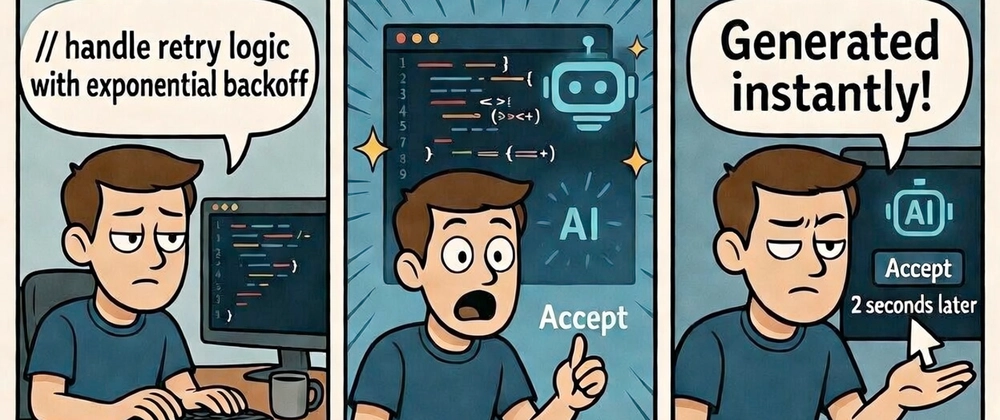
Accepting output without reading it. AI tools are fluent and confident; the code looks plausible on a quick scan. The developers who get burned most often are those who run AI-generated code in production after a brief skim rather than a real review. The second-biggest mistake is using AI for the wrong tasks — attempting to use it for nuanced debugging of complex systems it doesn’t have context for, rather than for the generation, scaffolding, and documentation tasks where it’s genuinely fast.
11. Final Thoughts
The honest picture of AI-assisted development in 2026 is messier than either the enthusiasts or the skeptics want it to be. These tools work — sometimes spectacularly well. They also fail regularly, in ways that are hard to catch because the output is fluent and confident by construction.
The developers who are getting the most out of these tools share a few traits. They’ve thought carefully about which tasks benefit from AI and which don’t. They’ve invested real time in building prompt habits that produce reliable output rather than hoping random queries will work. They review AI-generated code with genuine skepticism rather than rubber-stamping it. And they’re honest with themselves about when the tool is helping versus when it’s just adding a layer of plausible-sounding code they’ll have to fix later.
The Bottom Line
AI coding tools are real productivity multipliers for the right tasks and the right approach. Prompt quality is the differentiator. The developers seeing 30–55% real efficiency gains are not using better tools — they’re using the same tools with more deliberate prompting. The ones seeing 19% slowdowns are often fighting the tool on terrain where it doesn’t have enough context to help. Know the difference, build prompt habits, review rigorously, and don’t confuse code volume with code value.
The field is moving fast. What was true about Claude 3.5 versus Claude 3.7 versus Claude 4 is meaningfully different. Run your own experiments on your own codebase — it’s the only way to know what’s actually true for your situation. Use this guide as a starting framework, not a final answer.
More from BestPrompt.art
- The Complete Prompt Engineering Guide for 2026
- Best Prompts for Coding: 50+ Templates by Language and Task
- Chain-of-Thought Prompting: How It Works and When to Use It
- AI Code Review Prompts That Actually Catch Real Issues
- Cursor vs GitHub Copilot: Which AI Coding Tool Is Right for You?
- Claude Code Guide: Agentic Coding From the Command Line
- Build Your Own Prompt Library: A Developer’s Framework
- Few-Shot Prompting for Developers: Style Matching and Code Consistency
- AI Debugging Prompts: Stop Patching Symptoms, Fix Root Causes
- Prompt Engineering for Dev Teams: Shared Libraries and Governance
https://www.bestprompt.art/ai-coding-tools-2026/
https://www.bestprompt.art/ai-is-changing-the-way-developers-write-code/
https://www.bestprompt.art/ai-coding-assistants-vs-human-programmers/
https://www.bestprompt.art/chatgpt-prompt-engineering-for-developers/
https://www.bestprompt.art/how-to-generate-code-with-ai-prompts/
https://www.bestprompt.art/prompt-engineering-for-developers/
https://www.bestprompt.art/ai-prompts-top-developers-use-every-day/
https://www.bestprompt.art/ai-prompt-tricks/
https://www.bestprompt.art/ai-prompts-that-generate-python-code/
https://www.bestprompt.art/how-to-build-websites-faster-with-ai/
https://www.bestprompt.art/ai-coding-prompts-programmers-use/
https://www.bestprompt.art/how-to-use-ai-to-write-cleaner/
https://www.bestprompt.art/high-quality-code-with-ai/