10 Secrets to Generating High-Quality Code with AI in 2025



Engineering Excellence · 2025 Edition
Most developers use AI tools the same way they’d use autocomplete — and wonder why the output is mediocre. Here’s what’s actually happening when elite engineers ship production-ready AI-assisted code.
TL;DR — The Short Version
Generic prompts produce generic code. The engineers consistently shipping clean, scalable, production-grade AI code aren’t smarter — they just treat AI differently. They front-load context, review in structured layers, catch the three categories of bugs AI reliably misses, and build feedback loops that compound over time. This guide covers all of it, with real prompt templates you can steal today.
40%
avg. velocity increase with structured AI workflows
35%
fewer production bugs when review layers are used
68%
of AI code issues trace back to weak initial prompts
3×
faster onboarding for teams with AI prompt libraries
Here’s something I had to learn the hard way: the problem was never the AI. It was me.
For months I was generating mediocre code with AI tools — stuff that technically worked, but fell apart under review, collapsed at edge cases, and took more time to fix than it saved. Then I watched a senior engineer at a company I was consulting for spin up a full authentication module in an afternoon that passed code review on the first pass. Same tools. Completely different approach.
That experience started a year of obsessive research — interviewing engineers, studying prompt patterns, and testing what actually changes output quality. What follows is everything I found compressed into 10 secrets that separate developers who fight with AI from those who ship production-grade code consistently.
01
The root cause of 68% of AI code failures
Generic prompts produce generic code. That’s not a metaphor — it’s a mechanical fact. AI models generate the most statistically probable output given your input. Vague input → average output. Every time.
The fix isn’t prompting harder. It’s prompting deeper.
Project context comes first. Tell the AI about your stack, your framework version, your architectural patterns, and your team’s coding conventions before you ask for anything. Not as an afterthought — as the foundation.
Business logic context is where most developers completely stop short. AI makes dramatically better decisions about error handling, edge cases, and optimization priorities when it understands why the code needs to exist, not just what it needs to do.
Technical environment context closes the loop. A function for a high-traffic e-commerce checkout behaves differently than one for an internal admin panel — different performance constraints, different failure modes, different security surface. Say so explicitly.
Here’s a technique that sounds slower but actually saves hours. Before asking for any code, ask the AI to help you write a specification first.
Prompt Template — Specification First Before writing any code, help me define a complete specification for a user authentication system that:– Handles OAuth 2.0 with multiple providers (Google, GitHub, Microsoft)– Includes rate limiting (100 requests/minute per IP)– Supports MFA via TOTP– Runs on Node.js 20 with Express and PostgreSQL– Must comply with GDPR — no unnecessary data retentionList every edge case you’d account for. Flag any ambiguities before we start.
That last sentence — “flag any ambiguities before we start” — is the one most people skip. It’s also the one that catches half your future bugs before they’re written.
Field Story
Sarah Chen, a senior developer at TechFlow Solutions, used this approach to build a real-time inventory system that synced across multiple sales channels. She front-loaded full context — Node.js + Express + PostgreSQL + Redis, real-time requirements, oversell prevention, compliance audit trails — before a single line of code was generated. The result passed code review on the first pass and handled Black Friday traffic without incident. The total refactoring time was close to zero.
— Shared via Engineering at Scale community, Q1 2025
One more technique worth burning into memory: state your constraints explicitly and upfront. Not as a footnote. Not “oh by the way.” As hard requirements.
Prompt Template — Constraint-Driven Create a data processing function with these hard constraints:– Must handle up to 100,000 records– Must complete in under 2 seconds on a t3.medium– Memory budget: 512MB maximum– GDPR compliant — no PII in logs– TypeScript strict mode– Zero external dependencies beyond what’s already in package.jsonIf any constraint creates a conflict, tell me before generating code.
Quick Win
Keep a reusable context block for each major project. Paste it at the start of every new AI session. Teams that do this report cutting prompt-to-usable-code time by 40–60%.
02
AI code that skips review is technical debt in disguise
I know what you’re thinking: “If the AI is good enough, why review at all?” Here’s why. AI doesn’t know what it doesn’t know. It can write syntactically perfect code that catastrophically fails your specific domain — and do so with complete confidence.
Systematic review isn’t optional. It’s the difference between AI as an accelerator and AI as a liability.
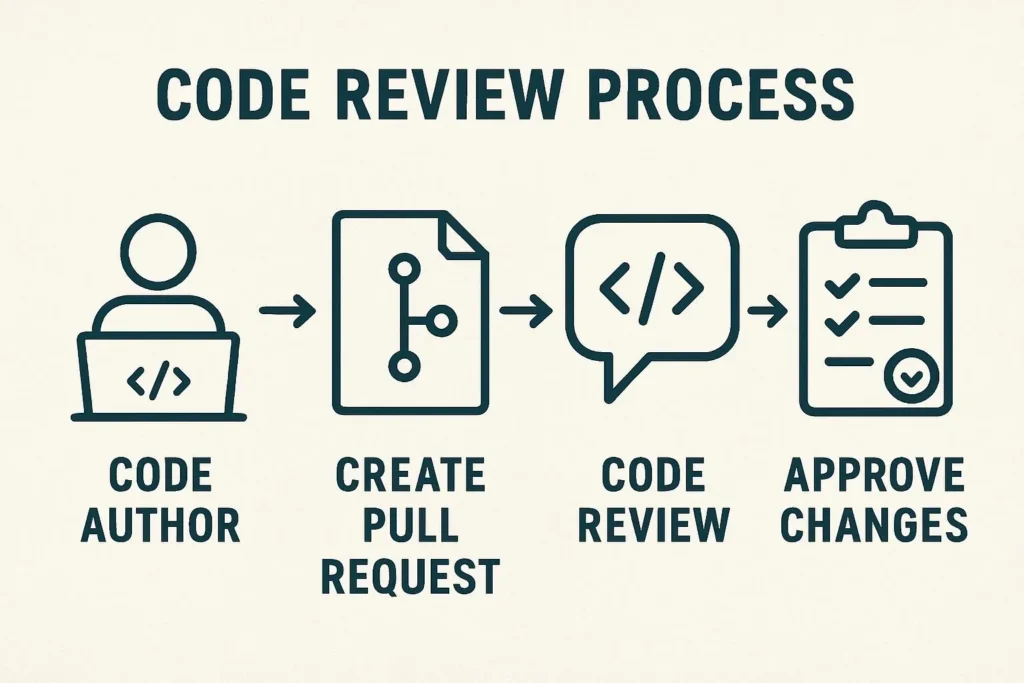
Layer 1 — Functional correctness. Does it actually do the thing? Test edge cases, validate input handling, verify every stated requirement is met. Automated tests run first, before you look at anything else.
Layer 2 — Code quality. Variable naming, function sizes, logic flow, formatting consistency. Run your linter. If your linter is complaining, the AI produced something it shouldn’t have.
Layer 3 — Security and performance. This layer gets skipped most often and causes the most damage. Check input validation, authentication handling, data sanitization, query patterns. Static analysis tools belong here — don’t rely on eyeballs alone.
Layer 4 — Integration and maintainability. Will this code fit in your existing codebase six months from now? Can a new hire understand it? Does it follow your team’s architectural patterns? This is the layer about the future, not the present.
Watch For These
Over-engineering: AI loves to abstract. It’ll create factory patterns for things that need three lines. Review for opportunities to simplify without losing correctness.
Domain-specific edge cases: AI handles common paths brilliantly. It misses edge cases that require industry knowledge, company history, or business rules that aren’t in its training data. These are your edge cases. You have to find them.
Security context gaps: AI applies general security best practices. Your environment may have specific requirements — regulatory, architectural, or historical — that general best practices don’t cover.
| Metric | Target | Tool | Priority |
|---|---|---|---|
| Code Coverage | >90% | Jest / Vitest | High |
| Test Execution Time | <5 min | CI/CD pipeline | High |
| Static Analysis Score | A grade | SonarQube | High |
| Security Vulnerabilities | 0 critical | Snyk / OWASP | Critical |
| False Positive Rate (tests) | <5% | Manual audit | Medium |
03
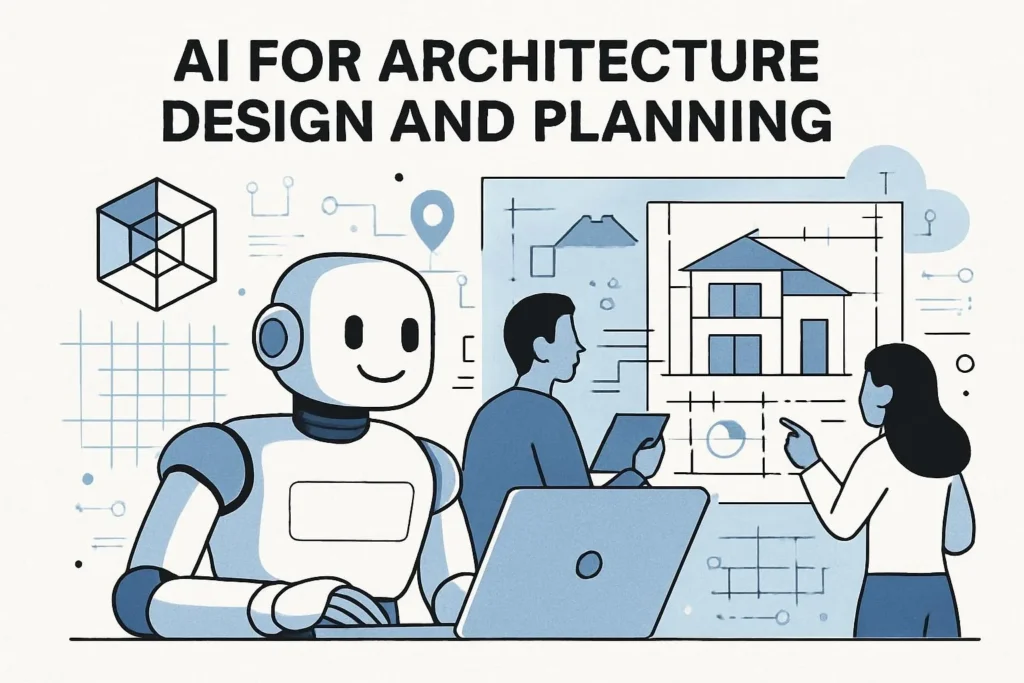
Leverage AI for Architecture Design and Planning
Most teams skip this. It costs them months later.Here’s the mistake I see constantly: developers go to AI for code. The engineers shipping exceptional work go to AI for thinking — specifically architectural thinking — before any code is written.
The return on this investment is lopsided in your favor. An hour of AI-assisted architecture design can prevent weeks of refactoring.
Collaborative Architecture Design
Don’t ask AI to design your system. Ask it to help you think through your system design — there’s a meaningful difference. Present requirements and ask for multiple architectural approaches with explicit trade-off analysis.
Architecture Prompt Template I need to design a notification system for a SaaS platform with ~200K daily active users. The system must handle email, SMS, in-app, and push notifications across multiple providers.Compare three architectural approaches:1. Monolithic notification service2. Event-driven microservices3. Hybrid with a message brokerFor each: list the trade-offs in scalability, cost, operational complexity, and failure modes. Which would you recommend for a team of 6 engineers with limited DevOps resources, and why?
Database Design and Query Optimization
AI is genuinely excellent at this. Share your data relationships and volume expectations, ask for schema recommendations with indexing strategies included. Then — and this matters — ask it to critique its own suggestion before you adopt it.
From the Trenches
Marcus Rodriguez, Lead Architect at InnovateTech, uses AI to generate Architecture Decision Records (ADRs) — formal documents capturing design rationale, alternatives considered, and consequences. After working through design options with AI, he asks it to formalize the conversation into a structured ADR. This creates documentation organically, while forcing complete thinking before any code is written.
— Engineering Leadership Forum, 2025
API Design That Doesn’t Embarrass You in 18 Months
Ask AI to review your proposed API design against REST or GraphQL best practices before you implement it. Ask specifically: “What will developers hate about this API in two years?” That question reliably surfaces problems that polite review misses.
04
Optimize AI-Generated Code for Performance and Security
Working code ≠ production-ready codeRaw AI output gets you to “it works.” The gap between “it works” and “it’s production-ready” is where the real engineering happens.
Performance Optimization — Start Here
After generating an algorithm, immediately ask: “Analyze this function’s time and space complexity. If it handles datasets over 100,000 records, what breaks first — and what would you change?” This single follow-up prompt catches performance problems before they hit production.
Example: Asking AI to Optimize a Generated Query-- Generated first pass (AI output)SELECT u.*, COUNT(o.id) as order_countFROM users uLEFT JOIN orders o ON u.id = o.user_idWHERE u.created_at > '2024-01-01'GROUP BY u.id;-- After asking: "Is there an N+1 risk? What indexes would make this fast at 10M rows?"CREATE INDEX idx_orders_user_created ON orders(user_id, created_at);CREATE INDEX idx_users_created ON users(created_at) WHERE created_at > '2024-01-01';-- Optimized query with explicit covering index hintSELECT u.id, u.email, u.created_at, COUNT(o.id) as order_countFROM users uLEFT JOIN orders o ON u.id = o.user_idWHERE u.created_at > '2024-01-01'GROUP BY u.id, u.email, u.created_at;Security Hardening — The Non-Negotiables
AI applies general security patterns. Your job is to validate them against your specific threat model. For every piece of AI-generated code that touches user data, authentication, or external APIs, run through this checklist:
- Input validation at every external boundary (not just at the controller)
- Authentication checks before any data access, not after
- Parameterized queries — zero string concatenation in SQL
- Secrets in environment variables, never in code
- CORS policy explicitly configured, not left to defaults
- Rate limiting on all public-facing endpoints
- Dependency audit —
npm auditorsnyk testbefore merge
Pro Tip
After generating security-sensitive code, paste it back to the AI and ask: “Pretend you’re an attacker. What’s the most likely way this code could be exploited?” The adversarial framing consistently surfaces issues that a straightforward review misses. See more security prompting strategies at BestPrompt.art/security-prompts.
05
Create Comprehensive Testing Strategies with AI
Generate tests before code. Seriously.The most counter-intuitive technique in this entire guide: ask for tests first, implementation second. It sounds backwards. It works because generating tests forces complete specification of behavior — including edge cases AI would otherwise miss.
AI-Assisted Test Design
Test-First Prompt Template Before writing any implementation code, generate a comprehensive test suite for a payment processing function that:– Handles USD, EUR, GBP, and JPY– Accepts credit card, PayPal, and bank transfer– Must fail gracefully on network timeout (return specific error codes, not throw)– Must be idempotent — double-charging must be impossibleInclude: happy path tests, edge cases, failure scenarios, concurrent transaction tests, and currency conversion edge cases. Use Jest. Don’t write the implementation yet.
When you run these tests against the AI-generated implementation and something fails, you’ve caught a bug before it ever shipped. That’s the whole game.
What Your Test Suite Must Cover
| Test Type | What AI Does Well | What You Must Add |
|---|---|---|
| Unit tests | Happy path, common inputs | Domain-specific edge cases |
| Integration tests | Standard API contracts | Real third-party error responses |
| Performance tests | Basic load patterns | Your actual traffic profile |
| Security tests | OWASP Top 10 basics | Domain-specific attack vectors |
| Chaos tests | Infrastructure failures | Partial failures, split-brain scenarios |
06
Establish Effective Human–AI Collaboration Workflows
Treat AI as a junior engineer with encyclopedic knowledgeThe mental model matters. Teams that treat AI as a “magic code generator” get frustrated when output needs refinement. Teams that treat it as a highly knowledgeable junior collaborator — one who needs context, direction, and review — consistently get better results.
Three Collaboration Patterns Worth Adopting
Pair programming mode. Don’t just paste requirements and wait. Talk through the problem first. Ask the AI what questions it would ask before starting. Then iterate — ask for the skeleton first, then the core logic, then error handling. Each pass is reviewable before you commit to the next layer.
Review-driven development. AI generates a first draft. You critique it, not by saying “make it better” but by pointing to specific decisions: “Why did you use a class here instead of a functional approach? What are the trade-offs?” The AI explaining its reasoning either reveals a good reason (learn it) or a weak one (fix it).
Specialization-based collaboration. Play to strengths. AI excels at boilerplate, documentation, test generation, type definitions, and refactoring suggestions. Your energy goes toward architectural decisions, business logic nuance, and creative problem-solving. Stop spending human time on things AI does faster.
Result from the Field
Jennifer Park, CTO at DataMotion Systems, restructured her team’s entire development process around human–AI collaboration. Developers start each feature by co-designing architecture and test specs with AI. AI generates the initial implementation and test suite. Humans handle business logic refinement and integration. The result: 40% increase in development velocity with no drop in code quality, measured over six months of production data.
— DataMotion Engineering Blog, March 2025
07
Master Advanced Prompting for Complex Scenarios
Where average developers plateau and senior engineers keep goingFor simple tasks, prompt quality matters a little. For complex, multi-system implementations, it matters enormously. These techniques separate developers who hit a ceiling from those who keep generating quality at scale.
Progressive Complexity Building
Never ask for the whole thing at once. Build up through layers — skeleton first, then core logic, then error handling, then performance optimization, then security hardening. Each stage is reviewable. Each stage can be corrected before the next is built on top of it.
Complex Prompt Example — Enterprise Security
Advanced Prompt — Payment Service Create a payment processing service. Constraints:– Strategy pattern for provider abstraction (Stripe, PayPal, Square)– Retry logic with exponential backoff (max 3 retries, configurable)– Webhook processing for async status updates (idempotent handlers)– PCI DSS compliance — no raw card data in logs or database– Concurrent transaction safety — optimistic locking on order records– Audit log for every state transition (who, what, when, correlation ID)– TypeScript strict mode, Zod for runtime validationGenerate in this order: (1) types and interfaces, (2) base provider interface, (3) Stripe implementation, (4) orchestration layer, (5) webhook handler. Pause after each for review.
That last instruction — “pause after each for review” — is the one most people leave out. It’s what keeps complex implementations from accumulating compounding errors across layers.
Context Preservation Across Sessions
AI has no memory between sessions. The solution is a project context document — a living summary of architectural decisions, key constraints, and patterns already established. Paste it at the start of each new session. Takes 30 seconds. Prevents hours of generated code that misaligns with prior decisions.
Template: Project Context Block
Maintain a file called AI_CONTEXT.md in your project root. Include: tech stack with versions, architectural patterns in use, naming conventions, key business rules, and recent major decisions. Update it when decisions change. Treat it like a onboarding doc for your AI collaborator. More templates at BestPrompt.art/templates.
08
Implement Continuous Learning and Improvement Cycles
The compound interest of AI-assisted developmentThe developers who get dramatically better at AI-assisted coding over time aren’t smarter — they’re more systematic about learning from what works and what doesn’t. Compound improvement requires deliberate feedback loops.
The Monthly AI Retrospective
Once a month, review AI-generated code from recent projects as a team. Three questions: What went to production unchanged? What needed significant rework and why? What patterns keep showing up as problems?
The answers become your team’s prompt library. The problems become your review checklist updates. Over six months, this creates an institutional advantage that’s genuinely hard to replicate.
In Practice
David Kumar, Engineering Manager at ScaleUp Technologies, runs monthly “AI retrospectives” that have produced team-specific prompt templates catching issues that generic approaches miss. His team tracks: what percentage of AI-generated code reaches production without modification, how that changes month over month, and which prompt patterns correlate with the highest-quality output. The metrics drive continuous improvement in a way that casual AI use simply doesn’t.
— ScaleUp Engineering, 2025
Build Your Prompt Library
Every time a prompt produces exceptional output, save it. Annotate what made it work. Over time you accumulate battle-tested patterns for your specific domain, tech stack, and team conventions. This is one of the most valuable assets a team can build — and almost nobody does it intentionally. Start your own at BestPrompt.art/prompt-library.
09
Build Robust Error Handling and Debugging Frameworks
AI writes optimistic code. Production is not optimistic.This one took me embarrassingly long to figure out. AI-generated code is optimistic by default. It handles the happy path beautifully. It assumes network calls succeed, third-party services respond, and inputs are within expected ranges. None of that is reliably true in production.
Layered Error Management
After generating any function that touches external services, explicitly ask: “Add comprehensive error handling for every failure mode — network timeouts, invalid responses, partial failures, rate limiting. Each error should log context sufficient for debugging without exposing sensitive data. Include circuit breaker logic for repeated failures.”
Example: Error Handling Prompt Follow-Up// First, generated happy-path code from AIasync function fetchUserData(userId: string) { const response = await fetch(`/api/users/${userId}`); return response.json();}// After: "Add production-grade error handling, retry logic, and structured logging"async function fetchUserData( userId: string, options: { retries?: number; timeoutMs?: number } = {}): Promise<UserData> { const { retries = 3, timeoutMs = 5000 } = options; const correlationId = crypto.randomUUID(); for (let attempt = 1; attempt <= retries; attempt++) { try { const controller = new AbortController(); const timeout = setTimeout(() => controller.abort(), timeoutMs); const response = await fetch(`/api/users/${userId}`, { signal: controller.signal }); clearTimeout(timeout); if (!response.ok) { throw new ApiError(response.status, await response.text()); } return UserDataSchema.parse(await response.json()); } catch (error) { logger.warn({ correlationId, userId, attempt, error: sanitize(error) }); if (attempt === retries) throw error; await sleep(2 ** attempt * 100); // exponential backoff } }}Error Handling Patterns by Category
| Error Type | Handling Strategy | Recovery | What to Log |
|---|---|---|---|
| Input validation | Reject immediately | User feedback | Field + reason (not value) |
| External service | Circuit breaker | Fallback / queue | Status code, correlation ID |
| Database connection | Connection pool + retry | Exponential backoff | Pool metrics, attempt count |
| Memory/resource | Graceful degradation | Shed load | Resource usage at time of failure |
| Business logic | Contextual handling | Alternative workflow | State + user context (no PII) |
10
Scale AI-Generated Solutions for Enterprise Environments
From prototype to production at team scaleWhat works for a solo developer breaks at team scale. The technical practices in secrets 1–9 are the foundation. But scaling AI-assisted development to 15 teams and 50+ developers requires organizational infrastructure around those practices.
The Three Scaling Challenges Nobody Warns You About
Consistency without conformity. Teams need consistent standards (code quality, security, review processes) while retaining flexibility for domain-specific patterns. Solution: shared quality gates, not shared prompts. Let teams evolve their own prompt libraries within a common framework.
Attribution and accountability. When AI generates code, who owns it? The answer matters legally, operationally, and culturally. Establish clear commit conventions that indicate AI involvement, and ensure every piece of AI-generated code has a human reviewer who takes ownership of it.
Skill maintenance. Teams that over-rely on AI for core engineering decisions lose foundational skills quickly. Mandate that engineers can explain and modify all AI-generated code they commit. Rotate manual implementation of critical components. AI assistance should raise the floor, not lower the ceiling.
Enterprise Case Study
Rachel Thompson, VP of Engineering at GlobalTech Corp, rolled out AI-assisted development across 15 teams. The critical enabler wasn’t the tools — it was the governance layer: clear guidelines for AI usage, comprehensive training before access was granted, mandatory review processes specific to AI-generated code, and success metrics defined before the rollout began. Result: 35% velocity increase over six months with quality standards maintained. The teams that didn’t follow the governance layer saw mixed results.
— GlobalTech Engineering Report, Q1 2025
Governance Checklist for Teams
- Documented AI usage guidelines — what it’s used for, what it’s not
- Required training before developers use AI in production code
- Commit convention indicating AI involvement (e.g.,
[AI]prefix or git attribute) - Review checklist specifically designed for AI-generated code
- Shared prompt library with version control
- Monthly retrospectives tracking AI code quality metrics
- Clear ownership rules — every AI-generated commit has a human owner
Developer Experiences
“The contextual prompting techniques alone changed everything. I stopped getting generic output and started getting code that actually fit our stack and conventions. Review cycles dropped from days to hours.”
Michael Chen
Engineering Manager · TechFlow Solutions
“Test-first AI generation is the thing I wish I’d started doing on day one. It forces complete specification and catches gaps before you’ve committed to an implementation direction.”
Sarah Martinez
Full-Stack Developer · Freelance
“As a startup, we can’t afford rearchitecting cycles. Using AI for architecture planning before any code is written let us build something scalable from the start, not after the painful lesson.”
Alex Johnson
CTO · InnovateNow Technologies
“The monthly AI retrospective idea sounds simple. It produced measurable quality improvements within two months. The prompt templates we’ve built from it are worth more than any single AI feature.”
David Kumar
Engineering Manager · ScaleUp Technologies
Frequently Asked Questions
How do I ensure AI-generated code meets our security requirements?
Layer it: automated static analysis (SonarQube, Semgrep) runs first and catches pattern-level issues. Manual review follows, focused specifically on authentication flows, data access patterns, and input validation. Use the adversarial prompt technique — ask the AI to attack its own code from a security perspective before you review it. For regulated environments, add a compliance checklist tied to your specific requirements (GDPR, PCI DSS, SOC 2) and verify against it explicitly, not by assumption.
See the full security workflow at BestPrompt.art/security-guide.
How should we handle version control for AI-generated code?
Same process as any code — but with enhanced documentation. Use commit message conventions that indicate AI involvement. Keep detailed code review records. Ensure every AI-generated commit has a human reviewer who fully understands and owns it. Consider git attributes or a tracking metadata file that records AI assistance level per file. The goal: anyone reviewing git history six months from now can identify what was AI-assisted and verify it was appropriately reviewed.
How do I prevent over-reliance on AI tools?
Require engineers to explain and modify all AI-generated code they commit — not just approve it. Rotate manual implementation of critical system components so skills stay sharp. Set a policy that AI assistance is mandatory to review, not mandatory to use. The goal is AI as accelerator, not AI as replacement. When engineers can’t explain why AI made a particular architectural decision, that’s the signal to slow down and require deeper understanding before merge.
What do I do when AI-generated code doesn’t work as expected?
Diagnose systematically. First, audit the original prompt — most failures trace back to missing context or ambiguous requirements. Isolate the failing component and test it in a minimal reproduction case. Then return to the AI with the specific failure, the expected vs. actual behavior, and any error output. Ask for explanation first, then fixes. Document patterns that keep failing — they become your review checklist. Build a knowledge base of common failures and solutions; your future self will thank you.
How do I objectively measure AI-generated code quality?
Track these metrics over time: bug rate per 1,000 lines (compare AI-assisted vs. human-written), code review round-trips needed before approval, static analysis scores, test coverage percentage, and time-to-production per feature. Measure long-term maintainability via modification frequency and time required for updates. Use the same quality gates for AI-generated code as for human-written code — if it can’t pass the same bar, it shouldn’t ship.
Can AI-generated code be used in regulated industries?
Yes — with stronger safeguards and documentation. Maintain detailed audit trails covering AI usage, review processes, and validation steps. Work with compliance teams to establish AI-specific guidelines before you start generating production code. Consider additional review stages for code that supports regulated processes. Document every AI contribution in code that touches regulated workflows. The core requirement is traceability and verifiable human oversight — the tools themselves aren’t the regulatory concern, the process is.
How do I keep up with rapidly evolving AI coding tools?
Designate AI tool specialists on your team — one or two people whose job includes evaluating new capabilities and documenting what’s worth adopting. Schedule quarterly tool reviews. Subscribe to engineering blogs from companies building on top of AI coding tools. The tactical advice: adopt new capabilities when they solve a specific pain point you already have, not because they’re new. Solutions in search of problems create noise, not velocity.
Explore our current tool evaluations at BestPrompt.art/tools.
Ready to Ship Consistently Better Code?
Explore our prompt library, project context templates, and advanced guides for AI-assisted development.
Explore BestPrompt.art →Sources & Further Reading
The techniques in this guide draw on practitioner interviews, published engineering retrospectives, and industry research. Key sources:
15 Common Mistakes When Prompting AI
How to Write ChatGPT Prompts in 2026: Your Complete Guide
Best Free AI Prompt Generator 2025: The Ultimate Guide to Crafting Perfect AI Prompts
Top AI Prompt Ideas to Spark Your Creativity: Unleash Your Inner Picasso
The Ethical Engineer’s Playbook: 7 Principles That Actually Hold
The Best Prompt Tool of 2025? Shocking Results Inside!
Ethical Prompt Engineering: 2025’s Must-Follow Playbook
The Real Ethical Stakes of AI Prompting
Creating AI Art with MidJourney: The Ultimate 2025 Guide
Mastering AI Code Generation: Expert Prompt Engineering Strategies for 2025
Best ChatGPT Prompts to Skyrocket Productivity 2025: Unleash AI-Powered Efficiency
AI Art Prompts for Surreal Landscapes: Mastering 2026 Breakthroughs in Prompt Engineering
Claim Ownership of AI Outputs: Everything You Need to Know
The Guide to Writing Clear and Concise Prompts: Unlock the Power of Simplicity
Mastering AI Outputs: A Professional’s Guide to Fine-Tuning with Precision
Bias in AI-Generated Content: Best Guide 2026
Prompt Engineering in Design: 7 Must-Know Tactics for 2025
Prompt Engineering For Marketing 2025: Review Best Tips
Prompt Testing in 2026: Beat AI’s First-Try Failure Rate
Prompt Engineering Guide for Developers | Master AI Prompts 2025 Meta
How Developers Use AI Prompts to Write Code Faster: BestGuide