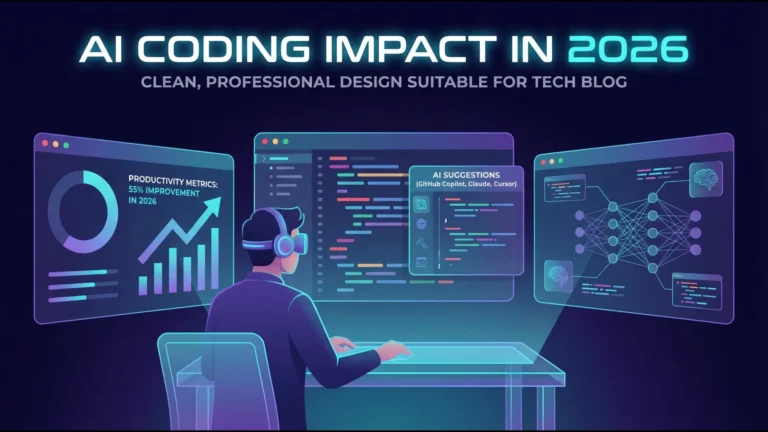
AI Coding Assistants vs Human Programmers —Who Actually Wins?


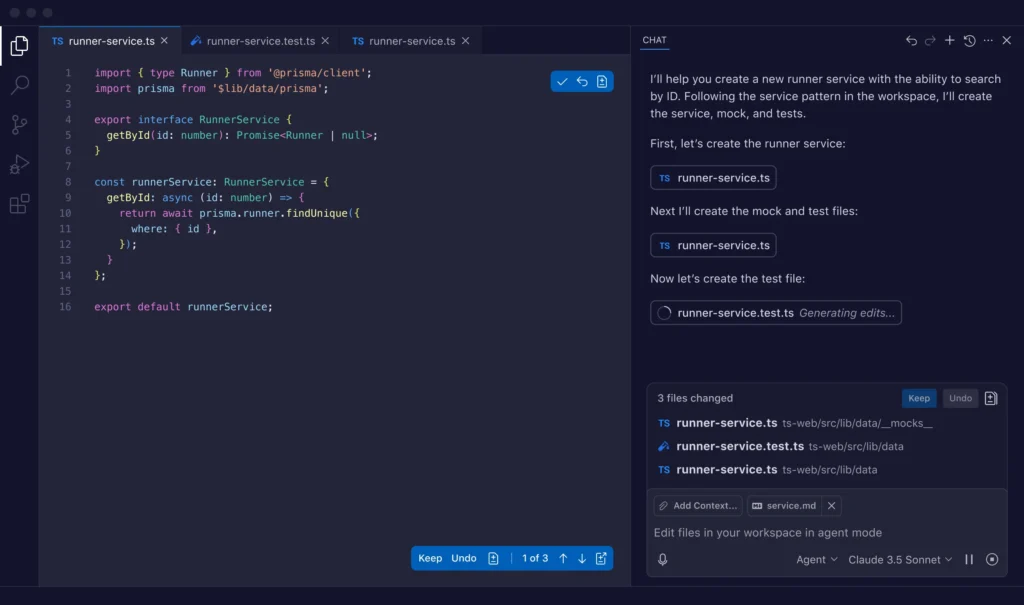
Deep Dive · Updated May 2026
The evidence is messier than the marketing suggests. We went through every major study published through mid-2026 — including the ones that contradict each other — to give you an honest answer.
TL;DR — Executive Summary
- The productivity gains are real — but heavily context-dependent. GitHub’s controlled study found developers completed simple, well-defined tasks 55% faster with Copilot. The METR trial (July 2025) found experienced developers on complex, real-world codebases were actually 19% slower — while believing themselves to be faster.
- Security is a genuine, unresolved problem. Multiple peer-reviewed studies put the rate of security weaknesses in AI-generated code between 29% and 45%, depending on language and tool. Java fares worst.
- Junior developers gain the most; seniors face a paradox. The tools shine brightest for boilerplate, scaffolding, and unfamiliar languages. For seniors in large, complex codebases, the overhead of reviewing, correcting, and re-prompting often eats the time savings.
- AI increases individual output without necessarily increasing team delivery speed. Faros AI’s 2025 analysis of 10,000+ developers showed this gap clearly. More code does not automatically mean more shipped product.
- No one is being replaced — yet. The developer role is changing, not disappearing. But junior hiring has slowed noticeably, and that structural shift deserves honest attention.
- The smart move: Use AI assistants for high-leverage, low-risk tasks (prototyping, tests, docs, boilerplate). Apply strict human review to anything touching security, architecture, or production logic. Measure your own results — don’t trust vendor benchmarks alone.
⚠️ Realistic warning: If your team is adopting AI tools based primarily on vendor marketing (55% faster! 126% more projects!), you need to read this article in full before committing budget and workflow changes.
Here’s something that doesn’t get said enough: the question in the title has no single, clean answer. That’s not a cop-out — it’s the most important thing to understand before your organization writes a six-figure cheque on AI tooling, or before you spend hours optimizing your Cursor prompting workflow based on something a vendor published.
The marketing says AI coding assistants make developers 55% faster, 78% more likely to finish tasks, and capable of handling 90% of code generation by 2026. The most rigorous independent trial published in 2025 found experienced developers were 19% slower with these tools on real-world tasks. Both of these things are simultaneously true. Understanding why requires looking at what each study actually measured — and what it didn’t.
I’ve spent the past several months tracking the literature on this, watching how engineering teams at different scales have responded to AI tools, and trying to find where the honest consensus sits. What follows is an attempt to cut through both the hype and the reflexive skepticism and give you something genuinely useful.
Software development isn’t a single activity. It’s a collection of very different tasks strung together: reading and understanding existing code (often the bulk of senior work), designing systems, writing new functions, debugging, reviewing others’ code, writing tests, documenting, refactoring, responding to incidents. AI tools don’t affect all of these equally. They never did.
When GitHub published its famous Copilot productivity study, the task was: write an HTTP server in JavaScript from scratch. Developers with Copilot were 55.8% faster. That’s a real number from a real experiment. But it’s a greenfield task with clear requirements and a well-understood domain — practically the ideal scenario for AI assistance. Most professional software engineering looks nothing like that.
The METR study — which we’ll examine in detail shortly — tested developers on real issues in their own massive, complex open-source projects, with millions of lines of existing code and years of accumulated technical debt and implicit context. The result flipped: AI made experienced developers 19% slower.
Neither study is wrong. They measured different things. The key is knowing which scenario more closely resembles the work you actually do.
Why comparison is hard: Vendor studies tend to select well-defined, isolated tasks. Academic studies tend to use controlled but sometimes artificial scenarios. The best real-world data comes from observational studies of large developer populations — which captures genuine work, but loses experimental control. Every piece of evidence here comes with an asterisk. Read the methodology before quoting the number.
This is the most widely cited finding in the AI coding debate, and it deserves careful handling. GitHub’s controlled experiment asked developers to implement an HTTP server in JavaScript — one of the most clearly scoped, well-defined programming tasks imaginable. Developers using Copilot completed it 55.8% faster and were 78% more likely to complete the task at all.
These numbers are real. But the task was specifically chosen because it would showcase Copilot’s strengths: well-known domain, no existing codebase to navigate, clear endpoint definition. GitHub has been transparent about this. The study was not designed to answer “how much faster will your senior engineers be on their actual jobs.” It measured a proof of concept.
GitHub/Microsoft Copilot Study (2022–2023): Developers completed a well-scoped HTTP server task 55.8% faster with Copilot. Completion rate improved by 78%. Methodology: randomized controlled trial, N=95 professional developers. Source: GitHub Research Blog, Sept 2022
In July 2025, the non-profit research organization METR published what is probably the most methodologically rigorous AI productivity study to date. The setup: 16 experienced open-source developers, 246 real issues from their own projects (averaging over a million lines of code and 22,000 GitHub stars), randomly assigned to either use or not use AI tools (primarily Cursor Pro with Claude 3.5 and 3.7 Sonnet).
The result: developers with AI access took 19% longer to complete their tasks. Not 19% faster. Slower.
The second finding was arguably more disturbing. Before the experiment, developers predicted AI would make them 24% faster. After finishing — with the actual data in front of them showing they were slower — they still believed they had been about 20% faster. The gap between perception and measured reality was 39 percentage points.
METR Study (July 2025): 16 experienced open-source developers, 246 real tasks on complex codebases (avg. 1M+ lines of code). AI-assisted developers were 19% slower on average. Developers predicted 24% speedup; reported 20% speedup; actual result: −19%. This is a randomized controlled trial. Source: METR.org — “Measuring the Impact of Early-2025 AI on Experienced Open-Source Developer Productivity,” July 10, 2025
The METR study has limitations too. Sixteen developers is a small sample. The tasks were drawn from a specific kind of codebase (large, established open-source projects). The tools used reflect early-2025 model capabilities, which have improved since. Still, the finding matters precisely because of its methodology — it tested real work, by experienced developers, on real projects, and it produced a rigorous randomized controlled trial rather than a survey or case study.
McKinsey’s large-scale survey of 2,000 developers across industries found that AI tools reduced time spent on direct coding tasks by 35–45%. But it also found that time spent understanding and debugging code — including AI-generated code — increased by 10–15%. Net productivity gain: real, but considerably smaller than gross metrics suggest.
McKinsey Developer Survey (2024): Surveyed 2,000 developers. Coding time down 35–45%. Debugging and code-comprehension time up 10–15%. Net gain positive but moderate. Source: McKinsey & Company, 2024 (reported via CallSphere.ai analysis, Feb 2026)
In July 2025, Faros AI published findings from telemetry analysis covering over 10,000 developers across 1,255 teams. Their core finding deserves its own headline: AI coding assistants increase individual developer output without necessarily increasing organizational delivery speed.
More code was being written. More PRs were being opened. But the pipeline from “code written” to “value shipped” was not accelerating at the same rate. In some teams, it was getting longer — partly because AI-generated PRs required more review time, and partly because the increased code volume was creating new coordination overhead.
Faros AI Analysis (July 2025): 10,000+ developers, 1,255 teams. AI increases individual output but does not reliably accelerate organizational delivery. Key bottleneck: review and integration overhead of higher AI-generated code volume. Source: Faros AI Productivity Paradox Report 2025
Only 16.3% of developers in the 2025 Stack Overflow survey said AI made them more productive “to a great extent.” The largest single group — 41.4% — said it had little or no effect. The middle segment reported “somewhat” better output. This distribution maps closely to the METR findings: perceived gains don’t match measured ones, and the benefits are highly uneven across developer types and task types.
16.3%
Greatly more productive (Stack Overflow 2025)
42%
Somewhat more productive
41.4%
Little or no effect
84%
Use or plan to use AI tools (adoption)
Note: High adoption rate does not equal high perceived productivity gain. This is one of the most important disconnects in the current AI coding landscape.
The Productivity Paradox: Feeling Fast While Going Slow
The METR study’s most unsettling finding wasn’t the 19% slowdown itself. It was the cognitive disconnect. Developers who were measurably slower believed themselves to be measurably faster. That’s not a small rounding error in self-assessment — it’s a systematic bias that has real implications for how you should approach evaluating AI tools in your own work.
“AI coding ‘felt faster,’ but in reality, it slowed experienced developers down. The green dots show expectations and self-reports. The red dots show actual performance. The gap is striking.” — Cerbos Engineering Blog, Sept 2025, analyzing the METR study
Why does this happen? A few mechanisms are plausible. Writing a function from scratch requires sustained cognitive effort. Having AI generate a draft and then reviewing it feels lighter — it mimics the experience of being productive without necessarily delivering the same output. The act of editing something is cognitively lighter than creating it, even when the editing process takes longer.
There’s also what Marcus Hutchins described as AI tools “hijacking the brain’s reward system” — the act of receiving a plausible code suggestion and accepting it gives a micro-reward that feels like progress, even when significant time is still required to validate, debug, and integrate that suggestion properly.
The METR study’s screen recording analysis found that AI-assisted sessions had meaningfully more idle time — not just the time waiting for model completions, but stretches of inactivity that suggest developers were mentally context-switching or disoriented, rather than in the focused flow state that complex programming typically requires.
Context Rot: The Long-Session Problem
There’s another phenomenon that experienced users of these tools have noticed: output quality degrades over long sessions. As the conversation context grows, models begin pulling in increasingly irrelevant details from earlier prompts, and suggestions become less accurate and more generic. This effect — sometimes called “context rot” in developer communities — means that the tools’ practical utility in a multi-hour coding session is often lower than it appears in a short demonstration.
This isn’t a fundamental flaw so much as a current limitation of how large context windows actually behave in practice. But it’s worth knowing about before you structure a full working day around AI assistance.
The Security Problem Nobody Wants to Talk About
Productivity metrics get most of the attention in this debate. Security quietly deserves more.
Multiple independent research efforts have found that AI-generated code introduces security vulnerabilities at a rate that should give enterprise engineering teams serious pause. The numbers vary by study methodology and language, but the direction is consistent.
Empirical study (ACM Transactions, Feb 2025): Analysis of 733 real-world code snippets from GitHub Copilot, CodeWhisperer, and Codeium. Security weaknesses found in 29.5% of Python snippets and 24.2% of JavaScript snippets. Issues spanned 43 CWE categories, including 8 from the 2023 CWE Top-25. Source: arXiv:2310.02059v3 — ACM Transactions on Software Engineering and Methodology, 2025
Veracode GenAI Code Security Report (2025): Tested 100+ LLMs on 80 curated coding tasks. AI-generated code introduced security vulnerabilities in 45% of cases. Java failure rate exceeded 70%. Security pass rates remained flat through mid-2025 despite functional improvements in models. Source: Cloud Security Alliance Research Note, March 2026
CodeRabbit Analysis (Dec 2025): AI co-authored pull requests contained approximately 1.7× more issues than human-only PRs in large-scale independent analysis. Source: Panto AI Statistics Roundup, April 2026
There’s a counterpoint worth mentioning: one ACM study found that Copilot is “not as bad as human developers when introducing code vulnerabilities” across certain vulnerability types. Security performance varies significantly by vulnerability category and coding domain. This isn’t all doom — it’s a call for calibrated, context-specific evaluation rather than blanket trust or blanket rejection.
The Specific Vulnerabilities to Watch
The most commonly identified weakness types in AI-generated code are consistent across studies: OS command injection (CWE-78), use of insufficiently random values (CWE-330), cross-site scripting (CWE-79), and improper control of code generation (CWE-94). These aren’t exotic edge cases. They’re the classic vulnerabilities that security training programs have been warning about for two decades.
AI-assisted commits also expose secrets at more than twice the rate of human-only commits: 3.2% vs 1.5%, per CSA research. Hardcoded credentials in repositories increased 34% year-over-year in the same period.
Minimum Security Practices for AI-Generated Code
- Never merge AI-generated code touching authentication, authorization, or cryptographic logic without a dedicated security review
- Run static analysis on all AI-generated code before commit — not just at PR review
- Treat AI-generated code as untrusted third-party code for secrets scanning purposes
- Specifically probe for CWE-78, CWE-330, CWE-79 in any AI-generated handling of user inputs
- Establish team norms around which types of tasks are and aren’t appropriate for AI-first generation
Where AI Coding Assistants Genuinely Win
After reading all of the above, it would be easy to conclude these tools are more trouble than they’re worth. That’s the wrong takeaway. There are specific, high-value applications where AI coding assistants provide real, measurable benefits — and where the counterarguments largely don’t apply.
Boilerplate and Scaffolding
Writing CRUD endpoints, setting up project structure, generating configuration files, scaffolding test suites — these tasks are genuinely well-suited to AI generation. They’re well-defined, low-risk, and the kind of repetitive work that costs developer time without requiring much of their actual expertise. This is where the productivity gains are most reliable and the review burden least demanding.
Unfamiliar Languages and Frameworks
When a developer who primarily works in Python needs to write a small piece of Go, or a JavaScript developer needs to touch a Dockerfile, AI assistants dramatically reduce the lookup-and-iterate cycle. The productivity gain here isn’t about making experts faster — it’s about making non-experts competent enough to execute a task without context-switching to documentation for every other line.
Test Generation
Writing unit tests is one of the most time-consuming and often-skipped forms of development work. AI tools can generate reasonable first-draft test cases from function signatures and docstrings in seconds. The tests need review and often refinement, but the barrier to having test coverage is substantially lower. Several engineering teams report this as their highest-value AI use case.
Documentation
Few developers love writing documentation. AI tools can generate inline comments, function docstrings, and even basic README content from code with reasonable quality. Again: the output needs review. But the activation energy for documentation is dramatically lower, and better-documented codebases have compounding value.
Prototyping and Exploration
When the goal is to validate an idea rather than ship to production, the tradeoffs change significantly. Speed matters more. Security matters less. Code quality matters less. For proof-of-concept work, hackathon projects, and internal tools, AI assistants can be genuinely transformative — enabling a single developer to produce working demos at a pace that simply wasn’t possible before.
DX Data (2025): Analysis of a 135,000-developer dataset found approximately 3.6 hours saved per developer per week in aggregate. This figure includes both high-gain users (10+ hours) and low-gain users (near zero), suggesting the distribution is wide and the average hides meaningful variation. Source: Panto AI Statistics Roundup, April 2026
Where Human Programmers Still Dominate
This section might be the most practically important for senior engineers reading this article, because it describes the work that defines the value of experienced developers — and where replacing or even substantially augmenting that work with AI is still a long way off.
Architectural Decisions and System Design
AI tools can suggest patterns and generate code that conforms to common architectures. What they cannot do — at least not reliably in 2026 — is understand the full context of your organization’s constraints: the team’s existing expertise, the roadmap implications of a technical decision, the maintenance burden of a particular design choice given your team’s size and hiring plans, the political dynamics around a platform migration. System design is deeply contextual in ways that go well beyond the codebase itself.
Debugging Complex, Emergent Problems
The METR study found that AI tools particularly struggled with debugging tasks in large, existing codebases. This makes intuitive sense: finding the root cause of a production issue often requires simultaneously holding in mind a mental model of the system architecture, the recent deployment history, the data patterns in play, and the business logic embedded in a dozen related files. LLMs have no persistent mental model of your system. They operate on whatever context window they’re given.
Code Review and Mentorship
Good code review isn’t just about catching bugs. It’s about asking whether a change fits the team’s evolving standards, whether it introduces technical debt that will matter six months from now, whether the naming conventions communicate intent well enough for the next person to understand. These are fundamentally human judgments, rooted in experience with the specific codebase and team. AI tools can flag some categories of issue, but they don’t develop taste.
Understanding Requirements Under Ambiguity
One of the recurring observations from teams using agentic AI tools is that the final 20–30% of any non-trivial task tends to be where human judgment becomes indispensable. The AI can scaffold the solution quickly. But when the requirements aren’t fully specified — which is almost always the case in real product development — a human developer understands what the client or product manager actually wants, even when what they wrote doesn’t quite capture it. An LLM has no intent. It executes instructions literally, which is a significant limitation when instructions are inevitably incomplete.
“A demo only has to run once. Production code has to run a million times without breaking. AI closes the demo gap quickly, but shipping to production still belongs to humans.” — Cerbos Engineering Team, Sept 2025
Side-by-Side Comparison by Task Type
Summarizing the evidence into a practical decision framework. These ratings reflect the weight of current evidence, not marketing claims.
| Task Type | AI Assistant | Human Developer | Edge Goes To | Notes |
|---|---|---|---|---|
| Boilerplate code | Very fast, consistent | Slower, often templated | AI | Low risk, high leverage use case |
| Greenfield prototyping | Excellent scaffolding speed | Methodical, slower | AI | Where the 55% speedup likely lives |
| Unit test generation | Fast first drafts | Slow, often skipped | AI | Best reported enterprise use case |
| Documentation | Good for inline docs, READMEs | Slow, often skipped | AI | Low review burden, high value |
| Debugging existing code | Useful for pattern matching | Deep contextual reasoning | Human | METR found 19% slower with AI on this |
| System / architecture design | Pattern suggestions, no context | Organizational + domain knowledge | Human | No LLM understands your org constraints |
| Security-critical code | 29–45% vulnerability rate | Prone to errors too, but reviewable | Human | AI-generated code needs mandatory security review |
| Code review | Can flag patterns, misses context | Full contextual judgment | Human | AI is a supplement, not replacement |
| Unfamiliar language/framework | Dramatically reduces lookup time | Slow without domain knowledge | AI | Strong use case for non-native language work |
| Brownfield maintenance | Struggles with implicit context | Built mental model of codebase | Human | AI’s weakest scenario; METR study context |
| Requirements interpretation | Executes literally, no intent | Reads between the lines | Human | The “last 30%” problem in agentic workflows |
| Regression analysis / impact assessment | Limited cross-file reasoning | Understands ripple effects | Human | Improving with agentic tools, still limited |
Junior vs. Senior: The Experience Gap in AI Productivity
This is where the evidence gets genuinely complex. And it matters beyond just individual productivity — it has implications for how the industry develops talent over the next decade.
Juniors: Significant Gains, Some Long-Term Questions
A GitHub study found that developers using AI assistants completed tasks up to 56% faster, with junior developers seeing the most significant gains. This aligns with intuition: juniors spend disproportionate time on syntax lookups, boilerplate, and the kind of pattern-matching that AI handles well. AI essentially gives them a knowledgeable pair-programming partner available at all hours.
One engineering manager’s observation, reported by CodeConductor in early 2026, captures it well: a new hire on day one was scaffolding features and solving validation bugs with AI assistance — work that would typically take several weeks of ramp-up to reach.
The concern is longer-term. Learning to code well has traditionally involved writing code, seeing it fail in specific ways, understanding exactly why, and building intuition from that feedback loop. AI tools shortcut this loop. Whether that shortcut helps juniors learn deeper concepts faster (because they’re freed from repetitive work) or prevents them from developing durable programming instincts (because the feedback loop is bypassed) — the data is genuinely thin and inconclusive here. The honest answer is: we don’t know yet.
Seniors: The METR Paradox
For experienced developers on complex, brownfield codebases, the evidence leans the other way. The METR study was specifically conducted with “experienced open-source developers” on their own large, established projects. These developers already knew the solution architecture; the AI didn’t add the knowledge they were missing, and the overhead of prompting, reviewing, and correcting AI suggestions added friction to a workflow that was already effective.
As one Cerbos engineer put it: “For juniors, 70% feels magical. For seniors, the last 30% is often slower than writing it clean from the start.” The diminishing returns from AI assistance scale roughly inversely with developer experience on a specific codebase.
The Structural Hiring Problem
There’s a macroeconomic dimension here that deserves attention. GitHub Copilot’s paid subscriber base grew 75% year-over-year to 4.7 million by January 2026, while employer outlook for graduate hiring in software engineering hit its most pessimistic level since 2020, according to IEEE Spectrum’s December 2025 report.
Companies are genuinely hiring fewer junior developers because AI tools can handle many of the tasks previously assigned to junior roles. This creates a structural risk: if the junior developer pipeline shrinks, where does the next generation of senior developers come from? The industry is running an experiment here that it may not fully understand until 5–10 years from now.
Market Realities: Adoption, Costs, and What’s Actually Happening
Step back from the individual productivity question and look at the market. The adoption curve tells a clear story: these tools have crossed the chasm from early adopter curiosity to enterprise standard.
84%
Developers using or planning to use AI tools (2026)
51%
Professional developers using AI tools daily
4.7M
GitHub Copilot paid subscribers (Jan 2026)
$3.5B
AI code-assistant market size (Gartner 2025 est.)
Google reported internally that AI-assisted code accounted for over 25% of new code written at the company by late 2025. That’s a signal that the world’s most sophisticated engineering organization has integrated these tools into its standard workflow — even as it continues to invest heavily in measuring downstream effects (code review time, bug rates, maintenance burden).
The Gartner forecast projects that 90% of enterprise software engineers will use AI coding assistants by 2028, up from under 14% in early 2024. That trajectory is probably right directionally, even if the exact figure is uncertain.
The Cost Side
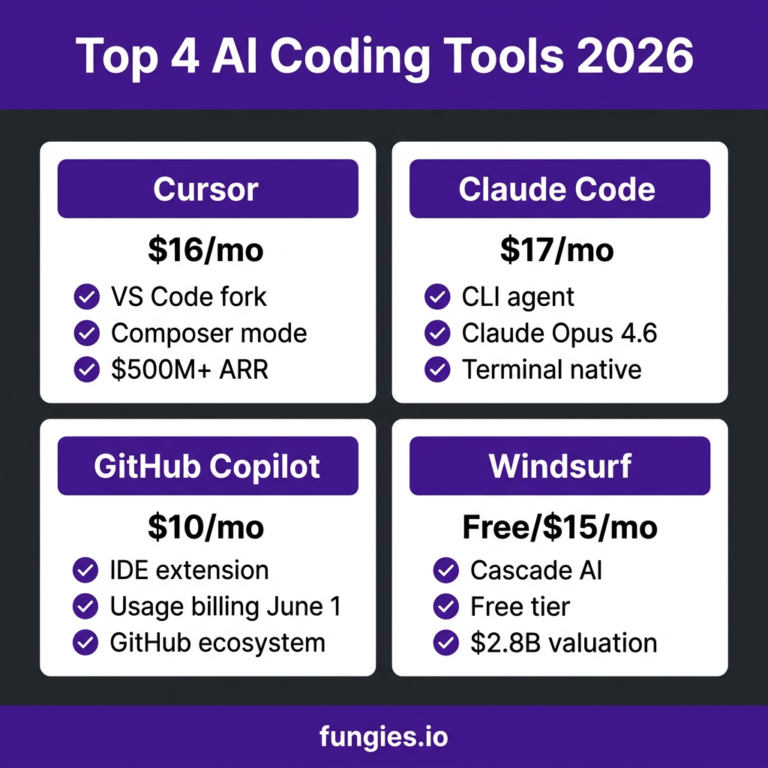
GitHub Copilot for Business runs at $19/user/month. Cursor Pro is $20/month. For a team of 50 developers, that’s roughly $12,000/year — a small fraction of total engineering salary costs. The theoretical ROI is easy to build on a spreadsheet. The harder question is whether the measured productivity gains in your specific context justify the cost and the organizational change required to use these tools well.
That’s not a rhetorical question. Based on the evidence we have, for many teams the answer is yes — but only if the tools are deployed thoughtfully, measured honestly, and not used as a substitute for competent engineering judgment.
A Practical Framework for Actually Using These Tools Well
The evidence doesn’t say “don’t use AI coding tools.” It says “use them carefully, in the right contexts, with appropriate review.” Here’s a practical framework that reflects what the research actually supports.
1. Define High-Trust vs. Low-Trust Zones
Not all code is equal. Establish clear team norms about where AI-generated code can be merged with minimal review (boilerplate, tests, documentation) and where it must receive thorough human scrutiny before it touches production (authentication, payment processing, data handling, security logic). This isn’t about distrust of the tools — it’s about matching review effort to actual risk.
2. Measure Your Own Results — Don’t Trust Vendor Benchmarks Alone
The METR perception gap — developers thinking they’re faster when they’re not — is a real phenomenon. If you’re adopting these tools at team or organizational scale, build measurement into the adoption process. Track cycle time, defect rates, code review duration. The tools may be helping more than you think, or less. Either way, you need data specific to your context.
3. Treat AI Suggestions as a First Draft, Not a Final Draft
The developers who get the most out of AI coding tools report treating them like a fast-but-fallible pair programmer: valuable for getting something on screen quickly, not trusted to get the last mile right. The review step is not optional. Code that feels correct and plausible can still be insecure, inefficient, or subtly wrong in ways that become expensive later.
4. Match the Tool to the Task Type
Based on the comparison table above, the highest-confidence use cases are: boilerplate, tests, documentation, prototyping, and unfamiliar-language tasks. The lowest-confidence use cases are: complex debugging, architectural decisions, security-critical logic, and brownfield maintenance. Route accordingly.
5. Watch for Context Rot in Long Sessions
If you’re working on the same feature for several hours in an AI-assisted context, periodically start fresh conversations. The accumulated context from a long session can degrade response quality in subtle ways. Some experienced users break their AI sessions into focused, short-horizon conversations rather than one long thread.
The “Strong Intern” Mental Model
- Fast and knowledgeable — but needs supervision, not blind trust
- Excellent at well-defined, documented tasks
- Lacks organizational context, history, and intent
- Will confidently produce wrong answers — you need to know enough to catch them
- The value you get scales directly with the quality of your supervision
- Don’t give them production keys on day one
Frequently Asked Questions
Real questions that developers and engineering managers ask about AI coding tools. Answers based on the evidence, not the marketing.
Does GitHub Copilot actually make you faster?
On well-defined, greenfield tasks: yes — up to 55% faster in GitHub’s own controlled study. On complex, brownfield work in existing large codebases: the METR study found experienced developers were 19% slower. The honest answer is “it depends heavily on task type and developer experience.” Junior developers and those working on new projects tend to see stronger gains than senior developers maintaining existing complex systems.
Is AI-generated code less secure than human-written code?
Current evidence suggests it introduces security vulnerabilities at a notable rate: around 29–45% of generated snippets contain weaknesses depending on the study, language, and tool. AI-assisted commits expose secrets at roughly twice the rate of human-only commits. However, one ACM study found AI is not categorically worse than humans across all vulnerability types. The practical takeaway: don’t skip security review on AI-generated code, especially for anything handling user input, authentication, or credentials.
Will AI replace software developers?
Not in any foreseeable timeframe, but the developer role is changing. Junior roles are being affected most visibly — enterprise hiring of early-career developers has slowed, partly attributed to AI handling tasks previously assigned to juniors. Senior developers with deep contextual expertise remain highly valuable precisely because they can supervise AI output effectively. The shift is role evolution, not elimination, though the long-term structural impact on talent pipelines warrants serious attention.
What’s the best AI coding assistant in 2026?
GitHub Copilot remains the most widely adopted (4.7M paid subscribers), with the deepest IDE integration. Cursor has gained rapid ground as an AI-first editor with stronger codebase context awareness. For enterprise security and compliance, Tabnine and Sourcegraph Cody offer more controlled deployment options. The “best” choice depends on your team’s security requirements, codebase size, and primary use cases — there’s no single right answer.
How much does AI coding tooling cost for a team?
GitHub Copilot for Business is $19/user/month; Enterprise tier is $39/user/month. Cursor Pro is $20/user/month. For a 50-person engineering team, expect $11,400–$24,000/year depending on tier and tool. These costs are small relative to engineering salaries but meaningful relative to the uneven productivity evidence — make sure your adoption plan includes measurement, not just deployment.
Do AI coding tools help junior developers learn or hurt them?
Honestly: we don’t know yet. The short-term productivity gains for juniors are real and well-documented. The long-term learning question — whether AI shortcuts the feedback loops that build durable programming intuition — hasn’t been answered with sufficient rigor. The current evidence base is too small and too short-term to be definitive. Supervised, limited use is the prudent approach while we wait for better data.
Why did the METR study find developers were slower with AI?
Three main factors: (1) the cognitive load of reviewing AI suggestions is higher than it feels, and often exceeds the load of writing clean code directly; (2) AI tools struggle with large, complex codebases that require deep implicit context; (3) the perceptual bias — AI “feels” fast, creating the illusion of productivity even when actual task time is longer. The developers in the study worked on codebases averaging over a million lines of code — not the greenfield scenarios where AI shines.
What tasks should I never use AI coding assistants for?
Based on the evidence: (1) security-critical code without a dedicated security review; (2) complex architectural decisions where your organization’s full context matters; (3) debugging subtle production issues in large codebases where deep system knowledge is required; (4) any code handling authentication, authorization, cryptographic operations, or financial transactions without thorough human review. The tools can assist in these areas, but not as the primary decision-maker.
How accurate are AI productivity statistics — can I trust vendor numbers?
Treat vendor-published numbers with skepticism. GitHub’s 55% speedup was measured on a narrowly scoped, ideal-scenario task by the company that sells Copilot. It’s not fabricated, but it’s not representative. The most trustworthy data comes from independent, pre-registered randomized controlled trials (METR’s is the best example) and large-scale observational studies from neutral parties (Faros AI, DX, Stack Overflow). When a vendor cites a study, look at the methodology before repeating the number.
Is the “vibe coding” approach to software development viable?
For prototypes, internal tools, and proof-of-concept work: yes, remarkably so. For production systems that need reliability, security, and maintainability: no. Vibe coding (using natural language prompts and AI generation with minimal traditional coding) produces demos that run once. Production code needs to run a million times. The gap between “it works in the demo” and “it’s ready to ship” is where human engineering judgment remains irreplaceable in 2026.
How do I measure whether AI tools are actually helping my team?
Track these metrics before and after adoption: PR cycle time (from open to merge), post-merge defect rate, time spent in code review, developer-reported flow state frequency, and production incident frequency. Don’t rely solely on developer self-reports — the METR study showed these can be systematically biased toward overestimating AI gains. Give the experiment at least 90 days before drawing conclusions.
Final Verdict
Who Actually Wins?
The honest answer is that framing this as a competition misses the point. AI coding assistants don’t compete with human programmers in the way a chess engine competes with a chess player. They’re genuinely useful for a specific subset of programming tasks and genuinely limited — sometimes counterproductive — for others.
AI wins on speed for well-defined tasks, boilerplate generation, test scaffolding, and documentation. These are real gains that real engineering teams are extracting right now.
Humans win on complex debugging, architectural judgment, security-critical logic, requirements interpretation, and any work that requires understanding your organization’s full context. These aren’t temporary limitations of today’s tools — several of them reflect fundamental gaps between what LLMs do and what those tasks require.
The tools are permanent. 84% of developers are using or planning to use AI tools. The question isn’t whether to engage with them but how to deploy them honestly, measure them rigorously, and retain the human judgment that makes AI assistance actually valuable rather than just fast.
The developers who will be most valuable in 2026 and beyond aren’t those who use AI the most. They’re those who know when to use it, when not to, and how to evaluate the output it produces. That’s a human skill. The market for it is growing.
More from BestPrompt.art
Prompting The Best AI Coding Prompts for GitHub Copilot & Cursor
Guide
Prompt Engineering: The Definitive 2026 Guide
Comparison Claude vs ChatGPT for Coding: Honest Side-by-Side Tools Cursor vs GitHub Copilot — Which Is Actually Better? Prompting AI Code Review Prompts That Senior Engineers Actually Use Technique Vibe Coding in 2026: When It Works, When It Fails Workflow Using AI to Write Unit Tests: A Practical Workflow
Resource
Prompt Library: 200+ Verified Prompts for Developers
Sources & Methodology: All statistics in this article are drawn from named primary sources, independent academic research, or verifiably cited industry reports. Vendor-published studies are presented alongside their methodology limitations. This article was last reviewed and updated May 23, 2026. If you spot outdated information or have access to newer primary research, please reach out via the contact page.
AI Coding Tools 2026: Where They Deliver, Where They Flatter, and How to Tell the Difference
AI Code Generation Is the Future —But Not How You Think