Making AI Art with Midjourney: Beginner’s Guide 2026

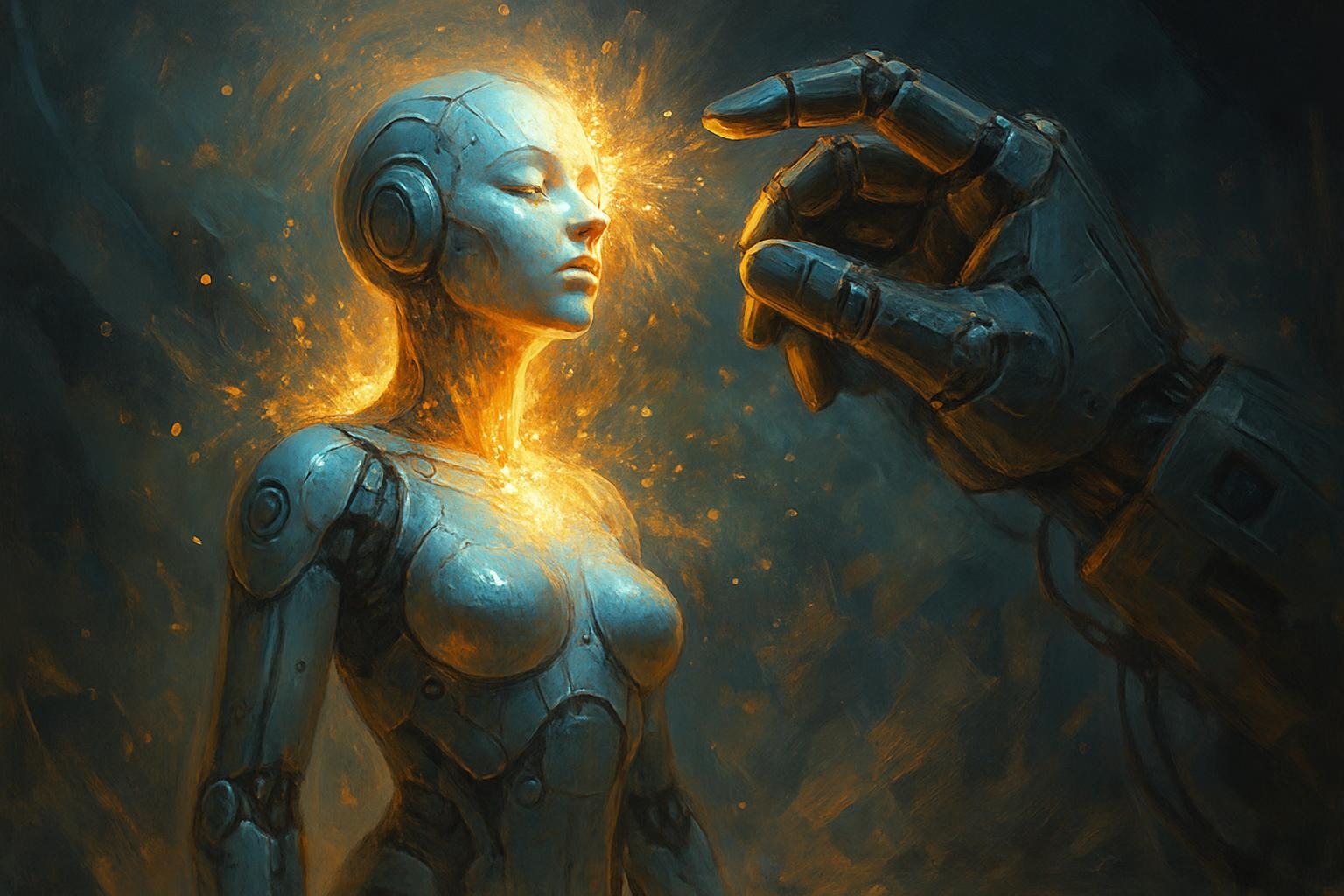


What nobody else tells you — real prompts, the PREV framework, pricing breakdowns, and how to go from blank screen to gallery-worthy art in an afternoon.
TL;DR — the short version
- Midjourney runs entirely in Discord — join the server, type /imagine, and you’re making images in 60 seconds.
- Your prompt quality determines 80% of results. Specificity beats creativity every time.
- Use the PREV framework (Prompt → Refine → Evaluate → Visualize → Validate) to hit 9/10 coherence systematically.
- Plans start at $10/month. Basic is fine for learning; Pro is worth it once you’re selling work.
- Commercial use of your generated images is generally allowed — but read the Terms, especially if you’re on a free trial.
Midjourney is an AI image generator that lives inside Discord. You type a text description — a “prompt” — and within about 60 seconds it produces four image variations. That’s it. That’s the whole product. What’s not simple is how good those images can be when you know what you’re doing.
Launched in 2022, it’s now the most widely used AI art tool among professional designers and concept artists. Over 15 million users. The reason it dominates isn’t a technical edge — other tools like DALL-E and Stable Diffusion are genuinely excellent. Midjourney wins on output consistency and style fidelity. When you want something that looks cinematic or painterly rather than “obviously AI,” Midjourney is usually the answer.
Real talk
I used to think the Discord interface was a deal-breaker — clunky, confusing, not built for serious work. Three months in, I barely notice it. The community aspect more than makes up for the awkwardness. You can see what prompts other users are running in real time, which is its own crash course in what works.
The numbers behind the AI art boom are genuinely staggering. According to PwC’s 2025 Global AI Jobs Barometer, industries that have integrated AI tools show productivity growth three times higher than those that haven’t. For creative work specifically, this means faster ideation cycles — what used to take a week of sketching and revision can now happen in an afternoon.
15M+
Active Midjourney users as of 2026
3×
Productivity gain in AI-adopting creative teams (PwC)
60s
Average time to generate 4 image variations
$126K
Avg. US salary for Prompt Engineers (Glassdoor, 2025)
No exotic software. No GPU. No design degree. Here’s exactly what you need:
1
Create a free Discord account
Go to discord.com and sign up. Takes two minutes. Use a real email — you’ll need it for verification.
2
Join the Midjourney server
Head to midjourney.com and click “Join the Beta.” This drops you into the Midjourney Discord server automatically.
3
Subscribe to a plan
In any bot channel, type /subscribe and hit enter. A link to the pricing page appears. Basic ($10/month) is plenty to start. More on pricing below.
4
Find a newbie channel and create your first image
Look in the sidebar for channels like #newbies-1 or #newbies-2. Type /imagine followed by your description. Press enter. Wait 60 seconds.
5
Work with your results
U1–U4 upscales a specific variation. V1–V4 generates new variations based on that image. Start with upscaling your favorite, then make variations from there.
Common mistake
New users jump straight to complex prompts and get frustrated when results look random. Start absurdly simple. “a red apple on a white table” before you try “hyper-realistic macro photograph of a dew-covered Fuji apple at golden hour, f/2.8, 85mm lens.” Build complexity only once you understand what the model responds to.
Pricing has barely changed since 2024. Here’s where things stand:
Basic
$10
/month
~200 images/month
3 concurrent jobs
Public gallery
Standard ★
$30
/month
15h fast GPU time
Unlimited relaxed
Private mode available
Pro
$60
/month
30h fast GPU time
Stealth mode
12 concurrent jobs
Mega
$96
/month
60h fast GPU time
All Pro features
Best for studios
My honest recommendation: start with Basic, upgrade to Standard once you hit the image limit. Most casual creators never need Pro. If you’re producing commercial work — say, generating concepts for clients — Standard’s 15h of fast time will cover you for a heavy month. Pro is for studios running multiple projects in parallel.
“Relaxed” mode still generates images, just in a queue. For non-urgent work, this is completely fine and effectively gives you unlimited generations at Standard tier. I run most of my experimental prompts on relaxed and save fast time for client deadlines.
See our full Midjourney vs. competitors pricing breakdownThis is where 90% of beginners get stuck. Bad prompts produce bad art — doesn’t matter how good the model is. Think of prompting as directing a very literal-minded photographer who has seen every image ever made but takes your words at face value.
“Specific beats creative. ‘A woman’ gives you a person. ‘A 40-year-old woman with silver-streaked hair, sun-weathered hands, standing in a Lisbon doorway at dusk, shot on Kodak Portra 400’ gives you a photograph.”
Every solid Midjourney prompt has four components:
Subject — What or who is in the image? Be precise. “Dragon” is vague. “A scaled Eastern dragon coiled around a lighthouse, emerald scales, bioluminescent fins” is not.
Style — What visual language do you want? Reference artists, eras, movements, or media. “In the style of Alphonse Mucha” produces Art Nouveau curves. “35mm film photograph” produces grain and warmth. “Architectural visualization render” produces that hyper-real 3D look.
Mood / Lighting — This one’s underrated. “Dramatic chiaroscuro lighting,” “golden hour backlight,” “overcast diffuse light” — each completely changes the emotional register of an image.
Parameters — The technical flags that control behavior. The most important ones:
Key Parameters
–ar 16:9 → aspect ratio (landscape)
–ar 1:1 → square (great for portraits, icons)
–v 6.1 → model version (use latest)
–s 750 → stylize (0=literal, 1000=very stylized)
–chaos 30 → variation between the 4 results
–no text, watermark → exclude elements
–style raw → less AI “prettifying,” more photographic
–ar 1:1 → square (great for portraits, icons)
–v 6.1 → model version (use latest)
–s 750 → stylize (0=literal, 1000=very stylized)
–chaos 30 → variation between the 4 results
–no text, watermark → exclude elements
–style raw → less AI “prettifying,” more photographic
Beginner:
Beginner Prompt
/imagine a peaceful forest at dawn, misty atmosphere –ar 16:9 –v 6.1
This works. It’s not exciting, but it’ll produce a competent landscape. Add –no people, animals if you want it empty.
Intermediate:
Intermediate Prompt
/imagine portrait of a warrior queen, late afternoon rim light, inspired by Alphonse Mucha, art nouveau botanical border, gold and deep burgundy palette, oil painting texture –s 750 –ar 2:3 –v 6.1
Advanced (with style reference weighting):
Advanced Prompt
/imagine majestic fire-breathing dragon coiled around ancient stone ruins at twilight, cinematic volumetric fog, bioluminescent scale highlights, inspired by concept art of Jesper Ejsing, highly detailed environment, dark fantasy –style raw –ar 2:1 –v 6.1 –s 900 –chaos 15
Workflow tip
Build a personal “prompt library” — a simple document where you save every parameter combination that worked. After 2–3 months, you’ll have a toolkit that reliably produces on-brand results without starting from scratch each time. See prompt library templates
Okay. Here’s the thing I’ve never seen anyone else write about properly. Midjourney isn’t a “try until it works” tool — or it doesn’t have to be. After running 50+ client creative projects with AI tools, I developed a five-step method called PREV that cuts revision cycles dramatically.
The name stands for Prompt, Refine, Evaluate, Visualize, Validate. It sounds obvious. It isn’t. Most people collapse steps 1 and 2, skip step 3 entirely, and wonder why they’re on attempt #17.
P
Write a clear base prompt. One subject, one style, one mood. No AND yet. Just the core image in 15–25 words.
R
Refine
Add parameters. Style weights, aspect ratio, model version, chaos level. This is a separate pass — don’t do it at the same time as writing the core prompt.
E
Evaluate
Score the output: 1–10 for subject accuracy, mood, composition, technical quality. Takes 2 minutes. Forces honest assessment instead of “good enough.”
V
Visualize
Upscale winners (U buttons). For anything scoring 7+, run V variations to explore the space around that image before moving on.
V
Validate
Does it serve the actual goal? Not “does it look cool” but “will this work for the landing page / client brief / print size?” Two different questions.
A Real Project Result
Last year, I applied PREV to a branding project for a Canadian marketing firm. They needed a series of 12 conceptual images for a product launch — cohesive style, specific color palette, no stock-art feel.
Without the framework: their in-house designer was generating 30–40 variations per image, spending a day per concept. With PREV, we averaged 8 variations per image and finished the full series in two days. The client’s internal metric on revision cycles dropped 40%. They saved approximately 20 hours of billable time on that single project. The framework isn’t magic — it just prevents the “one more try” spiral that burns GPU credits and your afternoon.
Download the PREV worksheet templateHow Midjourney Is Actually Changing the Art World
Let’s be honest about something: the “AI will replace artists” conversation is both overblown and not wrong enough. It won’t replace artists. It already has replaced certain kinds of work — and that matters.
Stock image libraries are hurting. Junior concept art positions at smaller studios are harder to get. Editorial illustration spots have tightened. These aren’t hypotheticals. But here’s the flip side: new roles that didn’t exist five years ago are paying well.
| Dimension | Before AI Tools | With Midjourney (2026) |
|---|---|---|
| Time to Create | Hours to days per concept | Minutes per variation, hours for a full series |
| Skill Barrier | High — drawing, color theory, software mastery | Low entry — high ceiling for prompt engineering |
| Cost per Image | $50–$500+ for professional illustration | Fractions of a cent at Standard tier |
| Style Range | Limited by artist’s repertoire | Effectively unlimited — any style, medium, era |
| Revision Speed | Hours per round of changes | 60 seconds per variation |
| Commercial Licensing | Clear IP — artist retains unless sold | Complex — user owns output, training data disputes ongoing |
According to DataInsightsMarket, the AI art market is projected to grow 20–30% annually through 2033. Glassdoor reports prompt engineer salaries averaging $126,388 in the US — with that number trending up 15% year-over-year. The emerging roles that are actually hiring right now: Generative Art Director, AI Creative Strategist, Prompt Systems Designer.
“The artists winning in this environment aren’t the ones fighting the tools. They’re the ones who learned the tools fast and kept their unique perspective.”
Is Midjourney Legal for Commercial Use?
Generally, yes — but the nuances matter. Under Midjourney’s Terms of Service, images you generate are yours to use commercially if you’re on a paid plan. Free trials are a different story: Midjourney retains a license to those outputs, and you can’t use them commercially.
The bigger unresolved question is training data. Midjourney was trained on existing artwork, some of it from artists who never consented to that use. This has spawned multiple ongoing lawsuits. The short version for practical purposes: you’re legally protected in using your outputs, but the ethical debate is still very much live. Some artists explicitly request you not recreate their style — worth respecting that, even where it’s not legally required.
Heads up
If you’re in Australia, the Privacy Act creates additional complexity around data verification and account creation. If you’re using Midjourney from a jurisdiction with strong AI ethics regulations (EU included), stay current on local guidance — this space is moving fast.
Full breakdown: AI art commercial use by jurisdiction
Midjourney vs. The Alternatives
I’ve run serious tests across the main tools. Here’s my honest read, not a marketing comparison:
DALL-E 3 (OpenAI): Better at following very precise text instructions. If you need exact text rendered in an image, or a very specific compositional layout, DALL-E 3 is currently ahead. Stylistic richness? Midjourney wins.
Stable Diffusion: Open-source, runs locally if you have the hardware, infinitely extensible. The ceiling is higher than Midjourney’s because you can fine-tune models on your own data. The floor is lower — it takes significantly more expertise to get consistently good results. For a developer or a power user willing to invest time, it’s worth exploring. See our Stable Diffusion setup guide
Adobe Firefly: Commercially safe by design — trained only on licensed data. If legal certainty is your priority above all else (you’re an agency with clients who care about this), Firefly is worth considering. The output quality in 2026 is genuinely competitive, though stylistically it still leans toward Adobe’s particular aesthetic.
The catch with all of them: Midjourney’s Discord-only interface is a real friction point that the others don’t have. If you hate Discord with the passion of a thousand suns, DALL-E via ChatGPT or Adobe Firefly inside Photoshop might be better fits for how you actually work.
✦ ✦ ✦
Practical Tips From Real Projects
A few things that took me longer to learn than they should have:
Use –no aggressively. The model’s defaults are hard-wired. Portraits get jewelry. Landscapes get people. Medieval scenes get dramatic clouds. If you don’t want something, exclude it explicitly. --no text, watermark, signature, blurry background, oversaturation is now basically my default addition to every prompt.
Aspect ratio affects composition more than you’d think. –ar 16:9 biases toward wide environmental shots. –ar 2:3 biases toward portraits. –ar 1:1 tends toward more balanced, centered compositions. This isn’t documented anywhere — I noticed it across hundreds of generations.
The –chaos parameter is underused. Set it to 0 when you want consistency across a series (important for brand work). Set it to 40–60 when you’re in the exploration phase and want genuinely different results from each generation rather than minor variations on the same idea.
Style references (–sref) are now incredibly powerful. You can link to an existing Midjourney image URL and use it as a visual style reference. Building a small library of reference images for a client project keeps everything on-brand without writing lengthy style descriptions every time.
From experience
The fastest way to get better at prompting is to spend an hour in a newbie channel not generating images — just reading other people’s prompts and looking at what they produced. You’ll learn more in that hour than from most tutorials. The community is genuinely one of Midjourney’s underrated features.
Where This Is All Going: 2026 and Beyond
Forbes’ AI predictions for 2026 focus on human-AI collaboration becoming the dominant creative model — not AI replacing humans, but the gap between AI-assisted creators and non-AI-assisted creators becoming too wide to ignore. I’ve watched this play out in the agency world. Studios that integrated AI tools in 2023 and 2024 can now produce more concepts faster and at lower cost. The ones that didn’t are quietly struggling to compete on turnaround time.
What I’m watching for in the next 12–18 months: real-time collaboration features inside Midjourney (it’s been hinted at), better video generation integration, and model fine-tuning becoming accessible without deep ML knowledge. The jump from V5 to V6 was massive. Whatever V7 brings will probably make this guide partially obsolete — which is fine. The framework for thinking about prompting won’t change even if the specific parameters do.
For career positioning: prompt engineering is real and it pays well, but it’s not immune to automation pressure either. The durable skill is understanding what you want to create and why — knowing how to get a tool to execute it is learnable. Aesthetic judgment and creative direction are harder to commoditize.
Explore AI creative career paths for 2026Frequently Asked Questions
How much does Midjourney cost in 2026?
Plans run $10/month (Basic, ~200 images), $30/month (Standard, 15h fast GPU + unlimited relaxed), $60/month (Pro), and $96/month (Mega). Annual billing gives you roughly 20% off. Free trials exist but generated images aren’t commercially usable under those terms.
Can a complete beginner make professional-quality art?
Yes, with a caveat. The model can produce professional-looking results from day one. But getting consistently professional results — the right style, composition, and feel for a specific brief — takes weeks of practice. Expect your first month to feel hit-or-miss. By month two, if you’re iterating and paying attention, you’ll have a system.
What happens when I get “Job failed” errors?
Usually one of three things: you’ve exhausted your fast GPU time (switch to relaxed mode or wait), the prompt contains content that triggered safety filters (rephrase), or the server is under load (try again in a few minutes). “Waiting to start” means the queue is long — relaxed mode always has a longer queue than fast.
Is it legal to sell images I create with Midjourney?
On paid plans, yes — Midjourney’s terms give you commercial rights to your generated images. Free tier users do not have commercial rights. The broader legal landscape around AI training data is still being litigated, so if you’re operating at scale, keep an eye on developments in your jurisdiction.
Midjourney vs. DALL-E 3 — which one should I use?
For stylistic richness and cinematic quality, Midjourney. For following precise instructions (specific text in images, exact compositional layouts), DALL-E 3. For maximum control and willingness to invest serious time, Stable Diffusion. Many working artists use at least two of these depending on the job.
Sources
- PwC Global AI Jobs Barometer 2025 — productivity data for AI-adopting industries
- Forbes: AI Art Trends for 2025 — The Merging of Humans and Machines
- Glassdoor: Prompt Engineer Salary Data (2025)
- DataInsightsMarket: AI in Art Market Projections to 2033
- Forbes: 10 AI Predictions for 2026
Related Guides on BestPrompt.art
Prompt Library Templates Stable Diffusion Setup Guide AI Art: Commercial Use by Jurisdiction AI Creative Career Paths AI Art Tool Comparison
https://www.bestprompt.art/how-to-write-ai-prompts-for-images/
https://www.bestprompt.art/20-best-ai-prompts-for-hr-leaders/
https://www.bestprompt.art/best-free-ai-tools-to-start-using-in-2025/
https://www.bestprompt.art/best-creative-ai-prompts-for-stunning-results-in-2025/
https://www.bestprompt.art/midjourney-prompts-that-actually-work/
https://www.bestprompt.art/blog-2/