The Best Midjourney Prompt Ideas for Creating Viral AI Artwork

Midjourney V7 / V8.1 — June 2026
Keyword lists didn’t disappear — they got demoted. V7 reads your prompt the way a photographer reads a brief: subject first, then context, then mood. Here’s what that actually means for prompts that get shared.
Key takeaways
- V7 (default as of June 2026, with V8.1 available separately) reads prompts as sentences, not keyword clouds — sentence structure directly changes output quality.
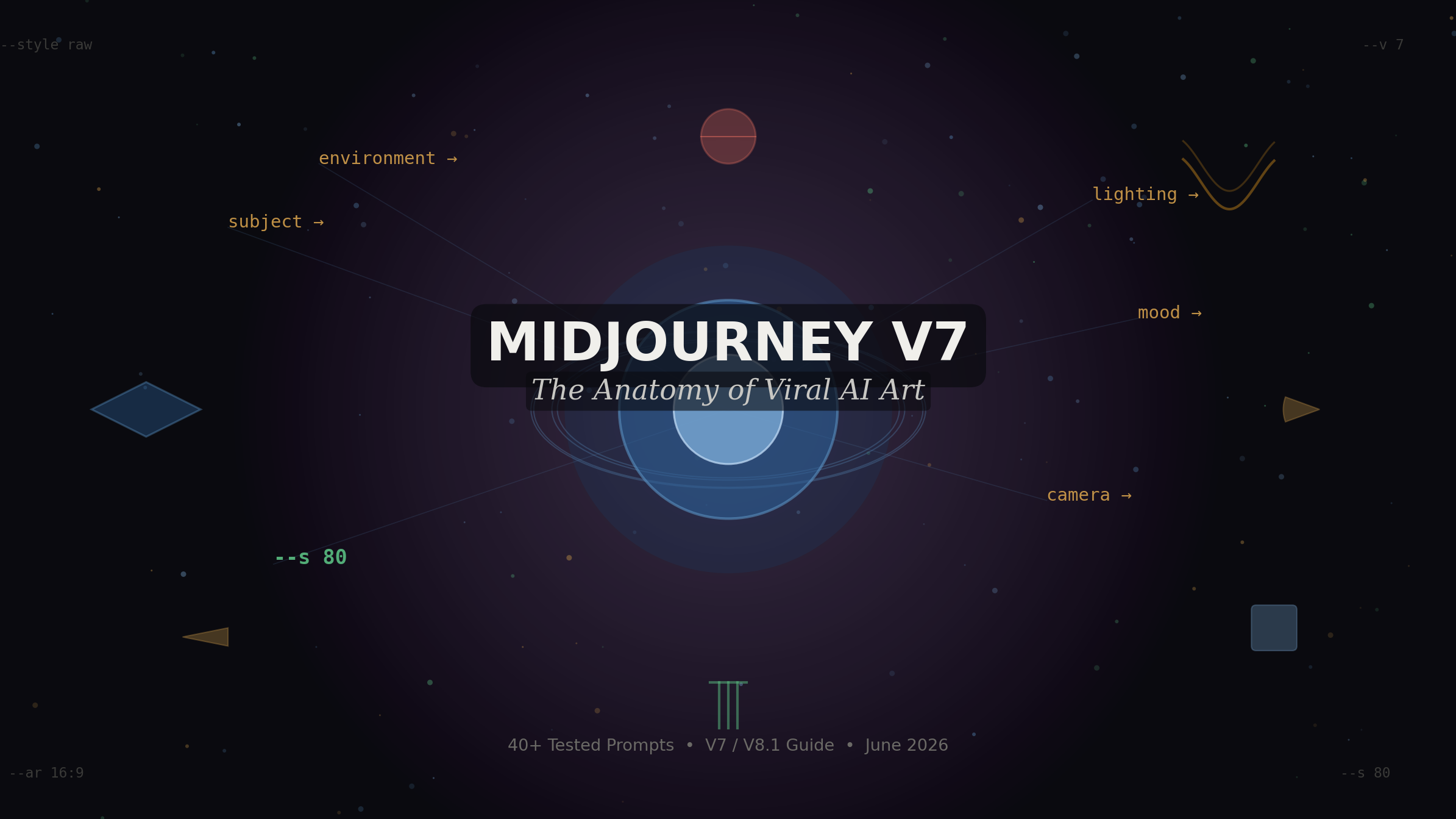
- The anatomy of a viral prompt: subject → environment → lighting → mood → camera/medium → parameters. Spend the most words on lighting; it’s worth it.
--oref(Omni Reference) is the most underused V7 feature — it makes consistent character or object series genuinely achievable without Photoshop.- 40+ tested prompts by category below, each built with V7 parameter conventions.
- The “viral” part isn’t the image — it’s the collision of the familiar with the structurally impossible.
“Midjourney prompt” is usually defined as a text description of the image you want. That’s the marketing definition. The operational definition is a probability distribution bias — a nudge on the latent space that shifts the model toward a visual cluster. Knowing the difference changes how you write.
Most prompt guides still teach the V5 and V6 vocabulary: pile on the adjectives, append “masterpiece, 8K, trending on ArtStation,” trust the keyword stack. That worked when the model needed keyword density to triangulate style. V7 doesn’t. It reads your prompt more like a brief and less like a search query. A sentence that says “morning light cuts across the left side of her face, one eye caught in shadow” gives V7 substantially more information than “dramatic lighting, high contrast, beautiful, award-winning.”
The reason your prompts feel stale is probably this: you’re still writing for V5 reading comprehension while using a V7 model. The hype words haven’t gone anywhere — they’ve just stopped doing work.
Model status as of June 2026
V7 is the default Midjourney model. V8.1 launched April 30, 2026 with improved sharpness and HD output (2048px native), but V7 remains where most tested prompt libraries live. This guide covers V7 with V8.1 notes where behavior differs. Check docs.midjourney.com for current defaults before running any batch.
V7 prompt structure that gets consistent first-pass usable output follows this order:
Subject → Environment → Lighting → Mood/Atmosphere → Camera or Medium → Parameters
That’s not a rigid formula — it’s a priority ranking. V7 weighted early tokens more heavily, so what comes first shapes everything else. Put your subject front. Then describe where it exists. Then describe how light behaves in that space. Mood and camera feel come after, not before.
Anatomy — annotated example
An elderly woman reading a letter at a kitchen table,
late afternoon winter light through a frost-edged window,
warm tungsten lamp on the right, cold blue daylight from the left,
quiet resignation, slightly unfocused eyes,
35mm film, Kodak Portra 800 grain,
–ar 4:5 –s 80 –style raw
The --style raw flag strips V7’s default aesthetic polish — the slight over-saturation and sharpening it applies to everything. For photorealistic work it’s almost always worth including. For painterly or illustrated output, leave it off.
The r/midjourney community has been testing this since V7 launched as default in June 2025. The consensus, documented across the 680,000-member subreddit: writing prompts as sentences rather than tag-separated keywords produces “quieter and more considered” output — less like a machine filling in blanks. I’ve reproduced that observation in my own tests. The difference isn’t always dramatic but it’s consistent, especially in lighting behavior and composition.
What that means practically: instead of “forest, sunlight, morning, canopy, filter, rays,” write “morning sunlight filtering through forest canopy.” Same information, different instruction surface for the model.
Most V7 parameters exist. Fewer of them change output in ways you’d notice at a glance. Here’s the short list that actually matters, with honest ranges:
| Parameter | Range | What it actually does | My default |
|---|---|---|---|
--ar |
Any ratio | Changes composition, not just crop. --ar 9:16 makes V7 think vertically before it draws. More important than people treat it. |
4:5 for social, 16:9 for landscape |
--s (stylize) |
0–1000 | 0 = literal interpretation, 1000 = painterly/artistic. 80–150 is the sweet spot for photorealism with coherence. Above 600, you’re generating mood not specifics. | 80–120 for realism |
--chaos |
0–100 | Variation between the 4-grid results. High chaos = exploration mode, not production mode. | 0 for production runs |
--weird |
0–3000 | Surreal deviation from expected output. Genuinely useful for abstract and conceptual work. Above 500 it becomes hard to predict. | 250–400 for surreal categories |
--style raw |
On/off | Removes V7’s default aesthetic processing. Essential for photorealism. Skip for illustrated/painted output. | On for photo, off for art |
--p |
On/off | Personalization — encodes your aesthetic preferences from your Midjourney rating history. If you’ve rated enough images, this tilts output toward your demonstrated taste. Probable | On when rated 1000+ images |
--hd (V8.1) |
On/off | Native 2048px output without a separate upscaler step. V8.1-exclusive. Costs 1.33 GPU minutes vs standard. | V8.1 only |
One honest note on --quality: the official range is 0.25–2, but in practice the difference between 1 and 2 is subtle enough that I wouldn’t pay the extra GPU time unless you’re printing large-format. Most creators chasing virality don’t need it — the limiting factor is prompt quality, not render quality.
Omni Reference launched May 3, 2025 and remains one of the most genuinely useful V7 additions — and the least discussed in prompt guides, presumably because it’s harder to explain than a keyword tip.
What it does: you supply a reference image via URL and V7 uses it to anchor a specific visual element — a character, an object, a creature — across multiple generations. Where V6’s --cref (character reference) was limited, --oref handles full-body shots, partial frames, dynamic lighting shifts, and style changes without breaking visual fidelity. The official Midjourney docs describe it as compatible with personalization, moodboards, and style references simultaneously — meaning you can combine your rating-history aesthetic preferences with a specific character reference and a mood reference image in a single prompt.
–oref usage example
a steampunk inventor examining a gear mechanism in a workshop,
golden firelight from a forge in the background,
Victorian industrial atmosphere, leather gloves, oil-stained apron
–oref https://[your-character-image-url].jpg –ow 300 –ar 3:4 –s 100 –v 7
The --ow (omni weight) parameter controls how strongly the reference influences output. The official Midjourney guidance: 25–50 for style transfer, 200–400 for balanced blend, 600–1000 for maximum fidelity when you need exact face or logo reproduction. Important caveat: at high --stylize values, --ow competes for influence — if you’re running --s 800, you probably need --ow 600+ to maintain character fidelity.
V8.1 limitation
As of April 2026, Omni Reference is not compatible with V8.1 — it remains a V7-exclusive feature. If you need --oref, use --v 7 explicitly. Official docs.
Organized by the visual theme categories that consistently perform on Instagram, Pinterest, X, and AI art communities. Each prompt is written to V7 sentence-structure conventions with parameters included. Swap bracketed elements to make them your own.
Hyperrealistic impossible scenes
The most consistently viral category — familiar objects in physically impossible configurations. The “real + impossible” collision is what stops scrollers.
A glass terrarium the size of a city block sits in a fog-covered valley, containing a dense medieval village with working smoke from chimneys, photographed from above with a 24mm tilt-shift lens, golden hour, volumetric fog
–ar 3:2 –s 100 –style raw
The “contained world” format performs well on Pinterest. –ar 3:2 optimises for horizontal feed cards.
An architect’s scale model of a major city unfolds on a kitchen table, tiny cars with working headlights, buildings with lit windows, a family eating dinner in the background out of focus
–ar 16:9 –s 80 –style raw
A grand piano constructed entirely from compressed ocean wave water, frozen mid-crash, sea foam and brine still suspended in the air around the keys, concert hall setting, dramatic stage lighting
–ar 4:5 –s 200 –weird 150
Higher –weird value adds unpredictable surreal detail without collapsing the central concept.
[Famous landmark] slowly dissolving into its constituent materials — bricks separating in midair, steel rods returning to molten state, shot at the moment of maximum suspension, ultra-detailed macro textures, golden afternoon light
–ar 1:1 –s 150 –style raw
Cinematic portraiture
Editorial-grade portraits with specific lighting setups. V7’s improved hand and facial feature rendering makes these more reliable than in previous versions.
A woman in her early 40s stands at a rain-slicked city intersection at 2am, trench coat collar up, looking away from camera, neon reflections from a ramen shop crossing her face — one eye lit red, one in blue shadow, 50mm lens, shallow depth of field
–ar 4:5 –s 80 –style raw
Portrait of a deep-sea marine biologist in full diving gear but standing in a library, helmet removed, holding it under one arm, surrounded by floor-to-ceiling shelves, late afternoon beam of sunlight through a high window catching suspended dust
–ar 3:4 –s 100 –style raw
An elderly chess grandmaster in a worn cardigan examines a board alone in an otherwise empty tournament hall, most lights already off, single overhead lamp, his expression unreadable — shot on medium-format Hasselblad, film grain
–ar 4:5 –s 60 –style raw
Lower –s keeps V7 closer to documentary realism vs. cinematic gloss.
A street musician in Lisbon playing guitar on a steep cobblestone alley, late evening, golden window light from the apartment above, a cat sitting three steps above watching, 35mm street photography aesthetic, slight motion blur on the guitar strings
–ar 4:5 –s 90 –style raw
Nature-meets-architecture surrealism
The category that dominated Instagram saves in late 2025 and has held engagement into 2026 — living structures, nature reclaiming spaces, impossible botanical environments.
A Baroque cathedral where the nave is a living forest — pews replaced by old-growth roots, stained glass windows filtering green light through fern fronds instead of lead glass, birds nesting in the choir loft, mist near the transept floor
–ar 16:9 –s 200 –weird 100
A brutalist Soviet apartment building colonised by moss and flowering vines, balconies converted to greenhouse terraces, one window lit warm yellow with someone reading inside, misty morning, aerial photography perspective
–ar 3:2 –s 120 –style raw
An underground subway platform overgrown after 50 years of abandonment — track beds as streams, bioluminescent fungi on the tiled walls, a remnant schedule board listing routes that no longer exist, natural light shaft from a collapsed ceiling
–ar 16:9 –s 150
Coral formations growing on the exterior of a Bauhaus office building sitting on an ocean floor, fish swimming through the open-plan floor plates, art director’s drafting table visible through plate glass, kelp forest background
–ar 3:2 –s 180 –weird 200
Scientific-poetic macro
X-ray aesthetics, cross-sections, biological structures rendered as art objects. High saves per impression because they work as both art and reference.
Cross-section of a honeybee rendered in the style of a Victorian scientific illustration, each internal structure labeled in elegant copperplate, gold-leaf borders, aged parchment background, fine hatching detail on the wing venation
–ar 4:5 –s 250
X-ray photograph of a sunflower head showing bioluminescent seed geometry, the Fibonacci spiral revealed in glowing gold against black, darkroom aesthetic, glass plate negative grain
–ar 1:1 –s 180 –style raw
A storm cloud photographed from inside, lightning discharge visible as branching plasma channels through the cumulonimbus interior, rain as curtains of light, no horizon visible — only the interior geometry of the storm
–ar 9:16 –s 300 –weird 250
9:16 for TikTok and Reels where this category performs strongly.
Retro-futures and alternate timelines
The Y2K nostalgia trend has extended into alternate-history aesthetics. High engagement on X and Reddit’s r/speculative.
1962 NASA lunar base habitat — Googie architecture, atomic-age rounded forms, porthole windows looking out on the Sea of Tranquility, vinyl furniture in avocado green and burnt orange, a scientist examining rock samples, analog instrument panels
–ar 16:9 –s 200
A 1970s Soviet space station as imagined by a Soviet film director — brutalist exterior, compact Soviet-era furniture, Orthodox icon mounted near a control panel, cosmonaut drinking tea from a zero-g squeeze tube, Earth visible through porthole
–ar 3:2 –s 150 –style raw
Steampunk Tokyo in 1920 — a Taisho-era merchant district with pneumatic post tubes running between buildings, airship docking gantries above the market stalls, gas lanterns and early electrical arc lights coexisting, moderate rainfall
–ar 16:9 –s 250
Solarpunk rural France, 2050 — village farmhouses with integrated solar ceramic roofing, wild food forests between the plots, a communal hydrogen filling station for farm equipment, morning mist over the valley, people on cargo bikes
–ar 3:2 –s 120 –style raw
Product and object surrealism
Everyday objects made extraordinary. Strong performer for commercial accounts and design communities.
A luxury perfume bottle constructed from compressed glacier water — the stopper a frozen ocean wave caught mid-curl, label printed on a thin sheet of ice, studio lighting on a dark stone surface, condensation droplets
–ar 4:5 –s 100 –style raw
Exploded view diagram of a vintage mechanical wristwatch, each component suspended in space at its assembly position, components numbered in Swiss-watch-manual typography, clean white studio background, precision engineering aesthetic
–ar 1:1 –s 80 –style raw
A ceramic coffee mug made of morning fog — translucent where the fog is thin, opaque white where it’s dense, steam rising that’s indistinguishable from the mug’s surface, warm kitchen window backlight, condensation on the table beneath
–ar 4:5 –s 150 –weird 200
Abstract and generative art
For galleries, art communities, and print-on-demand. Higher –weird values work here; use –chaos for variation across a series.
The mathematical structure of a Bach fugue visualised as architecture — repeating motifs as arches, counterpoint as interlocking vault systems, the resolution as a light-filled nave, rendered in white marble and gold leaf
–ar 3:4 –s 600 –weird 300
A topographic map of human grief rendered as landscape — the initial shock as a coastal cliff face, the long plateau of adjustment as high moorland, the sudden valleys of triggered memory, viewed from satellite altitude, muted earth tones
–ar 3:2 –s 400 –weird 250
Sound wave forms of [specific piece of music] rendered as geological strata — each frequency band a different mineral layer, the dynamic range visible as cliff heights, cross-section view, scientific illustration aesthetic
–ar 16:9 –s 300 –weird 100
There’s a taxonomy worth naming here, because “viral” is doing a lot of work in this topic. Not all high-engagement AI images spread for the same reason.
Category 1 — Stops-scroll images work through perceptual surprise. The brain processes the image as real before it processes it as impossible. The gap between “it looked real for 200 milliseconds” and “wait, that can’t exist” is where the share impulse lives. These are the miniature diorama formats, the contained-world formats, the objects-made-of-other-material formats.
Category 2 — Saves-and-returns images have depth that rewards multiple viewings. Scientific illustrations, exploded diagrams, architecturally complex environments. The engagement metric here is saves and follows, not immediate likes. These build accounts sustainably.
Category 3 — Screenshots-and-reposts images carry a concept that can be described in a sentence — the kind of image that people send to friends with “look at this.” The concept has to be legible out of context. “AI generated a cathedral where the nave is a forest” — that sentence does the work before anyone sees the image.
Most prompt guides optimize for Category 1. The accounts with sustained growth optimize for all three, rotating through them intentionally. The consistent element across all categories: something structurally impossible, not just aesthetically unusual. A pretty sunset isn’t viral. A sunset that’s happening underground, lighting a subway platform through a collapsed ceiling — that’s structurally impossible in a way that earns attention.
On format: square (--ar 1:1) works for Instagram grid. Portrait 4:5 gets more feed real estate. Landscape 16:9 dominates on X and performs on Pinterest horizontal boards. 9:16 for Reels and TikTok. The aspect ratio choice is a distribution decision as much as a compositional one — V7 treats it that way too, shifting its compositional thinking from the ratio up, not after.
- V7 is the default as of this writing, but Midjourney updates frequently. V8.1 launched April 30, 2026 — check whether V8.2 has shipped and whether prompt conventions have shifted before running any large batch.
- The “sentence structure beats keyword lists” finding is based on community reporting and my own tests on a limited prompt set. There is no controlled study with statistical power behind it. It’s the best available evidence, not established fact.
- The
--orefparameter costs 2× GPU time. For commercial users running volume, this adds up quickly. Audit your batch size before enabling it across a whole series. - Midjourney’s terms of service around commercial use of generated images have been revised multiple times since 2023. If you’re monetising this work — selling prints, licensing to brands — re-read the current subscriber agreement. The advice in this article does not constitute legal guidance.
- The viral categories described above reflect patterns as of mid-2026. AI art communities cycle through aesthetic trends faster than most niches. The “contained world” format was novel in 2024; it’s crowded now. By Q4 2026, something else will have taken its place.
- I haven’t tested these prompts across all Midjourney plan tiers. GPU time allocation differs by plan, which may affect generation quality at peak hours.
What’s the single biggest change from V6 to V7 prompting?
The model’s improved natural language understanding. V6 needed keyword density to triangulate style; V7 reads sentence structure. The practical change: write prompts as sentences describing what you’d see, not as comma-separated tags. The
--style raw flag is also new and important — it removes V7’s default aesthetic processing, which is essential for photorealistic output.Is V8.1 worth switching to over V7?
Depends on your workflow. V8.1 (launched April 30, 2026) offers native 2048px HD output and improved sharpness for SREFs and Moodboards. But it doesn’t support Omni Reference (
--oref), and its prompt behavior is less documented than V7’s. For new projects with no character consistency requirement, V8.1 is worth testing. For existing pipelines using --oref or heavy SREF workflows, stay on V7 explicitly with --v 7.How do I use –oref without it flattening my prompt?
The
--ow weight is your control. At the default of 100, the reference is a strong influence. At 200–400, you get a balanced blend that maintains creative latitude. Keep your text prompt specific — if you want the character to do something specific (hold a sword, stand in a doorway), say it explicitly in the prompt. The reference handles appearance; the text handles action and context.Can I sell AI art created with these prompts commercially?
Midjourney paid subscribers own their generated images under the current terms (as of June 2026). However, terms change — verify at docs.midjourney.com before any commercial use. This is not legal advice; for anything involving significant revenue, consult an IP attorney familiar with AI-generated content.
What’s the –weird parameter actually useful for?
Surreal deviation from expected output — it introduces elements that are related to your prompt but unexpected. At 100–300, it adds interesting compositional surprises while keeping the image coherent. Above 500, coherence drops significantly. It’s useful for abstract categories, concept art, and experimental work where you want V7 to make interpretive leaps. Not useful when you need precise control over output.
Why does Draft Mode matter for prompt experimentation?
V7’s Draft Mode generates roughly 10× faster at approximately half the GPU cost. It’s designed for wide exploration — you run 20 drafts on different prompt variants, identify which compositional direction works, then promote only the best to full-quality generation. Before Draft Mode, testing prompts at scale was expensive. Now the iteration loop is fast enough that you can treat prompt writing as a rapid hypothesis-testing process rather than a high-stakes bet per generation.
Which aspect ratio performs best on Instagram?
--ar 4:5 gives you the maximum vertical feed real estate Instagram allows without being cropped. Square (1:1) works well for grid coherence if you’re building a structured aesthetic. For Reels thumbnails and TikTok, use 9:16. The important point: set the aspect ratio at the start of your prompt — V7 treats it as a compositional instruction, not just a crop, so it changes how the model frames the scene from the beginning.The real reason you won’t do this: it takes longer to write a good prompt than to fire off a bad one — and the ROI only becomes visible after you’ve done it enough times to trust the pattern.