How to Build Websites Faster With AI (Step-by-Step Guide)


Web Development · AI Tools · 2026
A practical walkthrough of the tools, workflows, and prompting strategies that actually save time — with the research, caveats, and real benchmarks the glossy tutorials leave out.
Executive Summary
- The honest headline: AI genuinely accelerates website building, but the gains vary wildly by task type and experience level. A GitHub-backed controlled trial found a 55% speed improvement on focused coding tasks. A METR study of experienced developers on complex legacy projects found they were 19% slower. Both are true.
- Best use cases for AI: Generating layouts, writing boilerplate HTML/CSS, producing first-draft copy, building UI components, debugging common errors, writing alt text and meta tags. These are where the time savings are real and consistent.
- The tool landscape has split into three lanes: all-in-one no-code builders (Wix AI, Hostinger), design-first visual tools (Framer, Webflow AI), and code-native generators (Lovable, v0, Bolt.new). Choosing the wrong lane for your project costs more time than any tool saves.
- For non-developers: Wix AI, Durable, and Hostinger’s AI builder are the most reliable paths to a live site without touching code. Expect 2–5 hours total, not 20 minutes.
- For developers: Cursor plus your existing IDE, or v0 for React UI generation, adds the most leverage without forcing you to abandon your workflow.
- The real bottleneck isn’t generation — it’s prompting and review. Vague prompts produce generic results. AI-generated code needs human review; a 2025 analysis found roughly 29% of AI-generated Python code contained security weaknesses.
- Next step: Read the tool comparison table, pick your lane, then follow the step-by-step workflow for your skill level.
Table of Contents
- Why 2026 Is Actually Different (Not Just Hype)
- What the Research Actually Shows
- The Three Lanes: Picking Your Tool Category
- Tool Comparison: Side-by-Side
- Step-by-Step: Building a Site With AI
- Prompting That Actually Works
- AI for Copy, SEO, and Content
- The Developer Workflow: AI as Copilot
- Where AI Will Slow You Down
- Two Real-World Case Studies
- Launch Checklist
- FAQ
- Final Verdict
Every year since 2022 has been declared “the year AI changes web development forever.” And every year, the reality has been more complicated than the announcements. So let’s be precise about what’s changed and what hasn’t.
The generation of AI tools in 2023–2024 produced layout suggestions, rewrote copy in slightly more confident tones, and auto-generated boilerplate that still required substantial cleanup. The tooling in 2026 is meaningfully different in three ways: contextual understanding has improved, the output is often production-ready without heavy revision, and the tools now understand your codebase rather than just a single file in isolation.
That said, the underlying economics of web development haven’t been overturned. A well-designed, fast, accessible site still requires decisions that AI can’t make for you — what your brand actually stands for, what your users genuinely need, and whether your CTA is in the right place. AI gets you to a working draft faster. The quality of what you do with that draft is still on you.
84%
of developers use or plan to use AI tools regularly
JetBrains Developer Survey, 2025 (n=24,534) 41%
of all committed code globally is now AI-generated or AI-assisted
GitClear analysis, 211M changed lines, 2025 75%
of new apps projected to use low-code or no-code by end of 2026
Gartner forecast $2.5T
projected global AI spending in 2026, up 44% YoY
Gartner, 2026 IT Spending Forecast Before you restructure your workflow around AI tools, it’s worth understanding what the controlled studies actually found — because the real picture is more interesting than either the vendor marketing or the skeptic backlash would suggest.
The most-cited result in this space: in a controlled trial of 95 developers tasked with implementing an HTTP server in JavaScript, the group using GitHub Copilot completed the task 55.8% faster (95% CI: 21–89%). Task success rates improved from 70% to 78%. This is a real finding. But notice what it’s measuring: a well-defined, isolated task, not a full website build in a complex codebase.
A follow-up GitHub study of 202 developers found that code written with Copilot assistance scored higher on functionality, readability, and expert review approval rates. So the quality concern isn’t categorically true either — context matters.
Source: arxiv.org/pdf/2302.06590 · github.blog
The METR randomized controlled trial, run between February and June 2025 with 16 experienced open-source developers, found something unexpected: developers using AI tools were 19% slower than those who didn’t, on their own established projects. The same developers believed they were 20% faster — a nearly 40-percentage-point gap between perception and reality.
What the METR study actually means: The developers were working on large, mature codebases they knew deeply. AI tools that don’t have full codebase context are less useful, sometimes counterproductive, when you already know the code well. The result doesn’t mean AI is useless — it means context window limitations and agentic reliability matter enormously in practice.
Source: domenic.me — first-person account from a METR study participant
McKinsey analyzed nearly 300 publicly traded companies and found that the top quintile of AI adopters — those who rearchitected how they build software, not just added AI tools to existing workflows — achieved 16–30% productivity improvements, 31–45% gains in software quality, and improved time-to-market. The key insight: simply giving developers AI tools doesn’t move the needle. Structural adoption does.
Source: mckinsey.com — The AI Revolution in Software Development
The DORA 2024 report, based on a large developer dataset, found that a 25% increase in AI adoption correlated with a 2.1% rise in productivity — smaller than vendor claims but statistically meaningful. The same dataset found improvements in documentation quality (+7.5%), code review speed (+3.1%), and code quality (+3.4%). Adidas, one documented enterprise case, saw productivity gains of 20–30%.
Source: 2026 DORA Report Summary, axify.io
“The companies that unlock real value are those that rearchitect how they build software and deeply embed AI across the entire development lifecycle — not just for coding.”
— McKinsey & Company, “The AI Revolution in Software Development,” November 2025
The security caveat: Academic analysis of 733 code snippets from AI coding tools found that roughly 29.1% of Python and 24.2% of JavaScript outputs contained security weaknesses spanning 43 Common Weakness Enumeration categories. A separate CodeRabbit analysis (December 2025) found approximately 1.7× more issues in AI-coauthored pull requests. Always review and test AI-generated code before deploying. Source: secondtalent.com
The single most important decision you’ll make isn’t which specific tool to use — it’s which category of tool fits your project. By 2026, AI website building has split into three distinct lanes, and each optimizes for completely different things.
Wix AI, Hostinger AI, Durable, and Squarespace Blueprint AI live here. You describe your business, answer 4–6 questions, and get a fully hosted, functioning site in minutes. The output is designed to be good enough for most local businesses, solopreneurs, and service providers — not for pushing design boundaries.
Who this is for: Non-technical users who need a professional web presence quickly. The goal is a live site, not a crafted one.
Honest limitation: You will hit the ceiling of what’s customizable, usually faster than you expect. If you’re planning to build something that doesn’t look like every other site built on the same platform, this lane has limits.
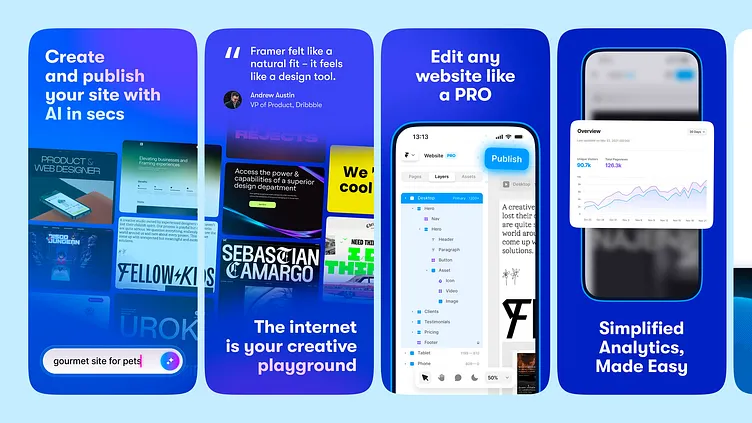
Framer AI and Webflow AI are the strongest examples. They use AI to accelerate what’s always been their core strength: producing beautiful, animation-rich websites with clean output. The AI generates layouts, writes copy suggestions, and handles responsive breakpoints — but the creative direction is still yours to set.
Who this is for: Designers, agencies, startup founders who care about how the site looks and want creative control without writing CSS from scratch.
Honest limitation: Framer is excellent for marketing sites and portfolios. It’s not the right tool the moment you need user authentication, a database, or complex backend logic. At that point, you’re looking at a different category entirely.
Lane 3: Code-Native AI Generators
Lovable, v0 by Vercel, Bolt.new, Replit Agent, and (for developers with their own IDE) Cursor. These tools generate real, exportable code — usually React/Next.js — from text prompts. The output isn’t locked into a proprietary platform. You can take the code, hand it to engineers, and extend it however you need.
Who this is for: Founders building an MVP, developers prototyping, and technically-comfortable users who want to launch a product, not just a website.
Honest limitation: You still need to understand the code, at least at a functional level, to know when something is broken or subtly wrong. Deploying AI-generated production code without review is how security problems happen.
Tool Comparison: Side-by-Side
| Tool | Best For | Outputs | Skill Level | Starting Price | Status |
|---|---|---|---|---|---|
| Wix AI | Small business, local services | Hosted site, no code | Beginner | Free / $17/mo | Production |
| Durable | Fastest launch, local biz | Hosted site in ~30 sec | Beginner | Free / $12/mo | Production |
| Hostinger AI | Budget-friendly, quick launch | Hosted site + domain | Beginner | ~$3/mo (intro) | Production |
| Framer AI | Marketing sites, portfolios | Hosted + CDN, visual editor | Intermediate | Free / $15/mo | Production |
| Webflow AI | Agencies, CMS-heavy sites | Hosted, CSS output | Intermediate | $14/mo | Production |
| 10Web | WordPress AI builds | WP site + PageSpeed opt. | Intermediate | $10/mo | Production |
| v0 by Vercel | React UI components, Next.js | Exportable React/TSX code | Dev-friendly | Free / $20/mo | Production |
| Lovable | Full-stack SaaS MVPs | React + Supabase, deployable | Dev-friendly | Free / $25/mo | Production |
| Bolt.new | Rapid prototyping | Full-stack code, multi-framework | Dev-friendly | Free tier / $20/mo | Maturing |
| Cursor | Developers in existing projects | Code via IDE, any language | Developer | Free / $20/mo | Production |
| Relume | Sitemap + wireframe planning | Figma/Webflow structure | Intermediate | $39/mo | Production |
Prices as of May 2026. All tool data verified against official pricing pages. Always check current pricing before committing — this space moves fast.
Step-by-Step: Building a Site With AI
What follows is the workflow I’d walk through for a real project in 2026 — not the idealized version, but the one that includes the messy middle bits where AI falls short and you need to take over manually.
1
Write a proper project brief before touching any tool
This is where most people skip ahead and then pay for it later. Spend 20–30 minutes writing down: who the site is for, what the primary action is (sign up, book, buy, read), what makes the business different, what pages are actually needed, and what “done” looks like. This brief becomes the source material for every prompt you write.
A vague brief produces generic AI output. “I need a website for my consulting business” generates a template. “I need a three-page site for a boutique financial planning firm serving divorced women over 45, with a clear CTA to book a 30-minute call, strong social proof from client testimonials, and a tone that’s warm but credible” generates something much closer to what you actually need.
Tip: The best AI-assisted sites start with human clarity about purpose. No tool can substitute for knowing what you’re building or why. Use Claude, ChatGPT, or Gemini to stress-test your brief — ask it “What’s missing from this brief that would affect how the site is built?”
2
Use an AI planning tool to generate your site structure
Before you open a builder, map the information architecture. Relume is built specifically for this: describe your business and it generates a complete sitemap and wireframe structure. For simpler projects, ask an LLM directly: “Based on this brief [paste brief], suggest a sitemap, page hierarchy, and the key sections each page needs.”
Resist the temptation to skip this. Changing your site structure after the design is built costs two to three times as much time as getting it right at the outline stage.
3
Generate your initial design and layout
Now pick your tool based on the lane you identified. If you’re in Framer, paste your brief into the AI prompt and select a visual direction. If you’re in Wix, work through the onboarding chatbot with specific, detailed answers — not placeholder ones. If you’re in v0 or Lovable, write a structured prompt (see the prompting section below).
Don’t accept the first output as final. Generate 2–3 variations if the tool allows it. The first generation gives you a structural foundation; the second and third are where you start seeing what actually fits.
Common mistake: Accepting the AI’s content placeholders and forgetting to replace them before launch. “Lorem ipsum” and AI-generated placeholder testimonials (“Sarah M., satisfied customer”) damage trust and have been indexed by Google in embarrassing ways for real businesses.
4
Write your real content — with AI as a drafting partner, not the author
Here’s where the honest conversation gets uncomfortable: AI-generated website copy is usually detectable, often generic, and sometimes actively harmful to conversion rates because it uses the same phrases, structures, and tonal patterns as every other AI-written site. “We’re passionate about delivering innovative solutions” doesn’t persuade anyone.
The better approach: write rough notes in your own voice, then use AI to clean up, expand, and structure. Or write a detailed prompt that includes specific claims, proof points, and the voice you want, then edit the output heavily. The best copy on AI-assisted sites is 60–70% human-written, with AI handling the structural heavy lifting.
# Example prompt that produces better copyWrite the homepage hero section for a financial planning firm.Business name: Clarity Financial PlanningAudience: Women going through or recently completing divorce, ages 40-58Primary CTA: Book a free 30-minute callTone: Warm, direct, credible — not corporate, not cheerfulKey proof: 12 years in practice, 340+ clients, CFP certifiedKey differentiator: Specialize exclusively in divorce financial planningAvoid: Clichés like "empower," "journey," "passionate," "innovative"Format: Headline (max 9 words), subhead (max 22 words), CTA button text5
Customize, refine, and make it actually yours
Whatever AI generated, it produced something generic enough to fit a hundred businesses. Your job in this phase is to break that genericness. Upload your actual photos (not stock). Use your real brand colors and typography, not the defaults the AI picked. Replace AI-chosen placeholder testimonials with real ones. Move sections around to match how your actual audience thinks.
For code-based outputs (v0, Lovable, Bolt), this is where you open the generated code and start modifying. Even if you’re not a developer, tools like Cursor can help you make targeted changes: “In this component, change the button color from blue to #C84B11 and add a hover animation.” That’s a prompt most people with basic familiarity can write.
6
Use AI for SEO — the tasks it’s actually good at
AI is genuinely useful for certain SEO tasks: generating meta titles and descriptions at scale, suggesting heading structures, writing alt text for images, finding semantic keyword variants, and identifying thin content sections. It’s less reliable for keyword research (you still need a proper tool like Ahrefs, Semrush, or even Google Search Console) and should never be used for link building decisions.
Prompt example for meta descriptions: “Write five variations of a meta description for this page: [paste page content]. Each should be under 155 characters, include the keyword ‘divorce financial planning,’ and have a clear call to action. Do not start with the business name.”
7
Test, audit, and review before launch
AI-generated sites, especially code-based ones, need a structured pre-launch audit. Run Google PageSpeed Insights. Check mobile rendering on a real device. Test every form. Verify that AI-generated copy doesn’t contain any factual errors or hallucinated claims. Run an accessibility check using WAVE or Axe. Ask AI to review your own site’s code for common security issues — but don’t rely on that alone.
If you used an AI no-code builder, check that it’s generating clean HTML for crawling, not rendering everything client-side in a way that blocks Googlebot from reading the content.
8
Launch, monitor, and iterate
Launch is not the finish line. Connect Google Search Console and Google Analytics 4 (or Plausible if you prefer privacy-friendly). Watch your Core Web Vitals. Watch where users drop off. AI is useful for iteration too — once you have real data, you can ask: “Users are leaving this pricing page without clicking. Based on this page content [paste], what are three specific changes that might improve conversion?”
Prompting That Actually Works
The difference between a useful AI output and a generic one often comes down to how the prompt was written. Most people under-specify. Here’s what consistently produces better results:
The anatomy of a strong website-building prompt
- Context first: Who you are, what the site is for, who the audience is
- Specific constraints: Tech stack, number of pages/sections, what to include and exclude
- Tone and voice descriptors: Give examples of brands or publications whose tone is similar
- What to avoid: Clichés, colors you hate, structural patterns that don’t fit
- Output format: Specify exactly what you want returned — code, Markdown, JSON, component structure
For code generation (v0, Cursor, Bolt)
# Strong component prompt for v0Create a React testimonial section component using Tailwind CSS.Layout: 3-column grid on desktop, single column on mobileEach card should include: Quote (max 3 lines), full name, role/company, 5-star rating displayDesign direction: Clean, editorial — no rounded bubbles, no colored backgroundsColor palette: Background #FAFAF6, text #1A1916, accent #C84B11Interactions: Subtle hover elevation on each cardDo not include: Avatar images (no placeholder needed), social media linksExport as: A single named TypeScript component with prop types definedIterating on outputs
Don’t try to get everything right in one prompt. The best results come from iteration: generate a rough version, identify the two or three things that are most wrong, then write a specific correction prompt for each. “Make the font smaller” produces worse results than “Change the heading from font-size: 2rem to 1.5rem and adjust the line-height to 1.35.”
AI for Copy, SEO, and Content
One of the more underused applications of AI in web building isn’t the design — it’s the pre-launch content infrastructure. Here’s where AI consistently adds leverage:
| Task | AI Usefulness | Human Input Needed |
|---|---|---|
| Meta titles and descriptions | High | Review for accuracy and tone |
| Alt text at scale | High | Check for descriptive accuracy |
| Heading structure / content outlines | High | Adjust for brand and audience |
| Hero headline and CTAs | Medium | Significant editing needed |
| About page / brand story | Medium | Heavy rewriting; must be authentic |
| Technical SEO (structured data, schema) | High | Validate output before deploying |
| Keyword research strategy | Low | Use a dedicated SEO tool instead |
| Link building decisions | Low | Requires human judgment and research |
| Testimonials and case studies | Never | Must be real — this is non-negotiable |
The Google position on AI content (2025–2026): Google has explicitly stated that how content is produced doesn’t determine its ranking — what matters is whether the content is helpful, accurate, and demonstrates genuine expertise, authoritativeness, and trustworthiness (E-E-A-T). AI-generated content that is useful and accurate can rank. AI-generated content that is generic, inaccurate, or produced to game search volume won’t — and increasingly gets filtered at the algorithm level. Don’t use AI to produce content at scale that you haven’t actually verified.
The Developer Workflow: AI as Copilot
If you’re a developer, the calculus is different. You’re not replacing your workflow — you’re accelerating the parts of it that are repetitive or tedious while keeping full control over the parts that require genuine judgment.
The tools that work best here are Cursor (which brings AI into your existing code editor and can see your entire codebase) and v0 (which generates production-quality React components you can paste directly into a Next.js project). The combination that most agencies and independent developers have landed on by mid-2026 is roughly:
- Relume for planning and sitemap generation
- v0 for generating component shells and UI patterns
- Cursor for custom logic, debugging, and code review within the full project
- Manual review before every merge
Where Cursor outperforms generic AI chat
The critical difference between Cursor and using Claude or ChatGPT in a browser tab: Cursor reads your actual files. It knows what components already exist, what naming conventions you use, what packages are installed. When you ask it to “add a loading state to this component,” it writes code that fits your component — not a generic example. That context window integration is what the METR study’s developers were largely missing, and it matters.
The 11-week onboarding curve
Microsoft Research found it takes roughly 11 weeks for developers to fully realize productivity gains from AI coding tools. Most developers judge the tool in the first week, when they’re experiencing roughly 20% of its potential value. If you’re in the “this isn’t saving me any time” phase, you may simply be early in the learning curve rather than facing a tool that genuinely doesn’t work.
Where AI Will Slow You Down
Honest accounting matters here. These are the situations where AI consistently creates more work than it saves:
Large, established codebases: If you’re adding features to a site with tens of thousands of lines of existing code, AI tools frequently miss context, suggest changes that break things elsewhere, and require more review than the time they saved. This is the METR result in practice.
- AI-generated responsive layouts often look fine in the preview and break on specific real devices — always test on actual hardware
- Generated accessibility attributes are frequently technically present but semantically wrong — run a real accessibility audit
- AI copy for regulated industries (finance, healthcare, law) will often be technically accurate but legally problematic — always have a subject matter expert review it
- Prompt-to-deploy workflows without review are how security vulnerabilities get shipped — never skip code review on production code
- AI-generated site structures often create too many pages with too little content per page — this hurts SEO, not helps it
- The more abstract your design requirement (“make it feel luxurious”), the worse AI performs — be specific or expect mediocrity
- Platform-locked AI builders (Wix, Squarespace) create dependency — migrating away later is painful and sometimes requires a full rebuild
Two Real-World Case Studies
Case Study 1
Boutique architecture firm — full Framer AI build
A four-person architecture studio in Amsterdam needed a portfolio site to replace an outdated WordPress installation that required developer involvement for every update. They had no in-house developer. The brief was: showcase 12 projects in a way that feels distinctive, generate inquiry leads, and be self-maintainable by a non-technical team member.
Workflow used: Relume for sitemap (45 minutes), Framer AI for initial design generation (2 hours), manual design customization including custom typography and color palette (6 hours), real copy written by the principal architect and edited with Claude (4 hours), photography upload and layout adjustment (3 hours), SEO metadata generation via AI (1 hour).
~17 hrs
Total build time
$0
Developer cost
94/100
PageSpeed mobile score
3× faster
vs. previous WordPress build timeline
What didn’t work: Framer AI’s first-pass copy was unusable — too generic and clearly not written by anyone who understood architecture. The principal spent significant time rewriting. The AI-generated project descriptions were particularly problematic. They also hit Framer’s CMS limitations when trying to set up a filterable project gallery with more than 15 entries.
Verdict: Good outcome for this use case. The time savings were real, but the “AI writes your content” part of the promise didn’t hold up. Real content still required the human who knew the work.
Case Study 2
Solo developer — SaaS landing page and onboarding flow via Lovable + Cursor
An independent developer building a niche project management tool needed: a marketing landing page, a waitlist signup with email confirmation, and a basic user onboarding flow. Previous approach would have been 3–4 weeks of evenings. Target was one weekend.
Workflow used: Single structured prompt to Lovable for the full-stack structure including Supabase auth setup (generated in ~8 minutes), Cursor for customizing the generated code to match exact design requirements and adding custom logic (Saturday afternoon, ~5 hours), manual review of all generated code before deployment (3 hours), Vercel deploy (20 minutes).
~9 hrs
Total weekend build time
3 wks
Estimated previous timeline
2 bugs
Found in code review (both fixed)
What didn’t work: Lovable’s initial Supabase RLS (Row Level Security) policies were too permissive — a security issue that would have been bad in production. The code review caught it, but this reinforces why you never skip that step. Also, the mobile navigation Lovable generated was functional but felt slightly off; took an additional hour of Cursor prompting to fix properly.
Verdict: Significant time savings for a developer who already knew how to review and extend the code. Not a path for a non-developer to follow without guidance.
Launch Checklist
Before you go live, run through these. AI-built sites often miss the basics because no one explicitly asked the AI to include them.
- All placeholder content replaced with real content (no “Lorem ipsum,” no fake testimonials)
- Custom domain connected and SSL certificate active
- Google Search Console verified and sitemap submitted
- Google Analytics 4 or privacy-friendly alternative (Plausible, Fathom) installed
- All forms tested and confirmation emails verified
- Core Web Vitals checked in Google PageSpeed Insights (target: green on mobile)
- Mobile layout tested on at least two real devices
- All links checked — no broken internal or external links
- Privacy policy and cookie notice present (legally required in EU/UK)
- Robots.txt and canonical tags correct (especially important for no-code builders)
- All images have descriptive alt text
- Meta titles unique for every page (60 characters max)
- Meta descriptions written for every key page (155 characters max)
- Code security review completed for any AI-generated production code
- Third-party scripts (chat widgets, analytics, ads) audited for performance impact
Frequently Asked Questions
How long does it actually take to build a website with AI in 2026?
Honest answer: 2–5 hours for a simple business site using an all-in-one builder like Wix AI or Durable, assuming you have your content and brand assets ready. A design-forward marketing site in Framer takes 10–20 hours including content and customization. A full-stack product landing page and MVP (Lovable, Bolt) typically takes a developer weekend — 8–15 hours — for something genuinely production-ready. The “5-minute website” claims are technically possible but produce something barely past a template.
Can a complete beginner with no coding knowledge build a site using AI?
Yes, within specific constraints. Wix AI, Durable, Hostinger AI, and Squarespace Blueprint AI are genuinely accessible to people with no technical background. You’ll be able to get a professional-looking site live without writing a single line of code. The limitations: you won’t be able to do anything too custom, and you’ll be dependent on that platform’s pricing, infrastructure, and ongoing AI improvements. Code-native tools like Lovable or v0 require at least enough technical understanding to read and review what’s been generated.
Will an AI-built website rank on Google?
Yes — but not because it was built with AI, and not in spite of it. AI-built websites rank or don’t rank based on the same factors as any other site: content quality, page speed, backlinks, structured data, and whether the site genuinely serves the search intent. An AI-built site with thin, generic content won’t rank. A well-structured AI-built site with real, specific, helpful content can rank well. The creation method is irrelevant to Google.
Which AI website builder is best for ecommerce?
For ecommerce, Wix AI has the most mature integrated store functionality for small to mid-size shops. Webflow AI works well for design-heavy DTC brands, particularly when paired with Shopify’s Buy Button for the cart/checkout. For a developer building a headless ecommerce setup, Lovable generating a frontend that connects to a Stripe or Shopify API is a reasonable path. Avoid pure AI generators (Durable, Bolt) for anything with real inventory management needs — they’re not built for it.
Is AI-generated code safe to deploy in production?
Not without review. Multiple independent analyses have found that AI-generated code contains security vulnerabilities at higher rates than carefully hand-written code — the 2025 analysis of AI coding tools found security weaknesses in roughly 24–29% of outputs across common languages. This doesn’t mean the code is unusable; it means it needs the same review you’d give any unfamiliar code. Use automated scanning tools (Snyk, Semgrep) in addition to manual review.
What’s the cost difference between AI-built and traditionally built websites?
For a simple business site: AI no-code builder costs $10–50/month ongoing versus $2,000–10,000+ for custom development. For a design-forward marketing site: Framer AI costs roughly $1,000–3,000 in professional time (if working with a designer) versus $15,000–40,000 for an equivalent custom build. For a full-stack product MVP: $5,000–15,000 developer time with AI assistance versus $30,000–100,000+ for the same feature set built traditionally. The savings are real at every tier, though the comparison isn’t always apples-to-apples — custom builds offer things no AI builder can.
Should I use Framer or Webflow?
Framer wins if your priority is visual quality, animation richness, and a fast path to a beautiful marketing site without needing a developer. Webflow wins if you need a robust CMS for a content-heavy site with multiple editors, or if you’re building for clients who need ongoing content management. Webflow also has better enterprise and agency tooling. Framer’s learning curve is lower for designers coming from Figma. Webflow’s output is more export-friendly if you ever need to move.
Does it make sense to use AI to redesign an existing website?
For a full rebuild, yes — AI can dramatically accelerate the process. For incremental improvements to an existing complex site, it depends on the codebase. The METR research finding that AI tools slow down experienced developers on their own complex projects is most relevant here. If you’re working in a large codebase you know well, AI may create more cleanup work than it saves. If you’re rebuilding from scratch (or a fresh theme), the time savings are much clearer.
What are the biggest mistakes people make when building with AI?
Using AI-generated placeholder content in production (embarrassing and bad for trust). Skipping code review on security-sensitive features. Choosing a tool in the wrong “lane” for their project type. Accepting the AI’s first output without iteration. Writing vague prompts and blaming the tool for generic results. And over-relying on AI for things that require genuine expertise — brand voice, conversion optimization, and content strategy. None of those have been automated yet.
How do I migrate from an AI no-code builder to a custom solution later?
With difficulty, usually. Most no-code builders (Wix, Squarespace, Durable) don’t export clean, portable code — you’re locked in at the platform level. Webflow is a notable exception: you can export reasonably clean HTML/CSS. Framer can export site files but the structure requires adaptation. If you think you might want to migrate later, either build on Webflow for its relative export-friendliness, or build code-native from the start (Lovable, v0, Bolt) so you own the output.
Can AI build multilingual websites?
Yes, with caveats. AI can generate content in multiple languages and many platforms support multilingual site structures. The quality of AI-translated content has improved substantially — Claude, GPT-4o, and Gemini all produce high-quality translations. However, for sites targeting native speakers in specific markets, professional localization review is still recommended, particularly for marketing copy, legal content, and anything culturally nuanced. The technical structure is easy; cultural accuracy is harder.
Is there a risk that AI website builders will make all sites look the same?
Yes, and it’s already happening to some extent. Sites built on the same AI builder with similar prompts produce visibly similar aesthetic patterns — the same layout structures, similar color choices, similar animation styles. The solution is to treat AI output as a starting point rather than a finished product, invest time in genuine customization, use your real brand assets and photography, and write copy in your own voice. The homogenization risk is real, but it’s a risk of laziness rather than a limitation of the technology itself.
Final Verdict
AI genuinely makes website building faster — and in some categories, dramatically so. A non-developer can launch a professional site in hours instead of weeks. A developer can prototype and ship MVPs in a weekend that would previously have taken a month. The tools in 2026 are meaningfully better than anything available in 2023, and they’ll be better still by the time you finish reading this.
But the productivity gains are not automatic. They require good prompting, real content (not placeholder AI text), structured review before launch, and an honest assessment of which tool category actually fits your project. The research is clear that simply adding AI tools to unchanged workflows produces modest or even negative results. Thoughtful integration produces real gains.
The sites that will stand out in an increasingly AI-built web are the ones where AI handled the scaffolding and a human provided the substance: genuine expertise, real proof, specific voice, and something worth reading. That combination is more valuable, not less, now that generic is so easy to produce.
Where to start: If you’ve read this far and still aren’t sure which tool to use, use this decision tree. No code, need it live fast, simple business: Wix AI or Durable. Design matters, building a marketing site, some technical comfort: Framer AI. Building a product with user accounts and data: Lovable or Bolt.new. You’re a developer who wants to move faster in your existing workflow: Cursor. You need React components that are production-ready: v0 by Vercel.
More From BestPrompt.art
Guides, prompt libraries, and tool comparisons for people building with AI.
Prompts Best Prompts for Web Design & UI Generation Guide AI Copywriting That Doesn’t Sound Like AI Comparison Cursor vs GitHub Copilot: Real-World Verdict Guide How to Use AI for SEO Without Getting Penalized Prompts Landing Page Prompt Templates That Convert Comparison Lovable vs Bolt.new: Which AI Builder Wins in 2026 Tutorial Complete Framer AI Tutorial for Beginners
Directory
The Full AI Tools Directory for Builders
How Beginners Can Build Apps With AI Prompts — Step by Step
ChatGPT Prompts for Frontend Developers to Build Faster
How Developers Use AI Prompts to Write Code Faster: BestGuide
Prompt Engineering in Design: 7 Must-Know Tactics for 2025
Prompt Engineering For Marketing 2025: Review Best Tips
Best Creative AI Prompts for Stunning Results in 2025
How to Use AI to Write Cleaner, More Efficient Code