Prompt Keywords
The Prompt Keywords That
Actually Change the Output
Most people write prompts like they’re texting a vending machine. The right words don’t just change what you get — they change whether the model understands what you’re actually asking for.
Here’s what nobody tells you about AI prompts: the model isn’t confused by complex topics. It’s confused by ambiguous instructions. You can ask a language model about the geopolitics of medieval trade routes and get a coherent answer in 8 seconds. But ask it to “improve this email” without any other context, and you get something that’s simultaneously more verbose, more polite, and less useful than what you started with.
The model defaulted to generic optimization goals because you gave it no better definition of “improve.” The prompt keyword problem isn’t about vocabulary — it’s about what words signal to the model about what success looks like.
This is a practical guide to the specific words and structures that actually change output quality in 2026. Not a theory lecture. Not “use AI to 10x your productivity!” cheerleading. Just the keywords, what they do mechanically, and when to use which.
A Prompt Has Five Levers. Most People Pull One.
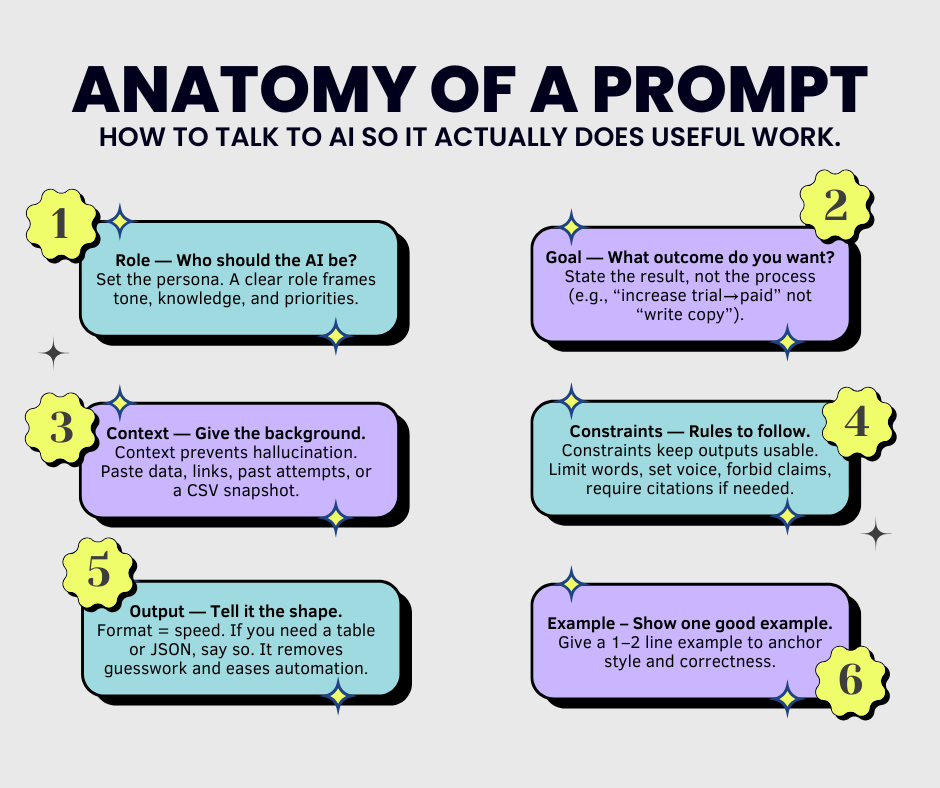
Research published in Frontiers of Computer Science in March 2026 broke down prompt components into a taxonomy that maps neatly to what practitioners have been discovering through trial and error. Every high-performing prompt combines at least three of these:
Most people write only the Task. That leaves the model inventing its own Role (often “helpful AI assistant”), its own Context (often none), and its own Format (often “here are some thoughts…”). The keywords below are how you fill those gaps deliberately.
The Verb Is the Most Underrated Word in Your Prompt
“Write,” “create,” “generate,” and “help me with” are the four most common task verbs — and they’re also the four most likely to produce output you’ll need to rewrite. They’re too broad. The model treats them as permission to do anything loosely related to your topic.
Precision verbs narrow the solution space immediately. When Lakera’s prompt engineering team documented their 2026 guide, they noted that explicit goals and action verbs were the single fastest way to reduce hedging and vague preamble. Here’s the mechanical difference:
The model will ask clarifying questions, or write something generic because “help” could mean anything.
“Rewrite” + “lead with” + “under 80 words” — three keywords, zero ambiguity.
High-signal task verbs by use case
| Keyword | What it signals | Better than | Use when |
|---|---|---|---|
| Extract | Pull specific data from existing content — no invention | “Find” / “Get” | Summarizing documents, mining transcripts |
| Classify | Sort into predefined categories — don’t freestyle | “Organize” / “Sort” | Tagging feedback, routing support tickets |
| Rewrite | Keep the meaning, change the delivery | “Improve” / “Fix” | Tone adjustment, simplification, length reduction |
| Draft | First pass only — not final, not polished | “Write” | When you plan to edit heavily |
| Identify | Name the specific thing — don’t explain or contextualize | “Analyze” / “Look at” | Spotting errors, listing gaps, finding patterns |
| Translate (into) | Convert format or audience — e.g. “translate into 8th-grade reading level” | “Simplify” (too vague) | Accessibility rewrites, audience-specific copy |
| Critique | Specifically find what’s weak or wrong | “Review” / “Give feedback” | Pre-publishing checks, argument testing |
| Return (only) | Restricts output to exactly what’s specified — kills preamble | “Output” (implies more) | JSON, lists, single-sentence answers |
“Analyze this” is the vaguest instruction in content work. The model defines “analysis” as whatever it does best — usually a summary with some observations tacked on. If you want analysis, specify what kind: “Identify the three weakest claims in this argument and explain why each fails under scrutiny.” Now you’ve given it a verb (identify), a quantity (three), a target (weakest claims), and a success criterion (why each fails).
The Role Changes More Than Tone — It Changes What the Model Notices
In the Frontiers of Computer Science taxonomy (March 2026), the researchers were specific about what role assignment actually does mechanically: it raises the probability of certain vocabulary appearing in the output because that vocabulary is statistically clustered with that role in training data. Assigning “lawyer” as a role doesn’t just change the tone — it increases the weight of legal framing, risk qualification, and precedent-based reasoning.
This matters practically. A role keyword is not a costume for your AI. It’s a lens filter. Use it when you need a specific type of attention on the problem.
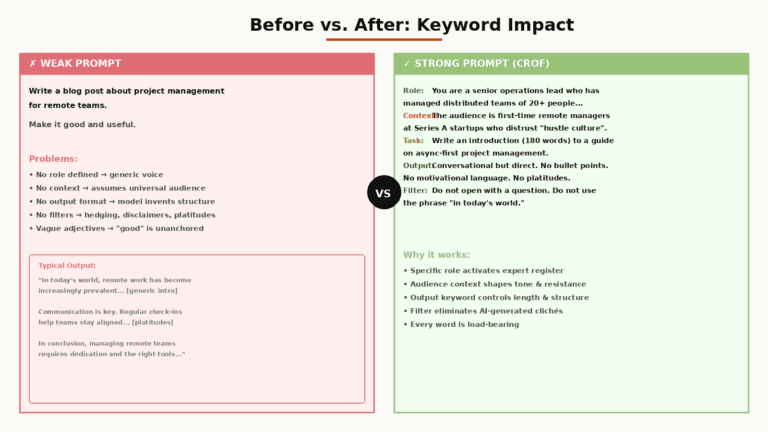
Notice what each keyword layer adds: the role (senior B2B SaaS copywriter) sets the knowledge frame. The constraint keywords (without using…) prevent the three clichés that erode technical buyer credibility. The format keyword (return only…) kills the 200-word preamble that would otherwise show up.
Role keywords that change output meaningfully
| Role Phrase | What it shifts | Best for |
|---|---|---|
| “You are a skeptical editor…” | Activates critical lens — model looks for holes, not strengths | Pre-publish review, argument stress-testing |
| “Act as someone who has never heard of [topic]…” | Forces explanation from first principles — eliminates jargon assumptions | Explainers, onboarding copy, accessibility rewrites |
| “You are the target reader — a [specific persona]…” | Produces objections and confusion from the audience’s POV, not the writer’s | Landing page review, email subject line testing |
| “You are a [domain] expert who disagrees with mainstream advice…” | Surfaces contrarian angles, missed nuance, and edge cases | Thought leadership, debate prep, content differentiation |
“Without,” “Never,” “Exclude” — These Three Words Are Doing Heavy Lifting
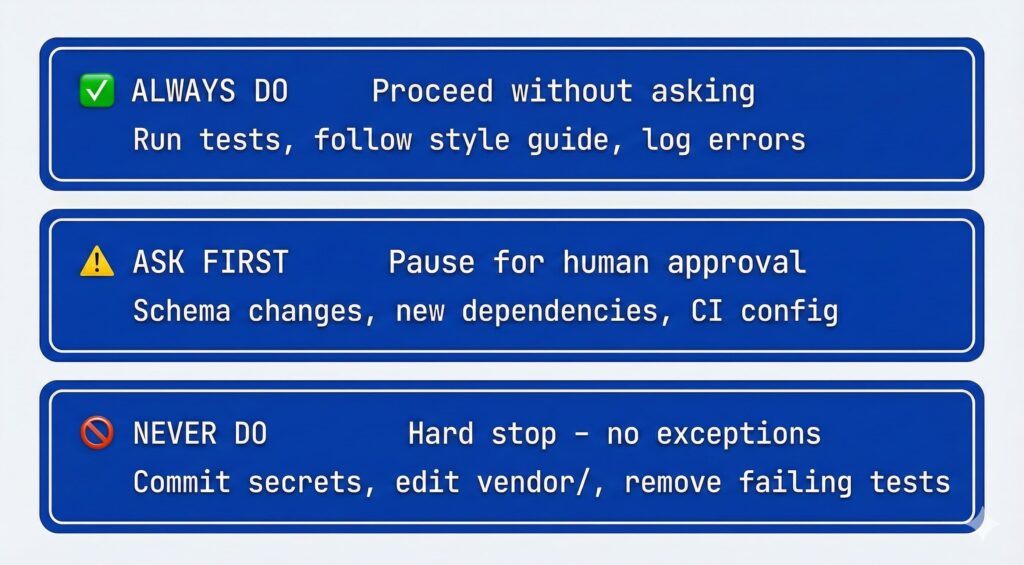
Constraints are the most underused keyword category in content prompting. People spend time on what they want and almost no time on what they don’t want. This is backwards for content work, where the difference between good and usable output is usually a specific thing you’re trying to avoid.
The Lakera team’s 2026 guide documented a precise pattern that works across ChatGPT, Claude, and Gemini: directive + constraints + format. The constraints slot does measurable work — it reduces hedging clusters, kills template language, and prevents the model from defaulting to its statistical average for that topic.
Constraint keyword impact on output quality
Relative improvement in output specificity vs. no constraint (practitioner estimates, mid-2026)
Notice that “avoid being too formal” barely moves the needle. Adjective-based constraints (“too long,” “too casual,” “too technical”) are interpreted relative to the model’s baseline — and its baseline and yours are probably not the same thing. Noun-based constraints (“without these words,” “never this structure”) are unambiguous.
The Four Context Words That Stop Generic Output
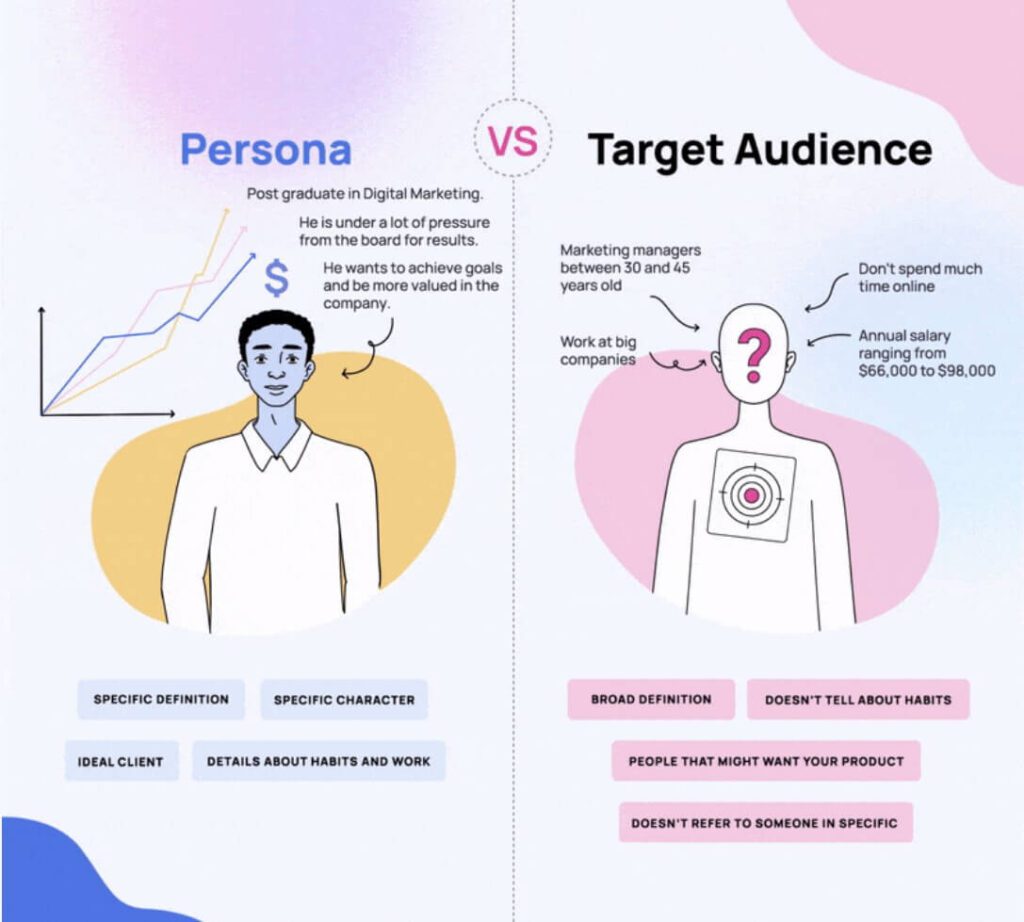
Context is the part of the prompt that changes what “a good answer” looks like. Without it, the model responds generically — or invents plausible-sounding assumptions about your audience, goal, and constraints that may have nothing to do with your actual situation.
From the Medium prompt engineering analysis in January 2026: “Useful context is the small set of details that changes what a good answer looks like: audience, goal, constraints, and priorities.” Four things. Not a paragraph. Not your full project brief. Four words-plus-their-content:
| Context Keyword | The phrase structure | Example |
|---|---|---|
| Audience | “The audience is [specific person/group]…” | “The audience is CFOs at mid-market SaaS companies who are skeptical of AI hype.” |
| Goal | “The goal is to [specific outcome], not [common misread]…” | “The goal is to get a reply, not to explain everything about the product.” |
| Channel | “This will appear in/on [specific channel]…” | “This will appear in a LinkedIn post — mobile-first, no images, truncated after 3 lines.” |
| Stakes | “This matters because [consequence if wrong]…” | “This is a legal notice — any ambiguity creates liability. Precision over readability.” |
Adding “not to [thing the model might optimize for instead]” is one of the highest-leverage context keywords most people miss. “The goal is to get a reply, not to be comprehensive” tells the model what to sacrifice when making trade-offs. Without it, the model makes those trade-offs based on its training defaults — and “comprehensive” beats “short” in almost every default.
Format Keywords Are the Fastest Productivity Win Nobody Uses Correctly
Format keywords don’t affect the quality of the thinking — they affect the usability of the output. A brilliant analysis buried in six paragraphs of preamble, three caveats, and a “conclusion” section is functionally useless if you needed a two-sentence summary.
GPT-4 and Claude behave differently here, which is worth knowing if you use both. Per Lakera’s 2026 documented testing: GPT responds better to numeric constraints (“3 bullets,” “under 50 words”) and format hints (“in JSON”). Claude tends to over-explain unless explicit boundaries are set — with Claude, stating the goal and tone explicitly does more work than with GPT.
Format keywords by output type
| If you need… | Use this format keyword | Not this |
|---|---|---|
| A usable list | “Return exactly [N] items. Each item one sentence. No explanations.” | “Give me a list” |
| Structured data | “Return only valid JSON with fields: [field1], [field2]. No preamble.” | “Format it nicely” |
| A short answer | “Answer in one sentence. Maximum 25 words.” | “Keep it brief” |
| A comparison | “Return a two-column table: [option A] vs [option B]. Rows: [criteria 1], [criteria 2]…” | “Compare these” |
| Iterative output | “First give me the output. Then, on a new line after ‘—‘, list any assumptions you made.” | “Show your reasoning” |
“The best results rarely come from the first prompt. Define the task and the criteria in the same place: what you want, for whom, what tone, what constraints, and what output structure.”
— Medium, Prompt Engineering Basics 2026What a 5-Lever Prompt Actually Looks Like for Content Work
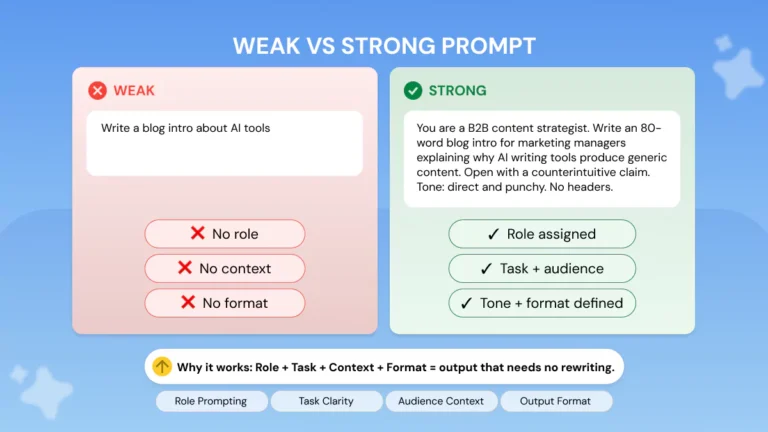
Here’s the same content brief written two ways. The first is how most people write prompts. The second uses all five keyword levers. The output difference isn’t marginal — it’s the difference between generic and usable.
You can find a library of ready-to-adapt prompt templates for different content formats at BestPrompt.art — the templates there follow exactly this five-lever structure and are organized by use case rather than by tool, which makes them faster to find when you’re mid-workflow.
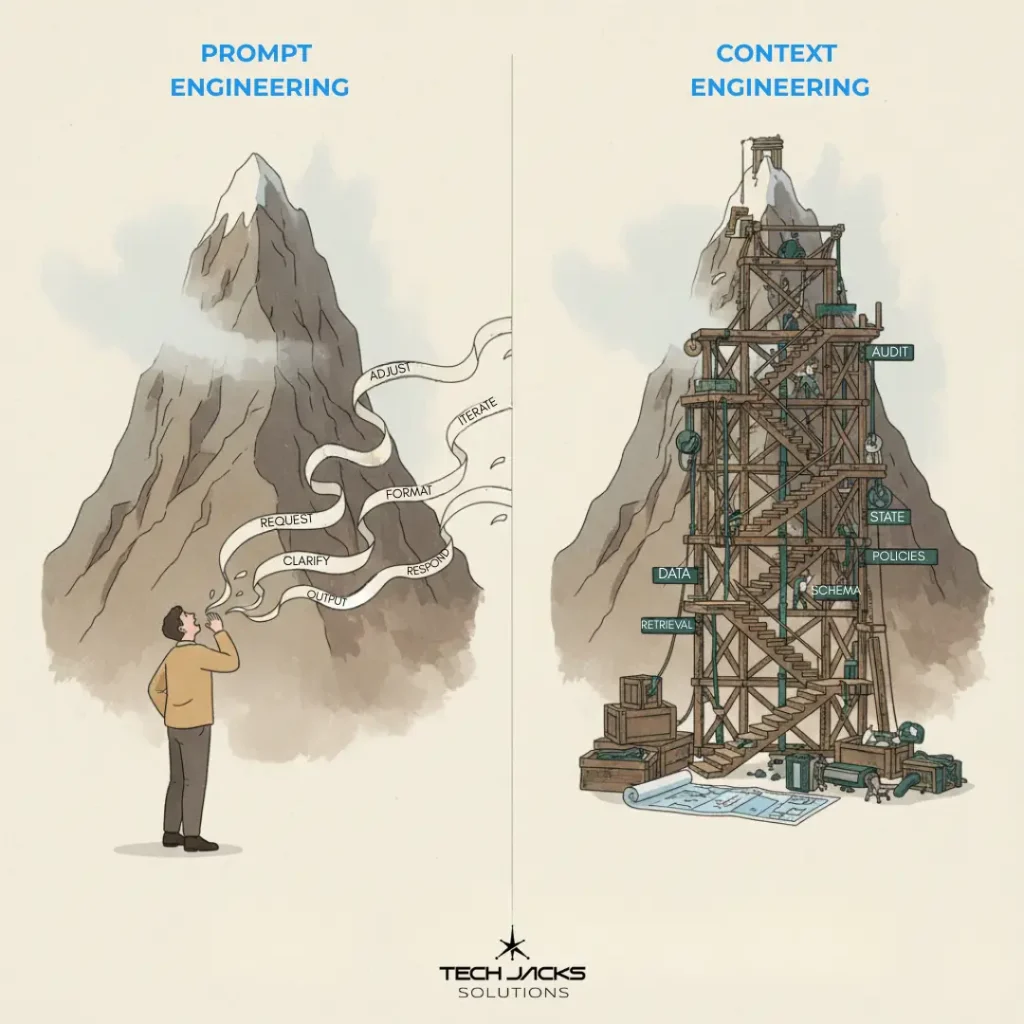
Why “Context Engineering” Is Replacing “Prompt Engineering” — and What That Means for You
In July 2025, Gartner made a declaration that circulated widely among AI practitioners: “context engineering is in, prompt engineering is out.” Their prediction: by 2028, context engineering features will be embedded in 80% of enterprise software tools for building AI applications.
What actually changed? At the individual prompt level, not much. The five levers above still apply. What changed is the scale: the manual act of writing context into each prompt is being automated at the enterprise level. Tools now inject brand definitions, audience metadata, channel constraints, and historical examples automatically before the user prompt arrives.
For content creators working without that enterprise infrastructure — which is most people — this matters in a specific practical way: you’re already doing context engineering every time you write a good prompt. The question is whether you’re doing it deliberately or by accident.
The gap between “prompt engineers” and everyone else isn’t closing because AI is getting smarter. It’s closing because the skill is becoming explicit. As Andrej Karpathy framed it: the LLM is the CPU, the context window is RAM. Everything the model reasons about must fit into that window before it generates the first word. The keywords in this guide are how you load the right things into that RAM deliberately.
Three Prompt Patterns That Look Reasonable and Consistently Underperform
1. The open-ended opener
“Can you help me think through [topic]?” is not a prompt — it’s a conversation starter. The model will produce a general orientation to the topic because that’s what “think through” signals. If you want specific help, you need a specific task verb. “Identify the three biggest strategic risks in [topic] for a [specific type of company]” will outperform “help me think through [topic]” every single time.
2. The vague quality adjective
“Make it more engaging,” “make it sound more human,” “make it less generic” — none of these are instructions. They’re complaints about the output. The model’s definition of “engaging” is whatever appeared most often in high-engagement content in its training data — which may be completely misaligned with your audience. Replace every quality adjective with a behavioral description: “Remove any sentence that could appear in a competitor’s blog post without modification” is what “less generic” actually means in operational terms.
3. The retrospective fix
“That’s too long — shorten it.” “That’s not the right tone — try again.” This feedback loop is the least efficient way to use any AI tool. The cost of fixing bad output is always higher than the cost of writing a better constraint upfront. If you catch yourself saying “not quite” more than once per prompt, the problem isn’t the model — it’s that you haven’t defined what “quite” means yet.
Before sending any content prompt, spend 30 seconds checking: Have I specified the Task verb precisely? Have I included the Audience? Have I named at least one thing I don’t want? Have I defined the output Format? If any of these is missing, the output will fill the gap with its own defaults.
The Prompt Keyword Checklist for Content Work
- Replace generic task verbs (“write,” “create,” “help”) with precision verbs (“rewrite,” “extract,” “classify,” “critique”)
- Assign a specific Role with a specific background — not just “an expert” but “a B2B SaaS copywriter who has worked exclusively with DevOps buyers”
- Include Audience as a specific person, not a demographic (“CFOs skeptical of AI hype” vs “business executives”)
- State the Goal using the structure “to [outcome], not [common misread]”
- Name at least one Constraint with “without [word]” or “never [action]” — never “avoid being too [adjective]”
- Specify Format with numbers where possible (“exactly 3 items,” “under 80 words,” “two-column table with these rows”)
- For Claude specifically: add explicit goal and tone cues — it over-explains without boundaries
- For GPT specifically: use numeric constraints and format keywords like “in JSON” or “as a numbered list”
The Real Reason Most Prompts Underperform
It’s not vocabulary. You don’t need a list of magic words. The reason most prompts produce generic output is that the person writing the prompt hasn’t fully defined what they want yet. The prompt is vague because the thinking is vague.
This is actually useful information. When a prompt fails — when the output is too long, too bland, off-topic, or confidently wrong — the failure is usually pointing at a specification gap. You either haven’t defined the task precisely enough, haven’t told the model who it’s writing for, haven’t said what to avoid, or haven’t specified what “done” looks like.
The keyword framework here is really a forcing function for your own clarity. Before you can write “without using the words leverage, seamless, and next-generation,” you have to have noticed that you hate those words in your niche. Before you can write “the audience is CFOs skeptical of AI hype,” you have to actually know your reader.
The models are capable enough. The limiting factor in content quality right now is almost always the specification, not the generation. Which means the skill that matters most in 2026 isn’t prompting — it’s knowing what you’re trying to say before you ask the AI to help you say it.
Prompt keywords are how you make that knowing legible to the model. That’s their only job.
Find Prompts That Already Work
BestPrompt.art maintains a library of field-tested prompt templates organized by content use case — not by AI tool.
Explore the prompt library →Sources cited
- Atlan — What Is Prompt Engineering? (2026) — structured prompts reduce AI errors by up to 76%; Gartner July 2025 context engineering declaration
- Lakera — The Ultimate Guide to Prompt Engineering in 2026 — model-specific behavior (GPT vs Claude vs Gemini); directive + constraints + format pattern
- Medium / Mario — Prompt Engineering Basics (2026) — useful context defined as audience, goal, constraints, priorities
- Liu et al., Frontiers of Computer Science — A comprehensive taxonomy of prompt engineering techniques (March 2026) — role/personality assignment mechanism
- Roadie / David Tuite — Prompt Engineering vs Context Engineering (March 2026) — Karpathy “LLM as CPU” framing