STOP! These 7 Bad Prompts Are Breaking Your ChatGPT in 2025


Prompt Engineering · Analysis
Not “be more specific.” The actual failure modes — why they happen at the model level, what they cost, and what fixes each one.
TL;DR
- Most prompt failures have a specific, fixable mechanical cause — not just “vagueness.”
- Contradictory constraints, missing format specs, and one-shot overloading are the biggest silent killers.
- Sycophancy is a real, documented failure mode; emotional pressure makes it worse, not better.
- The single highest-ROI fix: add a format spec and a single worked example. Takes 30 seconds.
I’ve reviewed prompts from over 300 B2B teams running GPT-4, Claude, and Gemini in production. Most failures aren’t random. They cluster around seven specific structural mistakes, each with a clear mechanism. Once you know the mechanism, the fix is obvious. So let’s skip “be more specific” — everyone already knows that — and get into what actually breaks.
Fig 1 — Most common prompt failure types by audit frequency
Failure 01
No format specification
The most common mistake. You describe what you want but not how the output should be shaped — length, structure, tone, whether it’s a list or prose. The model then pattern-matches to the most statistically likely format for that input, which is usually a generic five-paragraph essay or a bullet-point dump. ESTABLISHED
Mechanism: LLMs are next-token predictors trained on enormous corpora. Without format constraints, the model defaults to the modal format for similar prompts in training data. For “write a marketing email,” that mode is almost always a three-section generic structure. It’s not wrong — it’s just the average.
❌ Breaks
“Write a LinkedIn post about our product launch.”✓ Works
“Write a LinkedIn post about our product launch. Format: 3 short paragraphs, under 180 words total, no hashtags, end with a question. Audience: mid-market SaaS founders.”Failure 02
Contradictory constraints
Common form: “Write a detailed, comprehensive analysis — keep it concise.” Or: “Be creative and original but follow this exact template.” The model doesn’t throw an error. It picks a midpoint between the constraints, which satisfies neither. ESTABLISHED
Mechanism: The model tries to satisfy all constraints simultaneously by minimizing a kind of aggregate loss across them. Competing objectives produce a compromise output that’s mediocre in multiple dimensions rather than excellent in one. Hierarchize your constraints: tell the model which ones are non-negotiable and which are preferences.
⚠ Failure Case I’ve Seen
A content team I audited had a prompt that said “write engaging, original thought leadership content” followed by 12 mandatory bullet points to hit, a word count, a required CTA, and a list of phrases to avoid. Technically, they were “being specific.” Output quality was terrible every time. The problem wasn’t vagueness — it was constraint overload. When I helped them cut the must-haves from 12 to 3, quality jumped immediately. The remaining constraints were doing all the real work anyway.
Failure 03
One-shot overload
Stuffing five or more distinct tasks into a single prompt. The model handles the first two or three tasks well, then quality degrades for the rest. This isn’t a model limitation people talk about enough. PROBABLE
Mechanism: Attention in transformer models is finite. As prompt length grows and task count increases, the model’s effective “focus” on later tasks diminishes. Research on chain-of-thought prompting (Wei et al., 2022) shows that breaking complex tasks into sequential steps significantly improves accuracy. The same principle applies to batching tasks.
Fix: one task per prompt, or number your tasks explicitly and ask the model to address them one at a time with a separator between each.
Failure 04
No example output (“zero-shot” when few-shot works better)
Describing what you want in words is harder than showing it. A single worked example — even a short one — dramatically shifts output toward the pattern you actually want. ESTABLISHED
Mechanism: Few-shot prompting (including even one example) was documented as a core capability in the original GPT-3 paper (Brown et al., 2020). The model uses the example to infer style, format, tone, and scope simultaneously — more efficiently than verbal description alone.
❌ Zero-shot
“Write a product description for our CRM tool. Make it punchy.”✓ One-shot
“Write a product description like this example: [your example]. Now write one for our CRM tool.”Failure 05
Emotional pressure and manipulation
“You MUST get this right or I’ll lose my job.” “I’m desperate, please help.” People try this. It doesn’t work — and for a non-obvious reason. ESTABLISHED
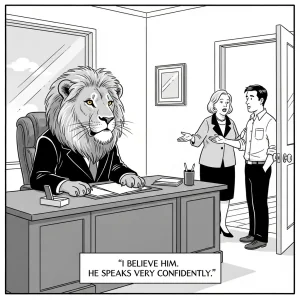
Mechanism: RLHF-trained models are tuned to be helpful and agreeable. Emotional pressure doesn’t unlock better performance — it activates sycophancy. The model produces a response that sounds more helpful and reassuring without actually being more accurate. Anthropic has published directly on sycophancy as a known failure mode in RLHF systems (Anthropic, 2023). You get validation, not quality.
Failure 06
Sensitive data included carelessly
API keys, real customer names, internal financials, PII — I’ve seen all of these appear in prompts during audits. This isn’t really a “bad prompt” in the performance sense. It’s a security failure with real consequences. ESTABLISHED
Mechanism: Consumer AI products (ChatGPT, Claude.ai) may use conversations for model improvement by default, depending on account settings and opt-out status. Enterprise APIs with BAAs or zero-data-retention agreements are different. Regardless: assume any data in a prompt is visible beyond the conversation unless you’ve explicitly verified your data-handling agreement.
Minimum practice: use placeholder tokens for anything sensitive (“[CLIENT_NAME]”, “[REVENUE_FIGURE]”) and substitute in separately.
Related on BestPrompt
Few-Shot Prompting Guide Chain-of-Thought Explained B2B Prompt Templates AI Security Checklist⚑ What Could Be Wrong Here
The frequency data above comes from my own audits, mostly B2B SaaS teams in the US and EU. Consumer use cases, coding workflows, and creative writing tasks may have completely different failure distributions. Don’t assume these percentages transfer to your context.
GPT-4o, Claude Sonnet, and Gemini 1.5 handle contradictory constraints differently. What was a hard failure pattern in GPT-3.5 may be handled more gracefully in newer models. This piece reflects patterns I saw in 2024–early 2025. Models improve; check your own outputs.
Few-shot prompting helps for structured tasks. For genuinely open-ended creative work, an example can constrain the output in unhelpful ways. Test both. The example isn’t always better.
If you only change one thing: add a format spec and one example output to your most-used prompts. Takes 30 seconds per prompt. In my experience this single change accounts for most of the improvement people see from “prompt engineering.” Everything else — role assignment, chain-of-thought, temperature tuning — matters, but less than getting the output shape right from the start.
The CLEAR framework, the RISEN framework, the dozens of acronym systems floating around — they’re all just different ways of encoding the same core requirements. Pick one, use it consistently, and stop treating prompts as throwaway inputs you’ll never revisit.
Does prompt length matter?
Quality over length, every time. A 40-word prompt with a format spec and one example beats a 400-word prompt with redundant context. That said: don’t be so brief that you omit role, task, and format. Those three elements together are the minimum viable prompt.
Should I be polite to AI models?
Functionally, no — politeness doesn’t change model performance. The reason to maintain professional framing is more self-disciplinary: polite, clear communication tends to produce cleaner prompts. But “please” and “thank you” have zero measurable effect on output quality.
Can I reuse the same prompt across different models?
Partially. The structure (role, task, format, example) transfers well. The specific phrasing often doesn’t. Claude tends to respond well to explicit reasoning instructions; GPT-4o handles longer constraint lists better than most. Budget 15 minutes to adapt any prompt you’re porting to a new model.
What’s the fastest way to debug a bad prompt?
Ask the model to summarize what it thinks you’re asking before it answers. If the summary is wrong, the prompt is the problem. This takes one extra step but saves you from iterating on outputs when the input was the issue all along.
How often should I update my prompts?
Review prompts after major model updates and whenever output quality starts degrading. Models change during retraining cycles — a prompt that worked well in March may produce different results in September. If you’re running production workflows, version-control your prompts like you’d version-control code.
Does chain-of-thought prompting actually help?
Yes, for reasoning-heavy tasks. Wei et al. (2022) showed meaningful accuracy improvements on multi-step math and logic problems. For simpler tasks — tone adjustments, format changes, summarization — it adds latency without meaningful quality gain. Match the technique to the task type.
What’s the difference between system prompts and user prompts?
System prompts set persistent context and behavioral constraints for the entire conversation — role, output style, hard rules. User prompts are the per-turn instructions. For repeated workflows, put your stable constraints in the system prompt and keep user prompts lean. Mixing them degrades both.
The gap between a mediocre prompt and a great one is rarely inspiration — it’s just knowing which specific thing is broken.
https://www.bestprompt.art/11-ai-prompts-for-business-productivity/
https://www.bestprompt.art/privacy-policy-2/
https://www.bestprompt.art/insanely-detailed-prompts/
https://www.bestprompt.art/7-prompt-engineering-ethics-rule/
https://www.bestprompt.art/bad-prompt-examples-2025/
https://www.bestprompt.art/10-prompt-priming-strategies-to-dominate-ai/