How Keywords Instantly Improve the Accuracy of AI Responses

https://www.bestprompt.art/creating-effective-prompts-2025/
https://www.bestprompt.art/crafting-killer-ai-prompts/
https://www.bestprompt.art/prompt-hacks-2025/
https://www.bestprompt.art/how-to-write-prompts-for-chatgpt-like-a-pro/
https://www.bestprompt.art/master-effective-ai-prompts/
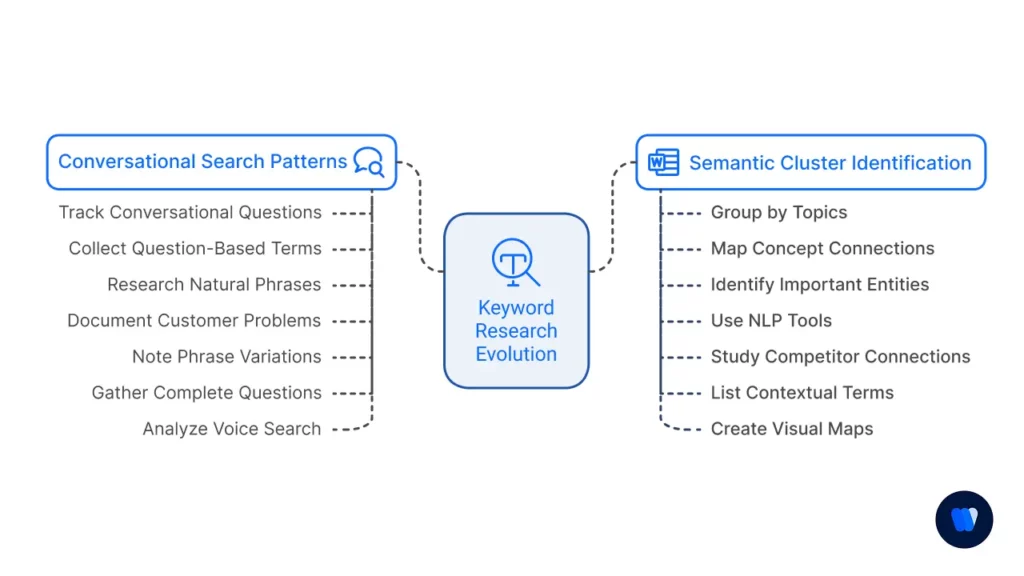
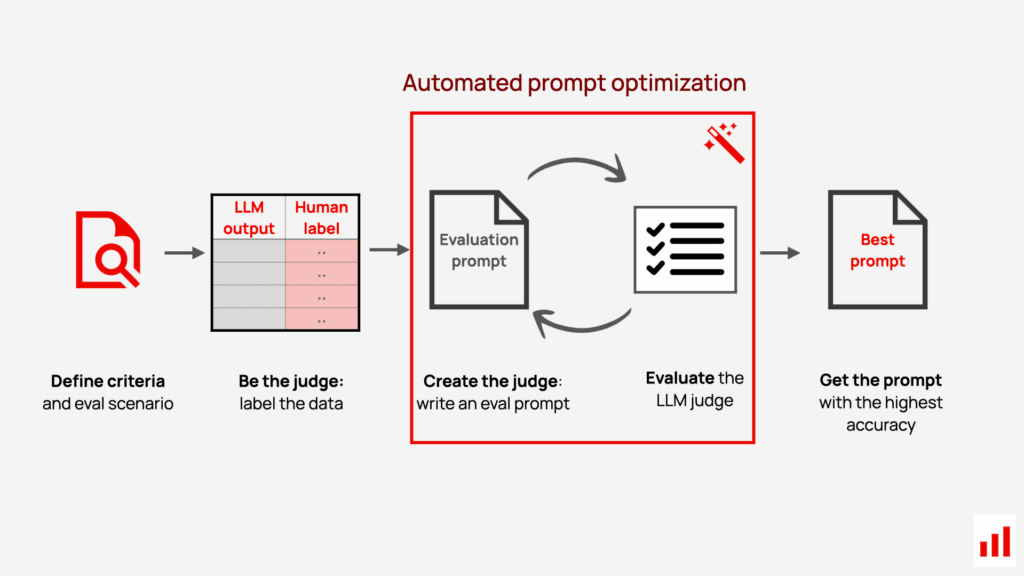
The difference between a useless AI answer and a precisely useful one is rarely the model — it’s the signal vocabulary you give it. Here’s exactly how keyword strategy reshapes what AI understands, and what it produces.
TL;DR — The Core Idea
Keywords act as semantic anchors inside your prompts. They collapse the model’s probability space — the enormous range of possible responses it could generate — toward the specific answer you actually want. Adding the right keyword doesn’t just refine tone: it fundamentally changes which facts, which reasoning paths, and which output format the model reaches for.
Quick decision gate
You’re getting vague, generic responses from AIRead on — high ROI
You already get the answers you need with simple promptsSkim the framework only
You’re building AI-powered products or workflowsCritical — read everything
You’re a casual user asking one-off questionsSections 3 and 4 are enough
You’re writing system prompts for LLM APIsThis is essential reading
You blame the model for bad outputsRead all of this first
Most people who complain about AI giving bad answers are, without knowing it, complaining about their own prompts. The model isn’t randomly wrong. It’s filling in what’s ambiguous with the most statistically likely completion — and in many workflows, that completion is precisely what you didn’t want.
Here’s what’s actually happening inside a large language model when it receives your prompt: it processes the entire sequence of tokens and begins assigning probabilities to what should come next. Every word in your prompt shifts those probabilities. A vague word expands the possibility space. A precise keyword narrows it.
“Prompts that perform well in one context may fail in another, especially when transferred across models or domains. LLMs are sensitive to minor changes in phrasing, formatting, or context.”
This sensitivity isn’t a bug — it’s the mechanism you can exploit. When you choose your words deliberately, you don’t just make the prompt longer or more polite. You constrain the model’s output distribution toward precisely the space where your answer lives.
The research literature on prompt engineering — from Stanford, MIT Sloan, Google Cloud, and peer-reviewed journals — converges on this point consistently: specificity of language input directly governs quality of output.
The mechanism isn’t mysterious, but it is widely misunderstood. A language model doesn’t “understand” your intent the way a human colleague does. It reads patterns. Your keywords are pattern activators.
1. Scope compression. A keyword like specifically or only tells the model to narrow its output. Without it, the model treats the implicit goal as “produce something relevant and comprehensive.” With it, the model treats the goal as “produce something constrained.”
2. Domain anchoring. Technical vocabulary pulls the model into a specific knowledge neighborhood. The word amortization tells the model you’re working in finance, not general math. The word latency flags infrastructure, not physics. Domain keywords activate the correct vocabulary cluster without you having to explain your context from scratch.
3. Format priming. Words like step-by-step, table, bullet points, or in one sentence prime the model’s output structure before it begins generating. These are among the highest-ROI keywords available because they take zero knowledge to use and immediately reshape the response shape.
Research finding
A widely cited study of 26 prompt engineering principles found that adding directive phrases and sequential keywords (such as “step 1,” “part 2”) meaningfully improves the accuracy and structure of LLM outputs — with overall response quality gains reaching approximately 57% in structured tasks when multiple principles are applied together.
After working across hundreds of prompt structures, a clear taxonomy emerges. Not all keywords carry equal weight. These six categories do the heaviest lifting:
These define the boundaries of what you want.
only specifically exclusively limit to focus solely on without X exclude
Impact: Prevents the model from broadening the topic when you need a contained answer. Useful whenever you’re getting answers that are technically correct but cover far more ground than needed.
These establish the “voice” the model should reason from.
as a [expert/role] from the perspective of like a senior [X] assuming you are write for an audience of
Impact: Aligns vocabulary, depth, and assumed prior knowledge to a specific reader or speaker. Asking “explain this like a senior engineer” versus “explain this simply” produces structurally different responses, not just differently toned ones.
These govern the shape of the output.
step-by-step in bullet points as a table numbered list in one sentence in fewer than 100 words with headers
Impact: Arguably the fastest ROI category. Format keywords require no domain knowledge and immediately reshape how information is presented — which often determines whether an answer is usable or not.
Category 4: Constraint keywords
These set hard rules for what the response must or must not include.
you must do not include without using your task is to under no circumstances always never
Impact: Constraint language shifts the model from probabilistic generation toward rule-following behavior. It’s particularly effective in API system prompts and in multi-step workflows where consistency matters.
Category 5: Reasoning and depth keywords
These instruct the model on how to think through a problem.
think step by step reason through consider the trade-offs first principles analyze before answering pros and cons
Impact: Activates chain-of-thought reasoning, which consistently improves output quality on complex tasks. The phrase “think step by step” has become one of the best-documented prompt improvements in academic literature — it slows the model’s generation process in a way that reduces reasoning errors.
Category 6: Audience and context keywords
These calibrate the model’s assumed starting point about the reader.
for a non-technical audience assuming no prior knowledge for an expert in the context of [X] given that [constraint]
Impact: Context keywords prevent the most common mismatch in AI responses: technically correct but pitched at the wrong level. They also give the model information it cannot infer, such as your industry, your existing setup, or your constraints.
Decision Table: Which Keyword Type to Use When
| Situation | Keyword category to add | Example keyword | Expected effect |
|---|---|---|---|
| Response is too long or broad | Scope | only, limit to |
Narrows the answer to the exact territory needed |
| Wrong vocabulary or complexity level | Audience | for a non-technical CEO |
Recalibrates depth, vocabulary, and assumed knowledge |
| Unstructured wall of text | Format | as a table, step-by-step |
Reshapes output into a scannable, usable format |
| Shallow reasoning or skipped logic | Reasoning | think step by step |
Activates deliberate chain-of-thought reasoning |
| Model keeps ignoring a rule | Constraint | you must, never |
Elevates the rule from suggestion to instruction |
| Generic answer, not domain-specific | Persona + Audience | as a senior [domain] expert |
Pulls model into correct knowledge domain and register |
| Inconsistent outputs across sessions | Constraint + Format | always respond in this format: |
Anchors structure for reproducibility |
| Model hallucinates details | Constraint | only state what you know with certainty |
Reduces confident confabulation |
Before vs. After: Real Prompt Comparisons
Example 1 — Technical explanation
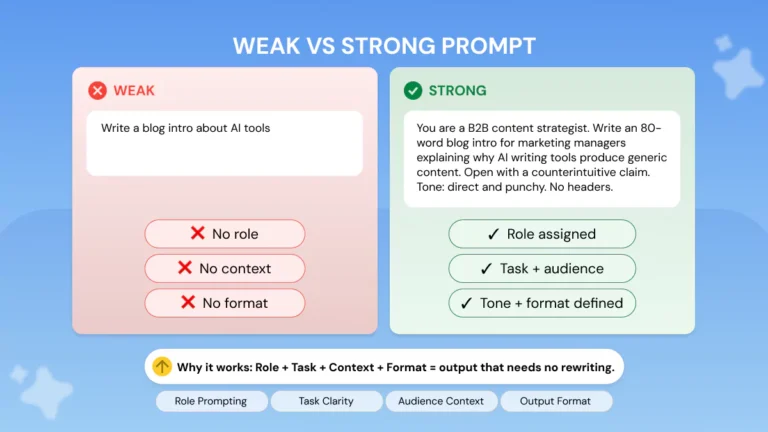
❌ Without keywords
“Explain machine learning to me.”
✅ With keywords
“Explain machine learning in 3 bullet points, for a business executive with no technical background, focusing only on its practical business applications.”
Keywords added: 3 bullet points (format), for a business executive with no technical background (audience), focusing only on (scope).
The second prompt doesn’t just sound better. It structurally prevents the model from producing a textbook overview. It cannot lead with gradient descent math or neural network diagrams and be consistent with the prompt’s constraints.
Example 2 — Complex decision task
❌ Without keywords
“Should I use PostgreSQL or MongoDB for my project?”
✅ With keywords
“Think step by step. Given a SaaS application with unpredictable schema changes and high read volume, analyze the trade-offs between PostgreSQL and MongoDB. Present your reasoning as a pros/cons table, then state your recommendation in one sentence.”
Keywords added: think step by step (reasoning), given [context] (constraint), analyze the trade-offs (reasoning), pros/cons table (format), one sentence (scope).
The first prompt yields a hedged, generic “it depends” answer. The second yields a structured analysis calibrated to your specific situation. Same model — radically different output.
Example 3 — Creative output
❌ Without keywords
“Write a product description for my coffee brand.”
✅ With keywords
“Write a 60-word product description for a specialty single-origin Ethiopian coffee, targeting third-wave coffee enthusiasts aged 25–40. Use sensory language focused on taste and aroma. Do not use generic phrases like ‘perfect cup’ or ‘bold flavor.'”
Keywords added: 60-word (scope), targeting [audience] (audience), sensory language focused on (constraint + domain), do not use (exclusion constraint).
The negative constraint (do not use generic phrases like...) is particularly powerful. It preemptively closes off the lowest-quality outputs the model might reach for by default.
How This Actually Works Together: Step-by-Step Workflow
The goal is to treat prompt construction the way an engineer treats an API call — specify your inputs precisely and your outputs become predictable.
-
State your core task
Begin with the simplest version of what you need. This is the base request before any keyword layering. Example: “Summarize this article.”
-
Add a format keyword
Immediately specify the output shape. This is the easiest keyword to add and prevents the most common failure mode — an unstructured response. Example: “Summarize this article in 5 bullet points.”
-
Add an audience or context keyword
Specify who this is for or what context you’re operating in. This calibrates vocabulary and assumed prior knowledge. Example: “…for a new employee with no background in the topic.”
-
Add a scope keyword if needed
If there’s a risk of the model broadening beyond what you want, add explicit scope boundaries. Example: “Focus only on the key findings, not the methodology.”
-
Add a constraint keyword for non-negotiable rules
Anything the model must or must not do gets a constraint keyword. These are especially important in API use cases where consistency matters across many calls. Example: “Do not include any dates that appear after 2024.”
-
Add a reasoning keyword for complex tasks
For multi-step problems, analysis tasks, or anywhere accuracy matters more than speed, add a reasoning directive before the main task. Example: “Think step by step before answering.”
-
Test and iterate on the highest-variance element
Run the prompt. Identify which part of the output is furthest from what you wanted. Add or adjust the keyword governing that element. Repeat. One iteration cycle usually resolves the main problem.
Friction point to watch
Stacking too many keywords — especially conflicting ones — can cause the model to prioritize some constraints and silently ignore others. If you have more than 5–6 keyword-driven constraints, consider breaking the task into sequential prompts rather than loading a single prompt with excessive instruction density.
The 80% Solution: A Minimum Keyword Stack
For most everyday AI interactions — across ChatGPT, Claude, Gemini, and any similar model — this minimal keyword stack covers roughly 80% of accuracy improvement opportunities. You don’t need to implement all six categories every time.
Minimum effective keyword stack
Format keywordAlways specify the output shape. This alone eliminates the largest category of useless responses.
Audience keywordSpecify who the response is for, or your own expertise level. Recalibrates depth and vocabulary immediately.
One scope constraintDefine what’s out of bounds. Use only, focus on, or exclude to prevent scope creep.
Reasoning trigger (complex tasks only)Add think step by step before any task involving multi-part logic or recommendations.
Real-world integration note
When writing system prompts for LLM API applications, encode the format, audience, and constraint keywords once in the system prompt. This makes every downstream user interaction inherit these defaults — dramatically improving consistency without requiring users to know anything about prompt engineering.
Honest Limitations: What Keywords Cannot Fix
The keyword approach is powerful but it has real ceilings. Being clear about them matters.
Keywords cannot substitute for model capability
If a model lacks the underlying knowledge or reasoning ability to handle a task, no keyword arrangement will conjure it. In many workflows, strategic keywords reveal a model’s limits more clearly — which is useful, but not the same as overcoming them.
The phrasing sensitivity problem
Research is consistent that LLMs are sensitive to minor changes in phrasing — a keyword that works reliably in one context may underperform in another, especially when transferred across different models. What works well in GPT-4o may need adjustment in Claude or Gemini. Always test your keyword stack on the specific model you’re using.
Over-specification can backfire
Stacking highly specific constraints can produce responses that technically satisfy all your keywords while missing the actual point. This usually happens when format and scope constraints conflict with the natural structure of an answer. When this occurs, loosen one constraint rather than adding more.
Keywords don’t eliminate hallucination
Phrases like only state what you know with certainty reduce confabulation in many workflows — but they don’t eliminate it. For factual tasks with accuracy requirements, always verify model output against authoritative sources. Keywords reduce the risk; they don’t transfer responsibility for verification.
What people get wrong
The most common mistake is using keyword optimization as a substitute for task decomposition. If a task is genuinely complex — multi-step, cross-domain, or requiring external data — no prompt keyword can solve it. Break the task into smaller sequential prompts and apply keywords at each step.
Frequently Asked Questions
Does keyword placement in the prompt matter — beginning, middle, or end?
Yes, meaningfully. Format and constraint keywords generally have more impact when placed near the beginning of a prompt, where they set the model’s behavioral frame before it processes the main content. Reasoning keywords (think step by step) are typically most effective at the very start of the prompt or immediately before the main task. Scope and audience keywords work well anywhere in the early-to-mid section. Placing critical instructions only at the very end of a long prompt risks them receiving less weight than intended.
Do the same keywords work across ChatGPT, Claude, and Gemini?
Mostly yes — the core categories (format, scope, reasoning, constraint) are effective across all major models. However, specific phrasing performance varies. Claude tends to respond especially well to explicit constraint language and structured role definitions. GPT-4o is particularly responsive to format keywords. Gemini excels at long-context prompts where audience keywords help it calibrate depth across a session. Always validate your keyword stack on the specific model and version you’re deploying.
How many keywords should I add before it starts hurting performance?
In many testing scenarios, 3–5 well-chosen keywords represent the sweet spot. Beyond 6–7 distinct constraints, models in certain contexts begin trading off some instructions against others, prioritizing the most prominent constraints and softening the rest. The symptom is usually a response that feels like it’s following a checklist mechanically but missing the spirit of the task. When this happens, the fix is almost always task decomposition — splitting one over-specified prompt into two or three sequential prompts.
Can I use negative keywords — telling the model what NOT to do?
Absolutely, and they’re often underused. Negative constraints like do not include, avoid, never mention, and without using generic phrases like [example] are among the most effective tools for cutting out the default patterns models fall back on. Providing a specific example of what to avoid (rather than a vague category) works even better — “avoid phrases like ‘it’s important to note'” is more effective than “be direct.”
Does keyword strategy apply to image generation AI too?
Yes, though the mechanics differ. For image models, style keywords, lighting descriptors, medium keywords (oil painting, photorealistic, isometric), and negative prompts (used to explicitly exclude visual elements) function analogously to the format, scope, and constraint keywords in text prompting. The same core principle applies: specificity of input language narrows the output distribution toward your intended result.
What’s the difference between a keyword and a full instruction in a prompt?
A keyword is a single-word or short-phrase modifier that activates a pattern or behavioral mode — step-by-step, only, think. A full instruction is a sentence-level directive that explains a rule in context. Both work, but keywords are faster to write and often more reliable because they map directly to training patterns. Full instructions are better when you need nuance — when the rule has conditions or exceptions that a single keyword can’t capture.
Is there a risk that AI models will stop responding to these keywords as they’re trained on more prompt-engineered data?
This is a genuinely interesting concern. As more training data includes structured prompts, models may become less sensitive to certain keywords if they’re overrepresented in training in inconsistent ways. In practice, the underlying mechanism — probabilistic constraint — is baked into how language models work at a fundamental level, not a quirk of specific training data. Format and constraint keywords will remain effective as long as models are trained on human language. The specific most-effective phrasings may evolve as models change, which is why testing on your target model matters more than treating any keyword list as permanent.
How do I know which keyword is causing a problem if my prompt isn’t working?
Isolate by subtraction. Strip one keyword category at a time and observe which change has the biggest impact on the output problem you’re seeing. If removing a scope keyword makes the response better, your scope constraint was either conflicting with another instruction or was too narrow. This process also reveals when a prompt’s problem isn’t keyword-related at all — sometimes the core task framing is what needs rethinking, not the modifier words around it.
Final Thoughts: The Uncomfortable Trade-Off You Need to Know
The more you optimize your prompts with keywords, the more you’re making choices that used to be left to the model. That’s the trade-off. A heavily keyword-structured prompt produces more consistent, accurate responses — but it also closes off responses you didn’t anticipate needing. You’re essentially narrowing the model’s output distribution in exactly the way this article has been recommending, which means occasionally you’re also narrowing away genuinely useful tangents, creative angles, or answers to questions you didn’t know to ask.
This matters most in exploratory work — research, brainstorming, early-stage problem definition. In those contexts, loose prompts that invite broad responses are often more valuable than tightly keyword-constrained ones. The discipline is knowing when to use precision and when to leave room for surprise.
For production workflows, API integrations, and tasks where accuracy, consistency, and format matter: keyword discipline is non-negotiable.
For open-ended thinking, discovery, and creative exploration: use keywords sparingly and deliberately, rather than as a reflex.
The core trade-off
Keyword precision is a dial, not a switch. The question is never “should I use keywords?” — the question is “how tightly should I constrain this particular prompt, for this particular goal?” Get that calibration right, and AI accuracy becomes largely within your control.
Primary Sources
- Unleashing the potential of prompt engineering for large language models — ScienceDirect (2025)
- Prompt Engineering for AI — Google Cloud
- Effective Prompts for AI: The Essentials — MIT Sloan Teaching & Learning Technologies
- Prompt Engineering Guidelines for Using LLMs in Requirements Engineering — arXiv (2025)
Secondary Sources
- 26 Principles for Prompt Engineering — Codingscape
- The Ultimate Guide to Prompt Engineering in 2026 — Lakera
- Prompt Engineering Techniques: Top 6 for 2026 — K2view
- Prompts vs. Keywords: Why Prompts Matter in Generative Engines — Wellows (2025)
- Prompt Engineering for Accurate Statistical Reasoning — Frontiers in AI (2025)
Related Articles
SEO metadata (editorial reference)
Primary keyword: keywords improve AI response accuracy
Secondary keywords used: prompt engineering, AI accuracy, LLM prompts, ChatGPT keywords, Claude prompts, chain-of-thought, format keywords, AI response quality, constraint keywords, scope keywords, prompt specificity, keyword strategy AI, large language model input, AI output accuracy, prompt optimization 2026
Recommended schema: Article, FAQPage, HowTo
Suggested image alt texts:
- Diagram showing how keywords narrow AI response probability space
- Before and after comparison of vague vs. keyword-rich AI prompts
- Decision table for choosing keyword category by use case
- Step-by-step workflow for layering keywords in a prompt
- Infographic: six keyword categories for AI prompt engineering
- Chart showing response quality improvement with keyword addition
- Screenshot of ChatGPT response comparison: generic vs. keyword-structured prompt
- Visual of minimum effective keyword stack for AI prompts
Internal linking opportunities: prompt engineering basics, chain-of-thought guide, system prompt writing, AI hallucination reduction, few-shot prompting tutorial, role-based prompting
Last updated: May 2026 · BestPrompt.art