How to Write Prompts for ChatGPT Like a Pro

https://www.bestprompt.art/accuracy-of-ai-responses/
Practical Guide · Updated April 2025
Most ChatGPT frustration isn’t a ChatGPT problem—it’s a prompt problem. Here’s the anatomy of a prompt that gets usable output the first time, plus the failure modes no one talks about.
TL;DR
- Vague prompts fail because ChatGPT fills ambiguity with the most statistically average answer—which is rarely what you want.
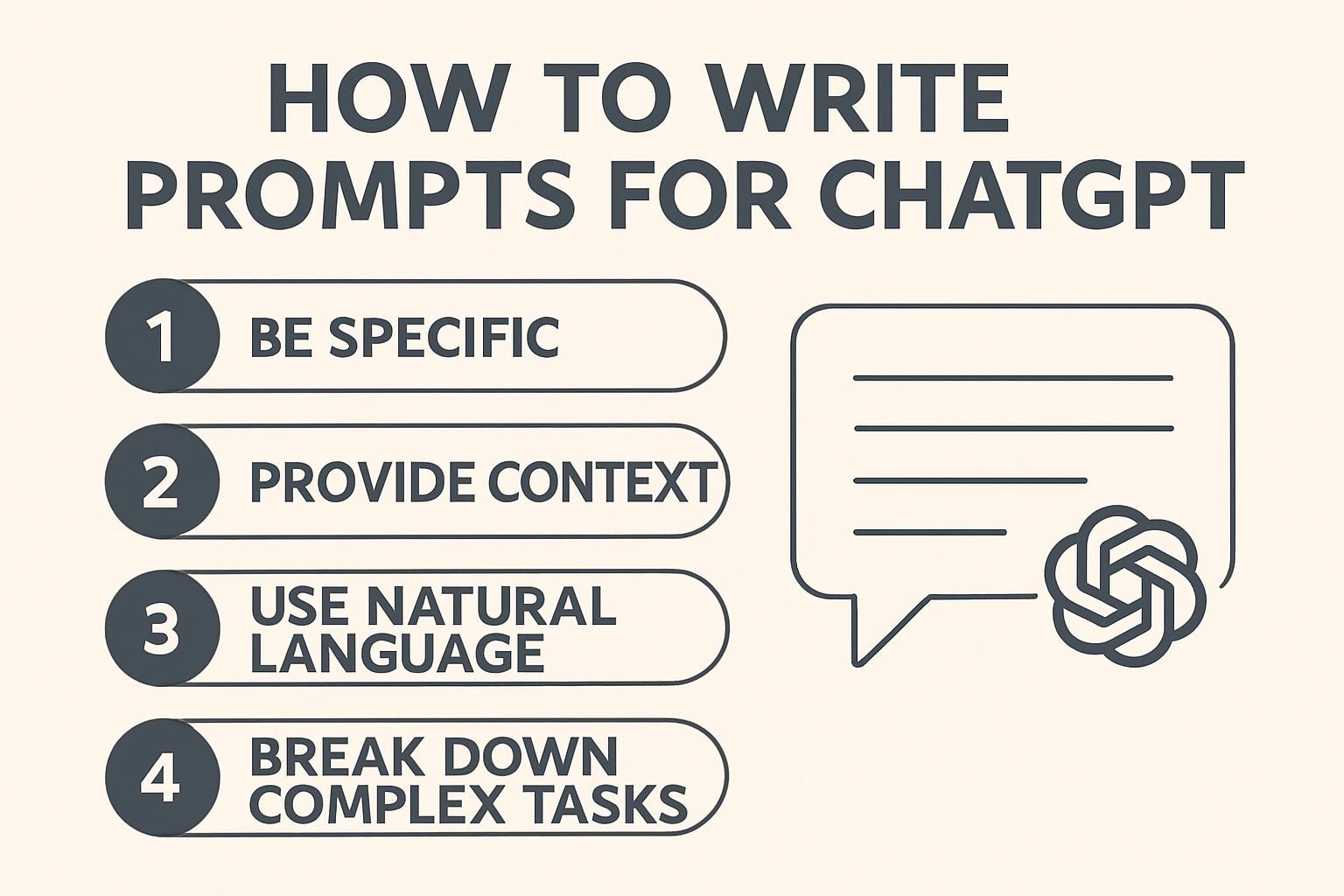
- Every effective prompt has the same four components: role, context, task, format. Missing any one kills output quality.
- The fastest improvement you can make today: add a format instruction to every prompt you write.
- Chain-of-thought prompting is real and works—but only for reasoning tasks, not for creative ones where it makes output stiff.
Here’s something I notice constantly: people who say ChatGPT “doesn’t work” are writing three-word prompts and expecting novel-length precision. And people who say it’s transformative are writing prompts that look more like project briefs than search queries.
The gap is prompting craft. Not magic—craft. The kind that’s learnable in an afternoon and worth practicing for months. This guide covers what actually moves the needle, without inflating the complexity or pretending there’s a secret Stanford formula behind it. There isn’t. ESTABLISHED
Related on BestPrompt.art
Prompt Engineering Basics: The Mental Models That Matter →
ChatGPT isn’t reading your mind. It’s predicting the most probable continuation of your text based on patterns in its training data. When you write “write a marketing email,” it has no idea who you’re selling to, what you’re selling, what tone you use, or how long it should be. So it guesses. And the guesses are generic.
The failure isn’t the model. The failure is treating the model like a mind-reader instead of a very capable executor that needs clear instructions. That distinction sounds obvious. It’s not obvious in practice—I’ve watched experienced developers default to lazy prompts because the cognitive overhead of writing a good prompt feels like extra work, right up until they spend 20 minutes fixing the output instead.
The core problem is ambiguity resolution. When your prompt is underspecified, ChatGPT doesn’t halt and ask—it resolves ambiguity toward the average of everything it’s seen. Average tone. Average structure. Average assumptions about your audience. Average is the enemy of useful.
Anatomy of a prompt that works
Forget elaborate frameworks with seven steps and acronyms. In practice, every prompt that works has these four things. Every prompt that doesn’t is missing at least one.
Assigning a role isn’t a trick. It activates relevant response patterns in the model—the vocabulary, reasoning approach, and assumptions appropriate to that domain. A prompt starting with “as a senior product manager” genuinely produces different output than the same prompt starting with “as a copywriter.” Not magic: the model has seen vastly different content written by those two types of people.
Where this fails: vague roles. “Act as an expert” is almost useless. Expert in what? For which audience? With what background? Get specific: “as a B2B SaaS growth marketer at a Series B company, focused on reducing churn in the first 30 days.”
This is the highest-leverage component most people skimp on. Context is everything ChatGPT needs to not guess: your industry, your audience, your constraints, what you’ve already tried, what went wrong. The more relevant context you supply, the less the model fills gaps with average assumptions.
One pattern I use constantly: write the context as if briefing a smart freelancer who’s just joined the project and knows nothing about your company.
Action verbs, specific scope. “Help me with” is not a task. “Write a 200-word LinkedIn post summarizing this blog post for an audience of engineering managers, emphasizing the tradeoff between speed and reliability” is a task. The more precisely you define the deliverable, the more precisely you get it.
This one’s skipped constantly. Format specification is the cheapest improvement you can make because it requires zero extra domain knowledge—just deciding what structure serves your actual use. Do you need bullet points? Markdown? A numbered list? Headers? Plain prose? Specify it. Not doing so is handing ChatGPT full discretion over structure, and the default structure is rarely optimal for your context.
Here are the same requests rewritten. The difference in the prompt is 30 seconds of effort. The difference in the output is usually the difference between “needs heavy editing” and “almost ready to use.”
✗ Weak
Write a blog post about productivity.
✓ Strong
As a productivity coach who works with remote software engineers, write a 600-word blog post on the single most common reason experienced developers lose 2+ hours per day. Use a direct, slightly blunt tone—readers are senior and don’t need motivation, they need diagnosis. Structure: one-paragraph hook, problem diagnosis (200w), three specific fixes (300w), closing sentence that’s quotable. No headers except H2 for each fix.
✗ Weak
Analyze our sales data and give insights.
✓ Strong
Here is our Q1 sales data [data]. We’re a SaaS tool selling to HR teams at companies of 50–500 employees. Revenue is flat YoY but trial signups are up 40%. Identify three hypotheses that would explain this gap. For each, specify what additional data would confirm it and what action it would imply. Present as a short table: Hypothesis | Confirming metric | Implied action.
✗ Weak
Make this email better.
✓ Strong
Rewrite this cold outreach email [email] for a higher reply rate. Recipients are CTOs at mid-market fintech companies. Current problems I suspect: the subject line is generic, the value prop appears in paragraph 3, and there’s no clear ask. Fix each of these. Keep it under 120 words. Subject line and body only—no greeting, no signature block.
Chain-of-Thought Prompting
This works. Asking ChatGPT to reason through a problem step-by-step before giving a final answer measurably improves accuracy on reasoning tasks. ESTABLISHED The mechanism isn’t mysterious: by generating intermediate reasoning steps, the model is more likely to catch logical errors before committing to a conclusion.
Use it for: analysis, calculation, diagnosis, decision-making, evaluation of competing options. Don’t use it for: creative writing, where it tends to produce stiff, over-structured output. Just add “think through this step by step before giving your final answer” to your prompt.
Few-Shot Prompting
Giving examples of the output you want—before asking for the actual output—is the fastest way to establish tone, format, and voice. Two or three examples is usually enough. More than five and you’re adding noise. ESTABLISHED
Few-Shot Example Structure
Here are three examples of the writing style I want:
Example 1: [paste example]
Example 2: [paste example]
Example 3: [paste example]
Now write [your actual request] in this same style.
Specifically match: tone, sentence length variation, how it handles transitions.
Iterative Refinement
The best prompts aren’t written, they’re revised. Get a first output, identify specifically what’s wrong, then issue a targeted correction prompt. “Make this shorter” is a correction prompt. “Reduce to 150 words, cut the second paragraph entirely, and sharpen the opening sentence so the key stat appears first” is a revision prompt. The second version works. The first version is a coin flip.
The Overhyped One: Persona Depth
You’ll see guides recommending multi-paragraph persona assignments: “You are Dr. Sarah Chen with a Wharton MBA and 12 years at Fortune 500 companies…” I’ve tested this extensively. For most practical tasks, a one-sentence role + good context outperforms a three-paragraph persona. Save the elaborate personas for cases where you genuinely need consistent voice across 50+ outputs. Otherwise it’s ceremony.
A Universal Prompt Framework You Can Use Today
Copy this, fill in the brackets, and you have a prompt that’s structurally sound for almost any task:
Universal Prompt Template
ROLE: Act as [specific role with relevant domain context]
CONTEXT: [Situation, background, what you’ve tried, relevant constraints]
TASK: [Specific action verb] + [deliverable] + [scope/length/count]
FORMAT: [Structure: bullets/numbered/prose/table, approximate length, heading style]
CONSTRAINTS: [Optional: tone, audience level, what to exclude, what to emphasize]
—
Delete any section that adds no value for your specific request.
The format section alone, added to any existing prompt, usually produces visible improvement.
Also on BestPrompt.art
Free Prompt Template Library — Copy-Paste Ready →
The Mistakes That Cost the Most Time
Common failure modes
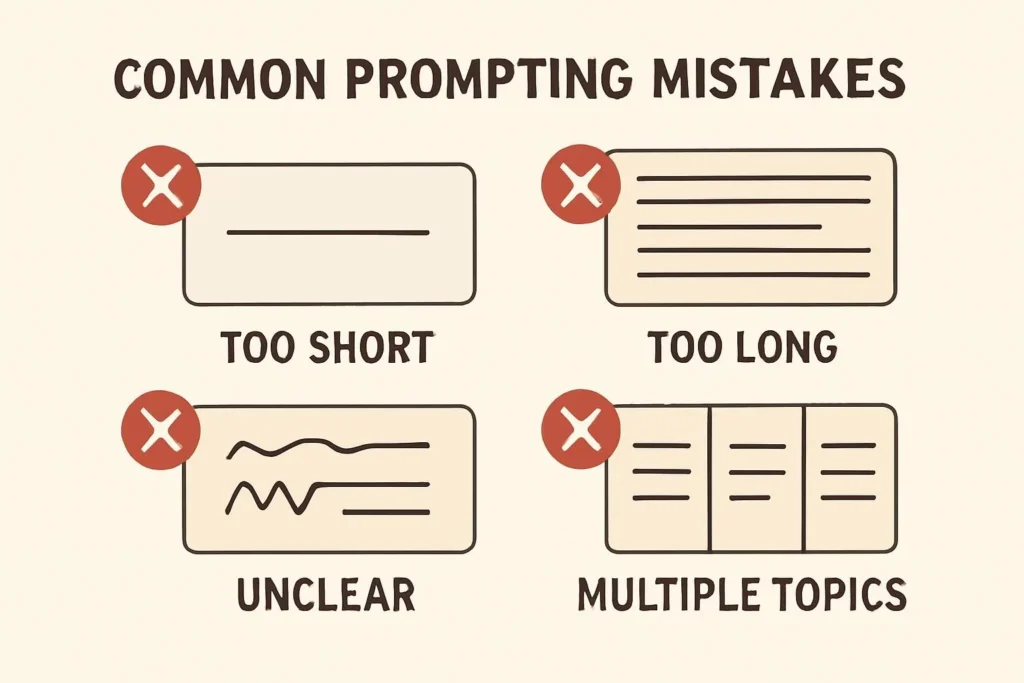
Over-complex single prompts. Trying to do eight things in one prompt reliably produces shallow responses to all eight. If a task has more than three distinct deliverables, break it into sequential prompts where each output feeds the next. The cognitive overhead of splitting is smaller than the revision overhead of fixing a bloated single response.
Forgetting that context resets between sessions. ChatGPT doesn’t remember your previous conversation in a new session. If you’re working on an ongoing project, don’t assume it knows your company, your audience, or the decisions made yesterday. Paste the relevant context at the top of each session. Annoying but necessary.
Treating refusals as endpoints. When ChatGPT declines or hedges heavily, the instinct is to stop. Usually there’s a framing adjustment that gets you what you need. Specify a professional context, clarify the actual use case, or ask for the information in a different form. Refusals are often ambiguity signals, not hard blocks.
Not specifying what you already know. “Explain machine learning” gives you an intro-level answer by default. “Explain the tradeoffs between gradient boosting and neural networks for tabular data, assuming I’m a data scientist who’s used both but primarily in scikit-learn” gives you a peer-level answer. Tell it what you already know.
⚠ What Could Be Wrong With This
The frameworks here are generalizations. Specific domains—legal, medical, code generation—have their own quirks that a general prompting guide can’t fully address.
Model behavior changes with updates. A technique that works well with GPT-4o might produce different results with a newer or different model. Always test on the specific model you’re deploying.
My testing skews toward text tasks: writing, analysis, strategy. Image generation, code debugging, and data analysis have prompt-specific patterns I haven’t covered in depth here.
Pre-Send Checklist: Is Your Prompt Ready?
- Is the role specified? One sentence with domain context, not just “expert.”
- Is the context complete enough that a stranger could understand the situation?
- Is the task a specific action verb + deliverable + scope?
- Have you specified the output format? (Length, structure, style)
- Have you removed everything that doesn’t add information? Filler words inflate prompts.
- For reasoning tasks: did you ask it to think through the steps before concluding?
- For multi-part tasks: should this be two prompts instead of one?
Questions People Actually Ask
Long enough to eliminate ambiguity, short enough to stay focused. In practice that’s usually 50–200 words for most tasks. The problem with short prompts is missing components; the problem with very long prompts is that ChatGPT sometimes overweights early instructions and underweights later ones. If your prompt is over 400 words, ask whether it should be a series of prompts instead.
Generic prompts produce generic answers—that’s not an insult, it’s mechanics. The model has no way to distinguish your specific situation from the ten thousand similar requests it’s seen. The fix is specificity: specific audience, specific context, specific format, specific constraints. Adding one detailed constraint to a vague prompt often shifts the output quality more than any other single change.
The fundamentals transfer: role, context, task, format work everywhere. But each model has different tendencies. Claude is more likely to push back on ambiguous requests and ask clarifying questions. Gemini handles long-document tasks differently than GPT-4o. For production use cases, test the same prompt across the models you’re considering—the outputs often diverge meaningfully and the right choice is task-dependent. PROBABLE
Two things help: lower the temperature if you have API access (lower temperature = more deterministic), and add more format constraints. The model has less creative latitude when you’ve specified structure precisely. For content that needs to be highly consistent—product descriptions, templated reports—provide a fill-in-the-blank structure and tell it to follow the structure exactly, not interpret it.
Yes, with one caveat: the fundamentals take an afternoon to learn and deliver most of the value. The advanced techniques—systematic A/B testing, multi-agent orchestration, evaluation frameworks—only matter if you’re shipping AI into production or managing very high prompt volume. For individual users, spending a few hours on fundamentals and then applying them consistently beats spending weeks learning advanced techniques you won’t use.
Don’t restart. Issue a targeted correction: “Your answer assumed X, but the actual situation is Y. Please revise with that in mind.” Iterative correction is faster than re-prompting from scratch, and it teaches you exactly what information was missing from the original prompt. Keep a note of recurring correction patterns—they’re telling you what to add to your prompt template.
You can’t fully prevent hallucination, but you can reduce it. Ask it to reason from only the information you’ve provided. Ask it to flag anything it’s uncertain about. Explicitly say “if you don’t know, say so.” For factual content, always verify claims independently—treat ChatGPT output like a first draft written by a smart but fallible researcher, not a source. ESTABLISHED
The Honest Summary
Prompt engineering isn’t a superpower. It’s communication hygiene applied to a specific kind of tool. The ceiling on what you can get from ChatGPT is mostly set by how clearly you can specify what you actually want—which turns out to be harder than it sounds, mostly because “what you actually want” is often less clear in your own head than you assume.
The best prompts I’ve seen come from people who’ve gotten burned by vague ones often enough to become specific by habit. That’s the whole learning curve. Get burned, get specific, repeat.
The prompt you write is a mirror—the clearer your thinking, the better the output. ChatGPT doesn’t have a clarity problem. You do. That’s fixable.
More from BestPrompt.art
← Browse All Guides on BestPrompt.art
https://www.bestprompt.art/prompt-engineering-write-prompts/
https://www.bestprompt.art/the-secret-prompt-structure-that-gets-the-best-result-2025/
https://www.bestprompt.art/10-ai-prompts-for-audience-segmentation/
https://www.bestprompt.art/creating-effective-prompts-2025/
https://www.bestprompt.art/the-best-chatgpt-prompts-2025/
https://www.bestprompt.art/best-creative-ai-prompts-for-stunning-results-in-2025/