AI Prompt Vocabulary 101: 20 Terms Every Beginner Needs Before Their First Prompt


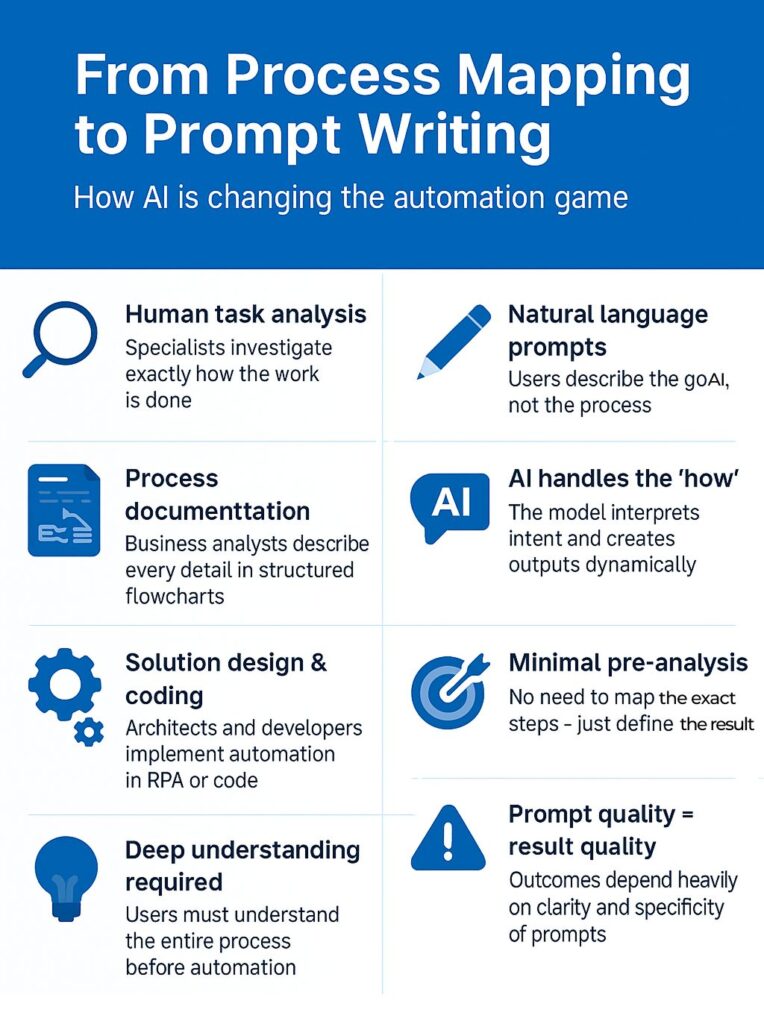
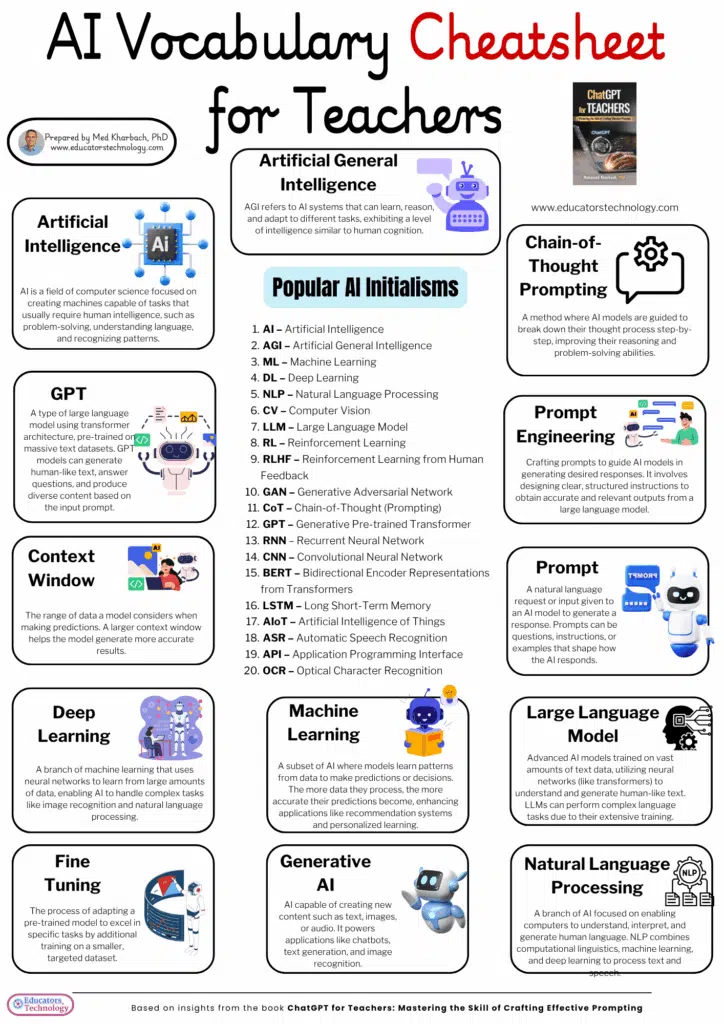
GLOSSARY · FIRST PRINCIPLES
prompt /prɒmpt/ — noun
AI Prompt Vocabulary 101
The instruction you give a model, and the twenty words built around it that everyone assumes you already know.
This is the vocabulary you need before you type your first prompt into ChatGPT, Claude, or Gemini — organized the way you’ll actually use it, not alphabetically. It also covers something most “beginner” glossaries skip: the field’s own name is changing underneath these terms, and you should know that before you memorize them.
If you’ve opened a glossary page before and closed it thirty seconds later, it’s probably because it read like a dictionary written by someone who’d already forgotten what it’s like not to know this stuff. This one is organized around the order you’ll actually hit these ideas: what a prompt even is, how to get better answers out of one, the dials you can turn, what breaks, and where the field is heading next. Every definition links back to where it came from, and a few sections tell you plainly where the internet disagrees with itself.
On this page
01The basics
Four words you need before any of the others make sense.
1.Prompt
The text you send to an AI model to tell it what to do. It can be a question, an instruction, a document plus a question about that document, or a whole set of rules. Merriam-Webster and Oxford both track “prompt” as a fast-moving word of the 2020s; it was runner-up for Oxford’s word of the year in 2023.
Example: “Summarize this email in two sentences for my manager.” — that whole sentence is the prompt.
A separate instruction, usually invisible to the end user, that sets the model’s role, tone, and rules before the conversation starts. When a chatbot always answers in a certain persona or refuses certain topics no matter what you type, that behavior almost always comes from its system prompt, not from you.
Example: “You are a customer support agent for a bakery. Never discuss competitors. Keep replies under 80 words.”
3.Token
The unit a model actually reads and writes in — a chunk of text that’s often shorter than a whole word (part of a word, a whole word, or a punctuation mark). A widely cited rule of thumb is that one token is roughly four characters, or about three-quarters of an English word. Everything you type, and everything the model replies with, gets billed and measured in tokens, not characters or words.
In practice: a 1,000-word blog post is roughly 1,300 tokens.
4.Context window
The total number of tokens a model can “see” at once — your prompt, any files you attach, the conversation so far, and its own reply, all counted together. Once a conversation exceeds the window, the oldest content typically gets dropped or summarized, and the model genuinely can’t see it anymore. This is a hardware-and-training limit, not a setting you toggle.
Watch for: a chatbot that “forgets” something you said forty messages ago probably didn’t get confused — it ran out of window.
—Why “prompt engineering” is already half-renamed
Here’s the honest complication this article can’t skip: by the time you’ve learned these 20 terms, some of them will be described by people in the industry as legacy skills. Since around mid-2025, a large and fast-growing share of AI practitioners have started using a different term — context engineering — for the discipline that used to be called prompt engineering, and the shift is well documented rather than a marketing fad.
The distinction matters for a beginner, not just a professional: prompt engineering is about how you phrase the request. Context engineering is about what information the model has access to when it answers — the documents, the conversation history, the tools it can call. Industry surveys through 2026 report that a majority of AI and data teams now say prompt wording alone isn’t enough to run reliable AI systems at scale, and that context-management training and tooling investment is accelerating.
Where this term came from
Software engineer Andrej Karpathy popularized “context engineering” in a widely shared post in June 2025, days after Shopify’s Tobi Lütke used the phrase publicly. Within about a year, the concept had generated a large academic survey literature and a wave of vendor guides. Gartner analysts separately predicted the practice would show up in a large majority of enterprise AI tools within a few years.
None of this makes the 20 terms below obsolete — you cannot do context engineering without first understanding what a prompt, a token, and a system prompt are. It just means you should read this page as the entry point to a field, not the whole field.
| Prompt engineering | Context engineering |
|---|---|
| Optimizes how you phrase the instruction — wording, examples, structure. | Optimizes what the model can see — documents, memory, tool access, history. |
| Lives in a single message or system prompt. | Spans a whole pipeline: retrieval, memory, tool orchestration, token budgeting. |
| The skill that matters for one-off questions and everyday chatbot use. | The skill that matters for AI agents and production systems making many calls in sequence. |
| Still essential — a badly worded instruction fails regardless of context quality. | Doesn’t replace prompting; it wraps around it. Most sources describe the prompt itself as a small fraction of what determines output quality once a system is context-engineered. |
If you’re a total beginner just chatting with an AI tool, prompt engineering is still 100% of what you need. Context engineering becomes relevant once you’re building something that calls a model repeatedly — a support bot, a research agent, an automated workflow.
02Getting better output
Four techniques that separate a vague prompt from one that reliably works.
5.Zero-shot prompting
Asking a model to do a task with no examples at all — you describe what you want and trust the model’s training to fill in the rest. Most casual chatbot use is zero-shot by default.
Example: “Translate this sentence into formal French.” (No sample translation given.)
6.Few-shot prompting
Showing the model two or three examples of the input-output pattern you want before giving it the real task. This technique was formally described in the 2020 GPT-3 research paper “Language Models are Few-Shot Learners,” and it remains one of the most reliable ways to control output format.
Example: Show two sample product titles rewritten in your brand voice, then ask the model to rewrite a third in the same pattern.
7.Chain-of-thought prompting
Asking the model to reason step by step before giving its final answer, rather than jumping straight to a conclusion. It measurably helps with multi-step math, logic, and planning tasks, and it’s one of the most-cited techniques in the academic prompting literature — a 2024 systematic survey catalogued over 50 distinct text-based prompting techniques, and chain-of-thought variants are among the best studied.
Example: “Work through this step by step, then give your final answer on the last line.”
8.Role prompting (persona)
Telling the model to respond as a particular role — “act as an editor,” “act as a skeptical reviewer.” It’s genuinely useful for setting tone and scope. One honest caveat worth knowing before you rely on it: several 2026 practitioner write-ups on production AI systems report that elaborate “you are a world-class expert” persona preambles show little to no measurable accuracy benefit on current frontier models, and mainly cost you tokens. Use role prompting for tone and framing, not as a magic accuracy switch.
Example: “Act as a copy editor. Only flag grammar and clarity issues, not style preferences.”
03The control knobs
Four settings that live in the API or the “advanced settings” panel, not the text box — but they change your output as much as your wording does.
9.Temperature
A number, typically between 0 and 1 (sometimes higher), that controls how predictable the model’s word choices are. Low temperature makes the model pick its single most likely next word almost every time — consistent, sometimes repetitive. High temperature lets it choose less-likely words more often — more varied, occasionally less coherent.
Rule of thumb: low temperature (0–0.3) for factual or code tasks, higher (0.7–1) for brainstorming and creative writing.
10.Top-p (nucleus sampling)
A second, related dial. Instead of a temperature “heat” setting, top-p limits the model to only the smallest set of next-word candidates whose combined probability adds up to p. A top-p of 0.9 means the model only considers words from the most likely 90% of the probability mass, ignoring the long tail of unlikely options. Most guides recommend adjusting temperature or top-p, not both at once, since they interact.
11.Max tokens (output limit)
A hard ceiling on how many tokens the model is allowed to generate in its reply. Set it too low and you’ll get an answer cut off mid-sentence; set it needlessly high and you may pay for or wait on a longer response than you need.
12.Stop sequence
A specific string of text that tells the model to stop generating the moment it produces that string. Developers use this to keep a model from rambling past a clean structural boundary, like the end of a JSON object or a specific delimiter.
Example: setting “\n\n” as a stop sequence to end generation after one paragraph.
At low temperature, the model’s probability distribution over its next word is narrow and peaked — it keeps picking the same top candidate, which reads as consistent (or repetitive). At high temperature, the distribution flattens, so less-likely words get a real chance of being chosen, which reads as varied (or occasionally incoherent). This is illustrative, not plotted from a specific model’s real output distribution. Sources: promptingguide.ai, arXiv:2310.14735.
04What goes wrong
Four terms for the failure modes you’ll eventually run into, so you can name them when they happen.
13.Hallucination
When a model states something false, fabricated, or unverifiable with the same confident tone it uses for true statements — a made-up citation, a wrong date, a plausible-sounding but nonexistent product feature. It happens because the model is predicting statistically likely text, not looking facts up in a database, unless it’s specifically been given a tool to do that.
Mitigation: ask the model to say “I’m not certain about this” instead of guessing, or connect it to a real source via retrieval (see term 18, below).
14.Prompt injection
An attack where hidden or malicious instructions are smuggled into content the model reads — a webpage, a document, an email — in an attempt to override the model’s actual instructions. It’s a live, actively studied security concern for any AI system that reads untrusted content, not a theoretical risk.
15.Jailbreak
A prompt specifically crafted to get a model to bypass its safety training and produce content it’s designed to refuse. Related to, but distinct from, prompt injection: a jailbreak is usually typed directly by the user; an injection usually arrives through content the model is reading on the user’s behalf.
16.Context rot
A 2025–2026 term for a specific, counterintuitive failure: even models with very large context windows produce measurably worse answers once you fill that window with a lot of marginally relevant content, well before you hit the technical limit. Practitioners in 2026 increasingly describe the fix as “curate, don’t dump” — feeding a model less but more relevant material outperforms feeding it everything you have.
05Where prompting is heading
Four terms you’ll meet the moment you move past single-question chatbot use.
17.AI agent
A system where the model doesn’t just answer once, but plans, takes actions using tools, checks the results, and adjusts — looping until a task is done rather than stopping after one reply. “Research these competitors, build a comparison table, then draft a positioning memo” is an agentic task; a single Q&A exchange is not.
18.RAG (retrieval-augmented generation)
A technique that gives a model access to an external, up-to-date knowledge source — a document set, a database, a live search — and has it pull relevant material into its context before answering, instead of relying purely on what it memorized during training. It’s the single most common way production systems reduce hallucination on factual and company-specific questions.
19.Guardrails
Rules, filters, or checks — inside the prompt, or wrapped around the model as separate code — that keep an AI system from producing harmful, off-topic, or policy-violating output. A refusal you see from a chatbot is often a guardrail firing, not the base model “deciding” on its own.
20.Context engineering
The discipline covered in the section above: deliberately designing what information — documents, memory, tool outputs, conversation history — lands in a model’s context window at each step, instead of just refining the wording of a single instruction. If you remember one thing after finishing this glossary, it’s that this term now sits one layer above everything else on this page.
This vocabulary is genuinely young — every milestone above happened within the last six years, and the most recent one is under 18 months old at publication. That’s the honest reason beginner glossaries go stale fast, including, eventually, this one. Sources: Brown et al. 2020 (arXiv:2005.14165); Oxford Word of the Year 2023; Wikipedia, “Prompt engineering”; Karpathy, June 2025; multiple 2026 industry surveys cited below.
—A quick, honest calculation: what actually fits in a prompt
Using the widely cited ratio of roughly 0.75 words per token, you can estimate your own prompt budget without any special tool:
| Context window size | Roughly this many words | Roughly equivalent to |
|---|---|---|
| 8,000 tokens | ~6,000 words | A long magazine feature |
| 128,000 tokens | ~96,000 words | A short novel |
| 1,000,000 tokens | ~750,000 words | A multi-volume book set, or a mid-size codebase |
One deliberately missing column: exact context-window sizes by model name. As of 2026, mainstream frontier models cluster somewhere between 128,000 and low millions of tokens depending on model and tier, but published figures from different reviewers disagree with each other by a wide margin and change with nearly every model release — so a precise per-model table would be out of date before this page finishes indexing. Check the provider’s own documentation for the number that matters for what you’re building.
06A real prompt, annotated
Here’s a genuinely well-structured beginner prompt, with the vocabulary from this page marked directly on it.
You are a 1 patient writing coach for first-time bloggers.Write a 150-word introduction for a blog post about home coffee brewing. 2Audience: complete beginners who just bought their first espresso machine.Tone: warm, encouraging, zero jargon.Here are two examples of the voice I want: 31. “Your first loaf of bread will not look like the bakery’s. That’s fine — mine still doesn’t, three years in.”2. “Nobody’s first parallel park is pretty. You keep the car anyway.”Think through what a nervous beginner needs to hear first, then write the introduction. 4 End with one encouraging sentence.
- 1Role prompting — sets tone and framing for the whole response.
- 2The core prompt / instruction — specific task, audience, and constraint (word count, tone) in one place.
- 3Few-shot examples — two samples showing the exact voice pattern to match.
- 4Chain-of-thought cue — asks the model to reason about the audience before writing, not just generate on reflex.
Notice what this prompt does not do: no “you are the world’s greatest copywriter” persona theatrics, no bribes or threats, no wall of unrelated context. It’s specific, it shows rather than tells, and every sentence earns its place — which, per the section above, is exactly the direction the field is moving as a whole.
07Common first-week mistakes
Treating the model like a search engine instead of an instruction-follower
Typing three keywords and hoping for the best is a search-engine habit. Models respond far better to a full sentence that states the task, the audience, and the format you want.
Stacking every instruction into one giant paragraph
Long run-on prompts bury the actual constraints. Short sentences or a simple list — role, task, format, constraints — are easier for both you and the model to track.
Never specifying the output format
“Give me some ideas” produces a wall of prose. “Give me five ideas as a numbered list, one sentence each” produces something you can actually use.
Assuming a confident answer is a correct one
Hallucination (term 13) doesn’t come with a warning label. If a claim matters — a statistic, a citation, a legal or medical detail — verify it against a real source before you act on it.
Piling on “expert” persona language expecting it to fix bad output
As covered above, elaborate persona preambles are one of the weaker levers you have. If output quality is the problem, a clearer task description or a couple of examples usually helps more than a bigger role-play setup.
08Frequently asked questions
Do I need to learn context engineering as a beginner?
No. Context engineering matters once you’re building a system that calls a model repeatedly with retrieved documents, memory, or tools. If you’re chatting with an AI assistant one question at a time, the prompt-level vocabulary in sections 1–4 covers essentially everything you’ll use.
Is prompt engineering a dead skill?
No — it’s a smaller layer inside a bigger discipline now, not an obsolete one. Every context-engineered system still needs a well-written instruction at the point where the model actually generates text. What’s changed is that phrasing alone is no longer treated as sufficient for production-grade AI systems.
What’s the single most useful term on this list for a total beginner?
Output format. It’s not one of the 20 formal terms above, but specifying it — “as a table,” “in three bullet points,” “under 100 words” — fixes more bad first answers than any technique on this page.
Why do temperature and top-p exist if I can just describe what I want in words?
Wording controls what the model tries to do; sampling settings control how much randomness it uses while doing it. You can write a perfect creative-writing prompt and still get flat, repetitive output at temperature 0 — the two are independent controls.
Is a bigger context window always better?
Not necessarily. Per the context rot entry above, several 2026 practitioner analyses report that stuffing a large context window with low-relevance material measurably degrades output quality, even though the model technically has room for it. A curated, relevant prompt tends to outperform a maximal one.
What’s the difference between a jailbreak and prompt injection?
A jailbreak is typed directly by the user to try to bypass the model’s own safety behavior. Prompt injection hides instructions inside content the model reads on your behalf — a webpage or document — to hijack what the model does without you typing anything malicious yourself.
Do all AI providers let me adjust temperature and top-p?
Not always through the consumer chat interface. These controls are standard in developer-facing APIs; some consumer chatbot apps hide them entirely and pick sensible defaults for you.
Should I memorize exact context-window sizes for each model?
No — memorize the concept instead. As shown above, published figures vary by source and change with nearly every model release. Check the provider’s current documentation when the exact number matters for a real project.
What should I actually practice first?
Write one prompt with all four pieces from the annotated example above — role, specific task with format, one or two examples, and a request to reason before answering. That single habit covers more real-world ground than knowing all 20 terms by heart.
Where do I go after this glossary?
Anywhere that shows worked examples rather than more definitions — the sources list below links to several, including the open-access Prompt Report survey and provider-native prompting guides, which is where the terminology above is drawn from in the first place.
bp
How this page was put together. Every definition above was cross-checked against the primary or provider-level source listed in “Sources,” including the original GPT-3 few-shot paper, the open-access Prompt Report survey, provider prompting documentation, and Andrej Karpathy’s original context-engineering post. Where third-party figures conflicted with each other — most notably per-model context window sizes — we said so explicitly rather than picking one number and presenting it as settled.
Reviewed by the bestprompt.art editorial team. Spotted an outdated figure or a term we’re missing? Let us know and we’ll correct it.
—Sources
- Brown, T. B., et al. (2020). “Language Models are Few-Shot Learners.” arXiv:2005.14165.
- Schulhoff, S., et al. (2024). “The Prompt Report: A Systematic Survey of Prompting Techniques.” arXiv:2406.06608.
- Wikipedia. “Prompt engineering” — overview, terminology standardization findings, and word-of-the-year notes.
- DAIR.AI / promptingguide.ai — “LLM Settings” (temperature, top-p, max length reference).
- Karpathy, A. (June 2025) — original public post popularizing “context engineering.”
- Multiple 2026 industry reports on context engineering adoption and prompt-vs-context team investment, cross-referenced for directional agreement rather than a single exact figure.