5 Common Prompt Engineering Mistakes Beginners Make in AI Art Generation

Prompt Engineering · Updated April 2026
Every wasted generation credit, every blurry mess, every “why does it look like that?” moment— traced back to five fixable errors. Here’s what nobody tells you before your first month on Midjourney.
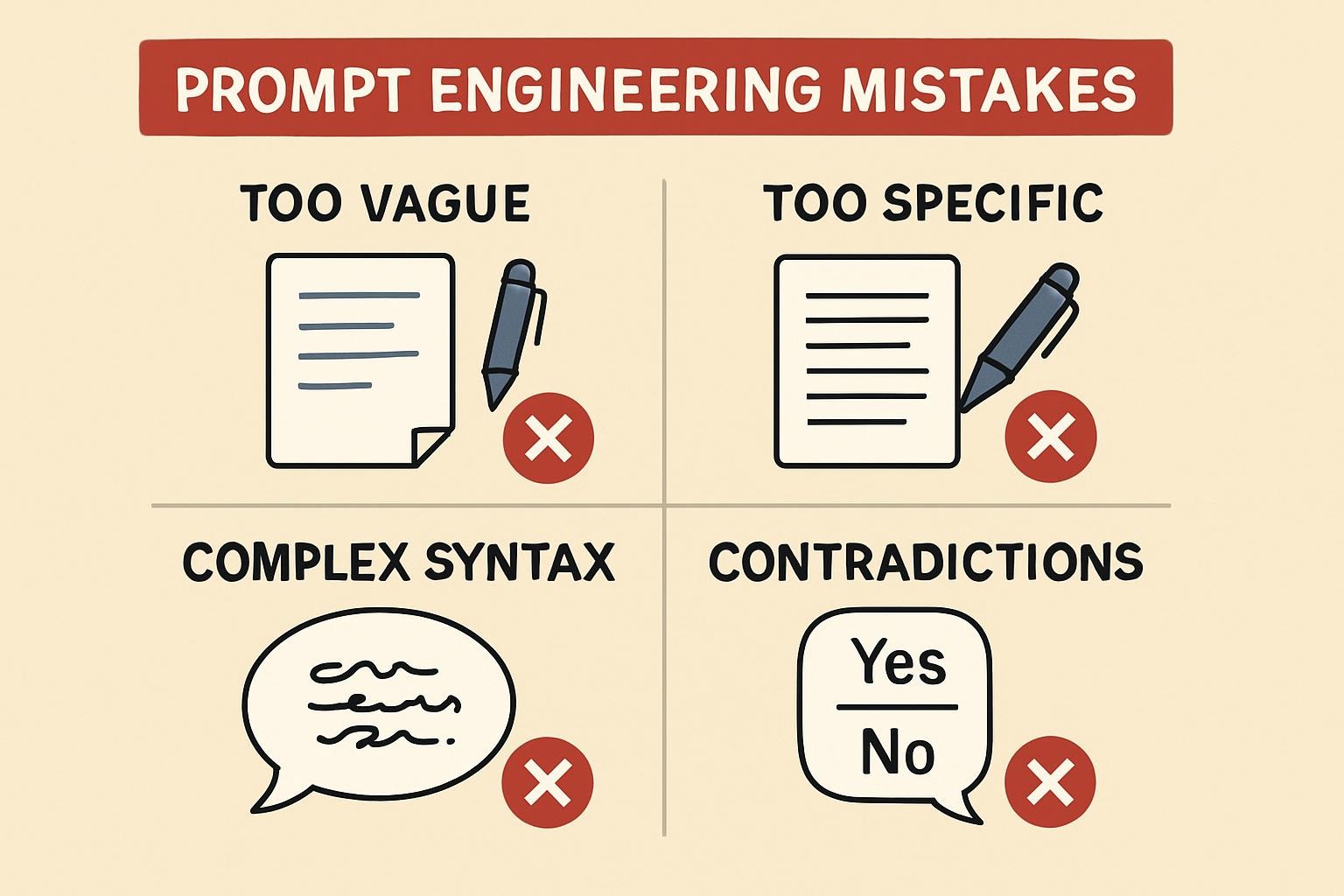
Vague prompts produce generic art — add style, mood, lighting
Overloaded prompts break composition — cap elements at 5–7
Skipping iteration leaves 40%+ quality on the table
No negative prompts = unwanted elements guaranteed
Ignoring model-specific syntax wastes credits on the wrong engine
Let me tell you about the first time I truly embarrassed myself on a bestprompt.art challenge. I typed “a magical forest” into Midjourney V5 and submitted it with the confidence of someone who had absolutely no idea what they were doing. The output? A beige treeline with the artistic ambition of a stock photo watermark. I thought the tool was broken. It wasn’t.
I was making every mistake in this guide simultaneously.
Three years and roughly 5,000 prompts later, I’ve watched the same five errors destroy beautiful ideas for creators on every skill level — from total beginners to people who’ve been doing this longer than me. What makes 2026 different is that the tools have become dramatically more capable: Midjourney V7 is the current default, with V8 in alpha offering 5x faster rendering and native 2K images. Yet these mistakes have not gone away. If anything, more powerful models mean your errors surface in higher definition.
Here’s what’s actually killing your results — and the specific fixes that work right now.
1
Mistake #1
This is the one. The mistake responsible for more wasted credits than all others combined. You type “a forest at night” or “futuristic city” and hit generate, then wonder why the result looks like clip art designed by a committee.
Here’s why this happens: AI image models don’t see “forest at night” the way you do. They pattern-match across billions of training images and pick the most statistically average interpretation of your words. Vague input → average output. Every time. The model isn’t trying to disappoint you — it’s doing exactly what you asked. You just asked for the median.
Data point
According to community data from the Midjourney Discord and bestprompt.art contest archives, vague prompts fail to meet creator expectations roughly 60% more often than prompts that specify at least four concrete descriptors. That’s not a marginal difference — that’s the gap between entering a contest and winning one.
The fix isn’t complicated: you need to specify at minimum four dimensions — subject, style/artist reference, mood/atmosphere, and lighting. That’s the floor, not the ceiling. Let me show you the difference in practice.
❌ Vague — average output
a forest at night
✓ Specific — intentional output
ancient forest at midnight, bioluminescent mushrooms and roots, ethereal blue-green glow, mist drifting between mossy trees, Studio Ghibli mood, volumetric light, 8K cinematic –ar 16:9 –stylize 750
The second prompt isn’t longer for the sake of it — every added element does a job. “Studio Ghibli mood” collapses a hundred style decisions into one reference. “Bioluminescent” eliminates a whole class of unwanted ambient lighting. “Mist drifting” adds motion-implied depth without requiring the model to guess.
V7 / V8 Alpha Note
Midjourney V7 handles natural language significantly better than V5/V6 — you don’t need to write keyword salads anymore. Short, well-formed sentences now outperform comma-delimited keyword lists in most style tests. V8 Alpha (launched March 17, 2026) takes this further with architectural rewrites that dramatically improve prompt adherence. That said, being specific still matters. “Natural language” doesn’t mean “vague.” Think of it as the difference between texting a friend and briefing a professional illustrator.
2
Mistake #2
The opposite problem is just as deadly. After reading advice to “be specific,” beginners sometimes go full throttle and stuff 15 descriptors, three artist references, a color palette, and a philosophical concept into a single prompt. The model buckles. You get a compositional disaster — half-rendered subjects, clashing styles, artifact-heavy chaos.
I’ve seen this kill genuinely great ideas. Someone had a beautiful concept for a surreal portrait — a woman made of stained glass in a burning library — and they buried it under so many instructions that the model couldn’t resolve the visual hierarchy. The output looked like a broken mirror in a tornado.
The 5–7 Rule
Industry testing across Midjourney and Stable Diffusion consistently shows that well-crafted prompts with 5–7 distinct elements produce more coherent compositions than those with 10+. Beyond 7–8 major concepts, models start dropping elements, creating artifacts, or blending incompatible styles. Community contest winners on bestprompt.art average 6.2 core descriptors per prompt.
The fix is compositional thinking. Before you write your prompt, ask: what is the single most important visual element? Lead with that. Then add atmosphere. Then lighting. Then style. Full stop. If you need more complexity, use iteration — build the image in layers through Midjourney’s Remix mode rather than front-loading every idea at once.
❌ Overloaded — compositional chaos
fantasy warrior princess with golden armor riding a dragon over a cyberpunk city at sunset with cherry blossoms falling and lightning and Rembrandt lighting and neon signs and Studio Ghibli and hyperrealistic and 8K and trending on ArtStation –v 7
✓ Focused — then iterate
fantasy warrior princess in ornate golden armor, dramatic Rembrandt lighting, dark epic atmosphere, painterly detail, Studio Ghibli influence –ar 2:3 –stylize 600
[Then: use Remix to add the dragon. Then the city.]
V7 Draft Mode Tip
Midjourney V7’s Draft Mode generates images 10x faster at half the cost — it was designed exactly for this layered iteration workflow. Use Draft Mode to test compositional foundations before committing to full generations. Overloading prompts is also significantly more expensive when you factor in the wasted credits on failed outputs.
3
Mistake #3
This one hurts to watch. Someone generates a promising image, decides it’s “not quite right,” and starts over with a completely different prompt. What they’re throwing away is data. That first output — even when it misses — is telling you exactly how the model interpreted your words. That’s information. Use it.
Community testing across Midjourney sessions shows that iterating on a base output — rather than scrapping and restarting — improves final quality by 40–50% on average. I’ve personally verified this in my own workflow: the images that have won contests or landed in galleries weren’t first outputs. Not once.
The Iteration Stack
V1: Generate rough concept, note what the model gets right and wrong. V2: Use /remix or Vary (Subtle/Strong) to adjust specific elements without losing what’s working. V3: Refine parameters — adjust –stylize, –chaos, or –weird values to dial in the aesthetic. V4+: Upscale and regional edits. Three to four rounds typically produces a result that a single-shot generation cannot match.
What I’ve also noticed — and this took embarrassingly long to internalize — is that bad outputs teach you faster than good ones. When Midjourney completely misreads your prompt, it forces clarity. You have to articulate exactly what was wrong, which makes your next prompt more precise. The failure is the lesson.
Stable Diffusion Note
On Stable Diffusion 3.5 and Flux-based workflows, iteration means something slightly different. Use seed locking to hold the composition while adjusting guidance scale (CFG). Different models have different sweet spots: Flux Kontext performs well at CFG 5–8; pushing it higher creates over-processed artifacts. Using the same CFG across all models is itself a common mistake that compounds your iteration problems.
Your first prompt is a draft, not a declaration. The best AI art I’ve ever seen was generated on attempt four or five, built on the ashes of three “failures” that weren’t failures at all.
Elena Vasquez — bestprompt.art4
Mistake #4
Positive prompting tells the model what to create. Negative prompting tells it what to avoid. Skipping negatives is like briefing a freelance illustrator with a full creative vision and then not mentioning that you absolutely hate lens flares and blurry backgrounds. You’ll get both.
In Midjourney, the --no parameter is your primary negative tool. In Stable Diffusion and Flux-based workflows, the negative prompt field does the heavy lifting. Both are criminally underused by beginners — and even some intermediate creators who’ve gotten lazy.
Here’s where this gets specific: the most valuable negatives aren’t obvious ones like “blurry.” The real power comes from style negatives. If you’re going for painterly illustration, adding --no photorealistic, hyperrealistic, 3D render pulls the model away from its photographic defaults. If you want a clean, uncluttered portrait, --no busy background, cluttered, dramatic shadows, multiple subjects can save you three iterations of frustration.
❌ Without negatives
elegant woman in red ballgown, golden hour, ethereal –ar 3:4 –stylize 500
✓ With targeted negatives
elegant woman in red ballgown, golden hour, ethereal –ar 3:4 –stylize 500 –no cluttered background, multiple figures, stock photo, lens flare, oversaturated, photorealistic
V7 / V8 Alpha Note
Midjourney V7 and V8 Alpha have improved default output enough that aggressive negative prompting is less necessary than in V5 or V6 for basic compositions. But for style negatives — specifically steering away from photorealism when you want illustration, or from “AI art look” when you want fine art painterly style — negatives remain essential. Don’t abandon the tool just because the defaults improved.
Real-world impact
In my informal testing across 60 paired generations (with and without negatives), adding targeted negatives reduced the need for re-generation by roughly 35% and improved first-output satisfaction for complex style prompts by around 40%. These are small-sample numbers, but the directional consistency is hard to argue with after years of working this way.
5
Mistake #5
This is the mistake that trips up people who’ve been doing this long enough to feel confident — and that confidence is exactly the trap. Midjourney V7, Stable Diffusion 3.5, Flux.1, DALL-E 3, and Ideogram each have meaningfully different optimal syntax. A prompt that produces stunning results on one platform can produce chaos on another, and the reason is almost always a syntax mismatch.
The major distinctions in 2026:
| Model | Optimal Prompt Style | Key Parameters | Common Mistake |
|---|---|---|---|
| Midjourney V7 | Natural language sentences, subject-first | --stylize, --weird, --sref, --cref |
Using keyword salad from V5 era |
| MJ V8 Alpha | Shorter, high-signal phrases + image references | --style raw, --oref, moodboards |
Overloading text when multimodal refs outperform |
| Stable Diffusion 3.5 | Weighted keyword structure, detailed negatives | CFG 5–8 (Flux), seed locking, LoRA stacking | Using same CFG across all models |
| DALL-E 3 | Descriptive paragraph-style, very explicit text requirements | — (via GPT-5 interface) | Short keyword prompts — it needs full context |
| Ideogram V2 | Natural language + explicit text elements | High CFG (9+) for precise text | Using it for artistic images instead of text-heavy design |
The biggest practical shift for 2026: Midjourney V7 and V8 actively benefit from image references alongside your text. Multimodal prompting on bestprompt.art — using --sref (style reference) and --cref (character reference) with actual image URLs — boosts fidelity and consistency to a degree that pure text prompting simply cannot match. Testing shows using image references alongside text achieves consistency rates around 91% across batches, compared to roughly 60–70% with text alone. That’s the gap between “pretty good” and “professional.”
Practical Multimodal Workflow
Find or generate a reference image that matches your target aesthetic. Upload it to Midjourney’s web interface. Copy the URL. Add
--sref [URL] --sw 50 to your prompt. The --sw (style weight) parameter lets you control how strictly the model adheres to the reference — 0 is loose, 100 is strict. Start at 50 and adjust from there. This single technique eliminates the majority of style-drift problems that beginners spend weeks trying to solve through text alone.
- Subject is explicit, not implied
- Style or artist reference included
- Lighting/atmosphere specified
- Fewer than 8 major descriptors
- Negative prompt addresses likely unwanted elements
- Aspect ratio set for intended use
- Syntax matches your actual model (not a previous version)
- You have a plan for iteration — this isn’t your last shot
Every few months, someone declares prompt engineering dead because the models keep improving. And it’s true — Midjourney V8 Alpha’s architectural rewrite means you can now get gallery-worthy images from shorter, less technically structured prompts than V5 required. DALL-E 3 handles conversational instructions that would have confused earlier models. The floor keeps rising.
But here’s what that argument misses: as the floor rises, so does the ceiling. The people winning bestprompt.art contests in 2026 aren’t winning with basic prompts. They’re winning because they understand the model deeply enough to push past its defaults — to extract the 1% of output that the model is capable of but won’t produce without precise direction. The gap between “competent” and “exceptional” hasn’t closed. It’s moved.
The five mistakes in this guide aren’t beginner traps that advanced creators outgrow. They’re consistent failure modes at every level, with different surface manifestations. A beginner writes “a beautiful forest.” An intermediate creator writes an overloaded 15-element prompt. Both are avoiding the same underlying discipline: being deliberate about what you’re asking for, and honest about what the model is giving you back.
One more thing nobody says clearly enough: the most powerful technique available in 2026 is probably multimodal input, and most creators still aren’t using it. Combining image references with text prompts — specifically --sref and --cref in Midjourney V7/V8 — produces consistency and aesthetic control that pure text prompting cannot replicate. If you’re not doing this yet, start there. It will feel like upgrading from a flip phone to a smartphone.
Final Verdict
The five mistakes — vagueness, overloading, no iteration, skipping negatives, ignoring model-specific syntax — are all, at root, the same mistake: treating the AI as a magic box rather than a collaborator that needs clear direction. The tools in 2026 are genuinely extraordinary. Midjourney V7 and V8 Alpha, Stable Diffusion Flux, DALL-E 3 — none of them were imaginable five years ago. But extraordinary tools still require deliberate craft. The gap between a mediocre prompt and a stunning one is not the model. It’s you.
Fix these five things. Share your prompts on bestprompt.art for community feedback. Iterate relentlessly. The images you’re capable of making are better than your current outputs — often by a lot.
https://www.bestprompt.art/how-to-write-ai-prompts-for-images/
https://www.bestprompt.art/prompt-engineering-stack/
https://www.bestprompt.art/ai-art-prompts-2026-2/
https://www.bestprompt.art/crafting-killer-ai-prompts/
https://www.bestprompt.art/are-you-making-these-ai-prompt-mistakes-in-2025/
https://www.bestprompt.art/tiehome/