10 Prompt Engineering Techniques You Must Master in 2025


bestprompt.art / techniques guide
With a decision framework for choosing the right one — because the technique that’s wrong for your problem costs you more time than no technique at all.
Before you read
The mistake most people make with prompt engineering isn’t using the wrong technique. It’s using a sophisticated technique when a simpler one would work — and paying the token cost, the latency cost, and the debugging cost for nothing. This guide leads with a decision framework. Use it to find the right technique for your problem, then go deep on that one. The bestprompt.art glossary covers term definitions if you need them alongside this.
Start Here — Technique Selection Framework
Outputs are wrong or inconsistent
Try Few-Shot Prompting first. Add 3–5 examples showing exactly the pattern you want. If still wrong, add Chain-of-Thought.
Need different tone, expertise, or register
Role Prompting. Be specific about the expertise, not just the job title. “Expert” is useless. “ML engineer who’s debugged CUDA memory leaks” is useful.
Multi-step task, one prompt isn’t holding it
Prompt Chaining — break it into sequential subtasks with validation at each step. Don’t try to hold 5 objectives in a single prompt.
Model doesn’t know your domain data
RAG if the data is large and structured. Inline context injection if it’s small enough to fit. Fine-tuning only if you’re running millions of calls.
Math, logic, or reasoning keeps failing
Chain-of-Thought — ask for step-by-step reasoning explicitly. If that still fails, try Self-Consistency (multiple runs, majority vote).
Need consistent behavior across a session
System Prompt design. This is where role, constraints, and output format belong — not in every user message.
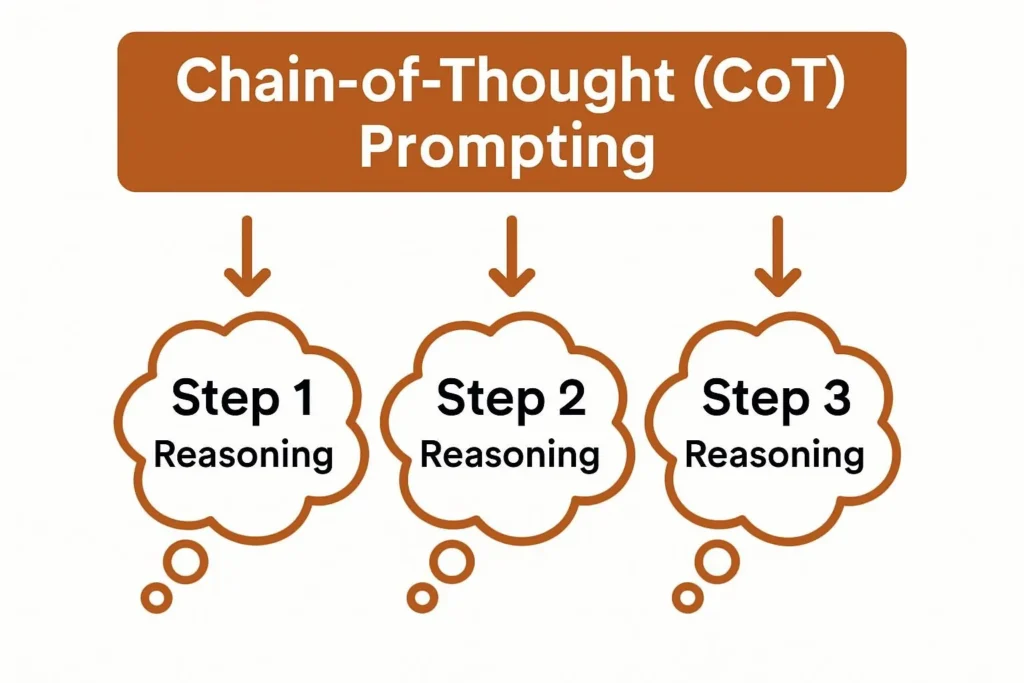
Ask the model to reason step by step before answering. That’s it. The technique is simple; the implementation details are where most people go wrong — and where most of the gains are.
How to construct a CoT prompt
The bare minimum: add “Think step by step” before your question. That’s the research version. The production version is more specific about what kind of reasoning you want.
Task: Determine whether this refund request is valid under our policy.
Policy: Refunds are allowed within 30 days of purchase for unused items.
Request: “I bought this 45 days ago but never opened it.”
Reason through this step by step:
1. Check the time since purchase against the policy window
2. Check whether the usage condition is met
3. State your conclusion with the deciding factor
Notice the last line: “state your conclusion with the deciding factor.” Without that, the model will often give you the reasoning and then a conclusion that doesn’t follow from it cleanly. Closing the loop on what the conclusion should reference improves output quality measurably.
Use when
- Multi-step logic or calculation
- Decisions with multiple criteria
- Debugging or root cause analysis
- Legal or policy interpretation
Skip when
- Simple classification or extraction
- High-volume calls where reasoning costs tokens
- Tasks where the answer is lookup, not inference
The failure mode nobody warns you about
Chain-of-thought produces reasoning chains that sound correct while arriving at wrong answers. The model can rationalize backward from a wrong conclusion — with every intermediate step looking plausible. Visible reasoning does not mean correct reasoning. Always verify the conclusion independently, especially for anything with real consequences.
Give the model 2–6 examples of exactly the input-output pattern you want before presenting the real task. The model infers the pattern. Consistently the fastest route from “wrong outputs” to “right outputs” for format-sensitive or domain-specific tasks.
The example quality trap
Most people include 3 examples that are all the same difficulty level and then wonder why the model fails on edge cases. Your examples need to cover variation — different sentence lengths, different difficulty levels, at least one near-miss case where the answer isn’t obvious.
Classify each support ticket as: URGENT, NORMAL, or LOW
Example 1:
Ticket: “Can’t log in, presentation in 20 minutes”
Classification: URGENT
Reason: Time pressure + revenue-critical event
Example 2:
Ticket: “How do I change my username?”
Classification: LOW
Reason: Informational, no time pressure
Example 3:
Ticket: “Billing charged twice last month, need refund”
Classification: NORMAL
Reason: Financial issue but not time-critical
Now classify:
Ticket: [new ticket here]
Three things to notice: (1) each example includes a reason — this teaches the decision logic, not just the labels; (2) one example is edge-case-adjacent (billing disputes could go either way); (3) examples cover three different urgency levels so the model learns the full spectrum, not just what “urgent” looks like.
Token cost reality: Five examples at ~150 tokens each adds 750 tokens to every prompt. At GPT-4o pricing, a system running 50,000 calls/day spends roughly $90/day on examples alone. If your task volume is high and the pattern is stable, fine-tuning the model on your examples is often cheaper within 3 months. See bestprompt.art’s cost comparison tool.
Failure mode
Examples that all look alike teach the model one narrow pattern — and it breaks on anything outside that pattern. If your examples are all short inputs, the model will handle long inputs poorly. If they’re all clear-cut cases, it’ll fumble the ambiguous ones. Include at least one example that isn’t obvious.
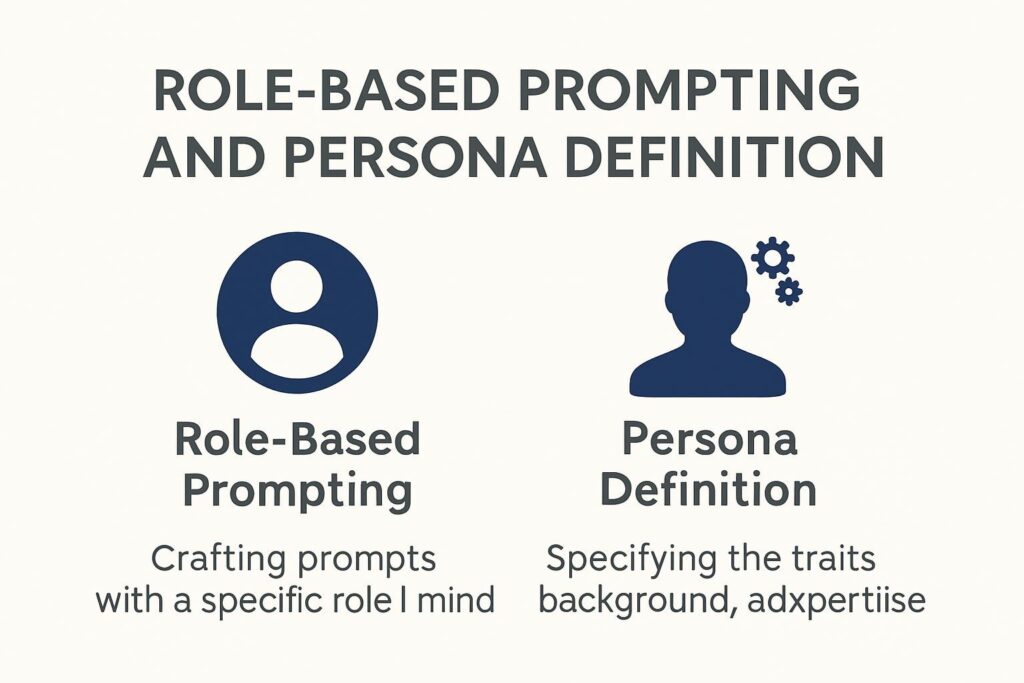
Tell the model who it’s supposed to be. This shifts vocabulary, assumed expertise, communication style, and default level of technicality. It works because language models have internalized how different professionals write and think — and a well-specified role activates that internalized pattern.
The specificity gap
“Act as an expert” does almost nothing. Every AI user writes that. The model’s default output is already trying to be expert-level. What actually shifts the output is specificity about what kind of expert, in what context, with what constraints.
❌ Weak:
“You are an expert data scientist. Analyze this dataset.”
✅ Specific:
“You are a data scientist three years into building fraud detection models
for mid-market fintech companies. You’ve seen plenty of class imbalance
problems and you’re skeptical of models that perform well on AUROC but
fall apart at the 99th percentile of transaction volume. Review this
model evaluation report with that lens.”
The second version gives the model a specific prior — a skepticism to apply, a context to reason from, a failure mode to watch for. That’s what shifts the output. The label “expert data scientist” alone does not.
Critical limit
Role prompting does not give the model knowledge it doesn’t have. “You are a cardiologist” makes the language more clinical — it does not make the medical facts more accurate. For high-stakes factual tasks, role prompting increases confident-sounding output without increasing correctness. Verify any domain-specific facts the model produces regardless of the role you’ve assigned.
The system prompt is where you set the model’s operating parameters for a full session — role, output format, constraints, tone, and any domain context that applies to everything. If you’re rebuilding these instructions in every user message, you’re doing this wrong and paying for it in tokens every time.
What belongs in a system prompt vs. a user message
System prompts carry what’s constant across an entire application or session. User messages carry what’s specific to the individual request. The confusion between these two is responsible for a significant fraction of inconsistent AI behavior in production applications.
SYSTEM PROMPT — belongs here:
– Role and expertise definition
– Output format requirements (JSON structure, field names, length)
– Tone and register constraints (“formal”, “no markdown”, “cite sources”)
– Domain rules (“always flag uncertainty”, “never provide legal advice”)
– Persistent context (what the application does, who the user is)
USER MESSAGE — belongs here:
– The specific question or task for this turn
– Any input data specific to this request
– Clarifications on prior turns
One more thing: system prompts establish behavior defaults, not hard limits. A sufficiently adversarial user can override them in most models. Don’t put security-critical logic in a system prompt and trust it to hold.
Failure mode
Long, bloated system prompts with contradictory instructions. If your system prompt says “always be concise” in one paragraph and “provide comprehensive analysis” in another, the model will pick one inconsistently based on what the user message emphasizes. Audit your system prompts for contradictions before deployment.
Break a complex task into sequential steps. The output of step 1 becomes the input for step 2. Prevents the model from trying to hold 5 competing objectives simultaneously — which it handles poorly — and lets you catch errors before they propagate downstream.
The validation gate problem
Most people implement chaining as a pipeline and forget validation. That’s a mistake. Each step in the chain can produce an error that the next step will inherit — and by the end of a 4-step chain, a small error in step 1 can become a large error in step 4, presented with full confidence.
Step 1 → Extract all company names mentioned in this article.
[VALIDATION: verify against source article before proceeding]
Step 2 → For each company from Step 1, identify their stated position.
[VALIDATION: does each position trace back to a specific quote?]
Step 3 → Flag any positions that contradict each other.
[VALIDATION: are the contradictions genuine or artifacts of Step 2 errors?]
The validation gates don’t have to be automated. For low-volume workflows, human review at each step is fine. What’s not fine is passing unvalidated step outputs downstream and discovering the error only at the final step.
Failure mode
Error propagation. A factual error introduced in step 1 gets amplified in steps 2 and 3, and the final output looks clean and complete even though it’s built on a flawed foundation. Chains without validation gates are confidence machines for bad data.
“The best prompt engineers aren’t the ones who know the most techniques. They’re the ones who reach for the simplest technique that solves the problem — and add complexity only when they can measure what it’s buying them.”
Synthesis from practitioner patterns — bestprompt.art researchTell the model exactly what structure you want in its response. JSON with specific field names, a table with specific columns, a numbered list with specific constraints. For any output that feeds into a downstream system, this is non-negotiable — and yet it’s treated as optional by most practitioners.
Format spec for production pipelines
For API integrations parsing the output programmatically, vague format specs fail. “Return JSON” is not a format spec. “Return a JSON object with exactly these fields in exactly this structure” is.
Return ONLY a JSON object. No preamble, no explanation, no markdown fences.
Schema:
{
“classification”: “URGENT” | “NORMAL” | “LOW”,
“confidence”: 0.0 to 1.0,
“deciding_factor”: “one sentence, max 20 words”,
“escalate_to_human”: true | false
}
If you cannot determine the classification, set confidence below 0.4
and escalate_to_human to true.
Two things this example does that most don’t: (1) explicitly handles the failure case — what to do when the model isn’t sure; (2) says “ONLY a JSON object” rather than just “JSON” — because models will add conversational preamble unless explicitly told not to.
Failure mode
Even with explicit format specs, models sometimes add “Sure! Here’s your JSON:” before the object, or wrap it in markdown code fences. Always strip and validate before parsing. The format spec reduces the probability of deviation; it doesn’t eliminate it.
Retrieve relevant documents from an external knowledge base and inject them into the prompt before generation. Gives the model access to current, proprietary, or domain-specific information it wasn’t trained on. The model generates against retrieved evidence rather than relying on memory alone.
What RAG actually solves — and what it doesn’t
RAG solves the “the model doesn’t know your specific data” problem. It doesn’t solve the “the model reasons incorrectly” problem. If you need the model to reason correctly about retrieved facts, combine RAG with chain-of-thought in the same prompt.
The retrieval step is the failure point most teams underinvest in. If your retrieval returns the wrong documents — documents that are topically adjacent but not actually relevant to the query — the model will use them anyway and generate a confident answer based on the wrong evidence.
Use ONLY the following retrieved documents to answer the question.
If the documents don’t contain the information needed, say:
“This information is not in the provided documents.”
Do not use your training knowledge to supplement the answer.
[DOCUMENT 1]: {retrieved_chunk_1}
[DOCUMENT 2]: {retrieved_chunk_2}
Question: {user_question}
Cite which document(s) you used in your answer.
The last instruction — “cite which document(s) you used” — is important. It creates a verifiable audit trail and forces the model to ground its response explicitly. Answers that can’t cite a document should be treated with skepticism.
Failure mode
RAG shifts the failure point from “model hallucination” to “retrieval error.” Bad retrieval produces bad RAG — and the model will state it confidently. Evaluate your retrieval quality independently from your generation quality. Many RAG implementations fail because the embedding and ranking layer was never properly tested.
Self-Consistency Sampling
Generate multiple independent responses to the same prompt (typically 3–7, at higher temperature), then select the answer that appears most frequently. Treats the model as a probabilistic ensemble. Consistently improves accuracy on reasoning tasks where a single run is unreliable.
When majority vote actually helps
Self-consistency is most useful for tasks where the model’s failure mode is inconsistency — it gets the right answer sometimes but not reliably. If the model gets the wrong answer consistently, self-consistency will confidently deliver that wrong answer 5 times out of 5 and call it reliable.
Practical implementation: run 5 samples, parse the final answer from each (not the full reasoning), count occurrences, return the majority. The reasoning chains don’t need to agree — just the conclusions.
Cost note: 5 samples = 5× the inference cost. At most pricing tiers, this is a significant multiplier. Use self-consistency for high-stakes, low-volume decisions — not as a default improvement for all tasks.
Failure mode
Systematic errors. If the model reliably gets a specific category of question wrong, all 5 samples agree on the wrong answer. Self-consistency improves precision on inconsistent tasks. It doesn’t correct systematic bias.
Metacognitive Prompting
Ask the model to evaluate its own response — for confidence, for assumptions it’s making, for alternative approaches it didn’t take. A second-pass critique built into the same prompt. Works best on analytical tasks where the model’s first answer is directionally right but imprecise.
Two-pass structure
The practical structure: ask for the answer, then immediately ask the model to critique it before presenting a final version. The critique pass often catches overconfident conclusions, missed caveats, and logical gaps.
Step 1 — Initial answer:
[Your question here]
Step 2 — Self-assessment:
Review your answer above. Identify:
– What assumptions are you making that might not hold?
– What’s the weakest part of your reasoning?
– What would change your conclusion?
– Confidence level (1–10) and why
Step 3 — Revised answer:
Based on your self-assessment, provide your final answer.
Note any remaining uncertainties explicitly.
The confidence score forces the model to calibrate rather than default to confident prose. An answer that comes back with “confidence: 4/10” is more useful than one that hides its uncertainty in assured-sounding language.
Failure mode
The self-assessment becomes a performance rather than a genuine critique. The model says “my reasoning is sound” and then presents the same answer with slightly modified hedging. Watch for self-assessments that don’t actually change the conclusion — they’re often just adding reassuring language rather than doing analytical work.
Multi-Agent Orchestration
Coordinate multiple model instances — each with a distinct role, system prompt, and scope — to collaborate on a complex task. The output of one agent becomes the input for another. Useful for tasks where genuine role separation improves quality. Frequently overkill for everything else.
When multi-agent is justified vs. overcomplicated
The honest question: does your task actually benefit from role separation, or do you want multi-agent because it sounds more sophisticated? A single well-designed prompt with clear sections often outperforms a multi-agent system on tasks of moderate complexity — and is dramatically easier to debug.
Multi-agent earns its cost when: (1) you need genuine parallel processing of independent workstreams; (2) one agent’s failure should not propagate to another without human review; (3) the task requires perspectives that are genuinely in tension — like having a critic agent whose entire job is to attack the primary agent’s output.
Agent 1 (RESEARCHER): Extract all factual claims from the draft article.
Output: structured JSON list of claims with source citations.
[VALIDATION GATE: human or automated review of claims list]
Agent 2 (CRITIC): For each claim in the list, assess:
– Is the source primary or secondary?
– Does the claim as written match what the source says?
– Flag: VERIFIED / MISREPRESENTED / UNSOURCED
[VALIDATION GATE: review flagged items]
Agent 3 (EDITOR): Revise the article draft using the critic’s findings.
Do not unflag any item the critic flagged. Note all changes made.
Failure mode
Error compounding without gates. Each agent hands off to the next, errors accumulate, and the final output looks authoritative. The more steps in the chain without human or automated validation, the larger the potential gap between the output’s apparent quality and its actual quality. Multi-agent systems need more verification discipline than single-agent systems, not less.
High-Value Technique Combinations
These combinations address specific problem classes that single techniques don’t solve cleanly. The “why” column is the part most guides skip — the reason the combination works, not just that it does.
| Problem | Combination | Why it works |
|---|---|---|
| Inconsistent reasoning on complex decisions | CoT + Self-Consistency | CoT surfaces the reasoning; multiple samples average out the inconsistency. Neither alone handles both failure modes. |
| Domain-specific analysis with factual grounding | RAG + Role Prompting + CoT | RAG provides the evidence; role prompting sets the interpretive lens; CoT forces explicit reasoning against the retrieved content. |
| High-volume classification at consistent quality | Few-Shot + Output Format Spec + System Prompt | Few-shot teaches the pattern; format spec makes parsing reliable; system prompt carries both across all requests without repeating them. |
| Long-document analysis with multiple questions | Prompt Chaining + RAG + Metacognitive | Chaining breaks the analysis into manageable steps; RAG grounds each step in the document; metacognitive pass catches reasoning errors before they compound downstream. |
| Critical decisions where wrong answers are costly | CoT + Metacognitive + Self-Consistency | CoT makes reasoning visible; metacognitive catches overconfidence; self-consistency reduces variance. Most expensive combination — justified only when error cost is high. |
The Technique You Should Use Most Often: None of These
Zero-shot prompting — a clear instruction with no examples, no CoT, no role — handles a surprising fraction of practical tasks correctly. The professional instinct to add sophistication is often wrong.
Before adding any technique from this guide, try the bare instruction first and evaluate the output. If it’s right, you’re done. If it’s wrong, identify exactly what’s wrong — the format, the reasoning, the domain knowledge, the consistency — and choose the technique that addresses that specific failure mode. Adding CoT to a format problem doesn’t fix the format. Adding few-shot to a reasoning problem adds token cost without fixing the reasoning.
The prompt engineering skill that matters most in 2025 isn’t knowing how to implement Tree of Thoughts. It’s diagnostic precision: knowing which specific thing is wrong with the current output and selecting the minimum intervention to fix it. That precision is what separates practitioners who reliably produce good outputs from practitioners who build elaborate prompt systems that break in unpredictable ways.
For further reading on technique selection and worked examples across specific industries, see the bestprompt.art technique library.
https://www.bestprompt.art/turn-ai-outputs-into-projects/
https://www.bestprompt.art/how-beginners-can-build-apps-with-ai-prompts/
https://www.bestprompt.art/10-ethical-chatgpt-prompts-for-2025/
https://www.bestprompt.art/user-generated-ai-prompt-collections/
https://www.bestprompt.art/epic-contribution-guide/
https://www.bestprompt.art/detailed-prompts-in-2025-10-secrets-for-better-ai-results/