Generative AI for Designers: What’s Working (And What’s Just Hype)

Analysis
Register B — Analytical
Updated August 2026
~3,000 words
AI Design Tools ROI in 2026: What the Data Actually Shows
McKinsey’s research on early AI installations found roughly 37% posted positive ROI in year one. The other 63% weren’t using worse tools — they deployed in the wrong order. Here’s the verified 2026 data on time savings, the tool landscape, and the sequencing fix.
The productivity reality check
Start with the number that gets misquoted most. The Federal Reserve Bank of St. Louis — economists Alexander Bick, Adam Blandin, and David Deming — surveyed a nationally representative sample of U.S. workers in November 2024 and found that people who had used generative AI in the previous week saved an average of 5.4% of their work hours: about 2.2 hours in a 40-hour week. Source: Bick, Blandin & Deming, “The Impact of Generative AI on Work Productivity,” Federal Reserve Bank of St. Louis On the Economy, Feb 2025 Averaged across the whole workforce, including people who never touch the tools, that works out to roughly a 1.1% aggregate productivity gain.
The Fed kept measuring. By August 2025, the share of total work hours spent actively using generative AI had risen to 5.7%, and adoption had become the norm rather than the exception: 54.6% of working-age Americans had used generative AI, up from 44.6% a year earlier — a faster curve than personal computers or the early commercial internet saw at the same stage of rollout. Source: Federal Reserve Bank of St. Louis Real-Time Population Survey, Aug 2025, reported via subsequent Fed productivity analysis
Here’s the detail that matters for anyone running a studio: the gains are not evenly spread. Among people who used AI in the previous week, 33% saved an hour or less, 26.4% saved about two hours, 20.1% saved three hours, and 20.5% — call it one in five — saved four hours or more. Daily users cluster heavily in that top bracket; people who touch the tools only occasionally barely register a difference. Distribution reported in Fed follow-up coverage of the St. Louis Fed dataset, 2026 Casual, occasional AI use does not move your numbers. Embedded, daily use does.
5.4–5.7%
Share of weekly work hours saved by generative AI users (Nov 2024 → Aug 2025)
Federal Reserve Bank of St. Louis
~37%
Of early AI installations showing positive ROI in year one
McKinsey (Yee et al.), cited in ResearchGate product-design review, 2025
72%
Of designers now use generative AI in their regular workflow
Figma, State of the Designer 2026 (n=906)
Now the figure most decks reach for: “AI makes teams 40% more productive.” That statistic is real, but it comes from MIT-linked research measuring writing speed on discrete text-generation tasks — not design iteration, not client revision cycles, not brand consistency work. It’s a true number describing a different activity, cited as if it describes yours. That’s not fabrication, usually. It’s laziness — pulling the biggest available number instead of the applicable one.
“The 40% productivity figure is real — for writing speed on text tasks. It tells you almost nothing about your mood-board process. Know what was actually measured before you build a budget case around it.”
Editorial synthesis — Federal Reserve Bank of St. Louis (2025); MIT writing-speed research as reported via Harvard Business Review (2023)Why is adoption still accelerating if the average gain is modest? Because 2.2–3 hours a week compounds across a year, and because the designers capturing outsized value aren’t running more tools — they’ve gotten disciplined about which specific problems AI actually solves for them, and which it doesn’t.
Why most implementations fail
The academic product-design literature keeps returning to Nike as the cautionary case for AI design rollouts. Cited via ResearchGate, “Product Design: The Evolving Role of Generative AI,” 2025, referencing Mathews (2024). Note: I was not able to independently corroborate the specific eight-month productivity figure outside this secondary citation — treat the number as directional, not confirmed. The pattern described is consistent with what’s publicly known about Nike’s genuine, large-scale generative AI push: the company built a dedicated Design Generative Studio and is training designers to use AI as what one Nike VP calls an “intelligent pencil,” generating thousands of directions in seconds rather than replacing designer judgment. Source: Klover.ai analysis of Nike’s AI strategy, 2025, citing Nike VP Roger Chen Standing up that capability at scale required a new connective role — someone translating between what the AI produces and what a footwear designer actually needs — before the workflow paid off. That’s the throughline worth trusting, independent of the exact timeline.
A second case, less discussed because it complicates the tidy narrative: an AI integration project at Philips reportedly took over two years to reach positive ROI, with training costs and workflow-redesign friction dwarfing the price of the tools themselves. Cited via ResearchGate product-design review, referencing Van Leeuwen (2024) — Tier 2 source, no independent primary confirmation found; treat as directional
Why this is hard to catch early
A failing AI rollout looks identical to a working one for the first two or three months. Both produce outputs. Both visibly reduce some manual effort. The actual damage — bloated revision cycles, client confusion, quality debt — shows up later, as a lagging indicator. By the time it’s obvious, the workflow is already embedded and expensive to unwind.
The instinct most teams default to is checking whether the tool is producing. The check that actually predicts ROI is whether it’s producing things worth keeping without three extra rounds of fixes.
McKinsey’s most recent State of AI research found that 88% of organizations now use AI in at least one business function, and 72% use generative AI specifically — up from 33% in 2023. Source: McKinsey, “The State of AI in 2025,” survey wave reported Jan 2026 Investment intent keeps climbing too: 92% plan to increase AI spending over the next three years. But maturity hasn’t caught up with enthusiasm — McKinsey’s own 2026 trust-maturity work found only around 30% of organizations have reached a mature stage of AI governance and control. Source: McKinsey 2026 AI Trust Maturity Survey, cited via GoGloby analysis, 2026 That gap between “we deployed it” and “we know how to run it well” is exactly where design-workflow rollouts go sideways.
Cross-source synthesis — not stated verbatim in any single cited source
Read the Nike and Philips patterns alongside the Fed’s usage-distribution data and a consistent shape emerges: AI design ROI is highly sensitive to what gets automated first, not just how much gets automated. Teams that start with low-stakes, high-iteration internal work — concept variations, mood-board exploration, internal decks — build the judgment and prompt vocabulary to use AI well before anything client-facing is on the line. Teams that put AI in front of clients first, where brand consistency and legal exposure matter most, absorb the learning curve in public. Same tools. Different order. Very different outcome.
The 2026 tool landscape
There isn’t one correct tool. There’s a correct tool for the specific bottleneck you have, and most working designers now run two or three in combination rather than betting on one. Source: Storyflow, “Best AI Tools for Graphic Designers in 2026,” May 2026
Adobe Firefly’s commercial case rests on one fact that’s independently verifiable, not self-reported: it’s trained exclusively on Adobe Stock, licensed, and public-domain content, which is why Adobe can offer commercial indemnification that Midjourney, trained on broader and more contested data, currently cannot. Confirmed in Adobe’s published terms of service and cross-checked against independent 2026 tool comparisons (Guideflow, Storyflow) For agency and brand work, that legal clarity typically outweighs the output-quality gap with Midjourney.
Adobe Firefly
Best for: client-facing, brand-compliant, agency workLives inside Photoshop and Illustrator. Generative Fill and Expand are genuinely production-ready. The value is the legal story and the integration, not raw creative range.
From ~$9.99/mo standalone; bundled in Creative Cloud plans ($20–$60/mo)⚠ Lower artistic ceiling than Midjourney. Cloud-dependent. Output can feel restrained by design.
Midjourney (v7)
Best for: concept exploration, mood boards, art directionStill the consistent pick for raw image quality among working designers in 2026. Version 7 holds a consistent character or style across a set, which helps brand-adjacent concept work.
From $10/mo (no free tier); commercial use requires Standard plan or higher⚠ No indemnification. Discord-based workflow adds friction. Companies above roughly $1M revenue face added licensing terms — get legal sign-off before client delivery.
Figma AI
Best for: UI/UX systems, prototyping, layout suggestionsNow used by 72% of designers weekly, and 91% of that group say it improves output quality, not just speed — a real shift from the “AI is only faster, not better” narrative of 2024–25. Source: Figma, State of the Designer 2026, n=906
Included from $12/user/month⚠ Output quality still depends heavily on the coherence of your existing design system — it amplifies what’s already there, good or bad.
Canva Magic Studio
Best for: social content, marketing templates, high-volume SMB workHandles roughly 80% of routine design tasks well — social posts, decks, basic marketing assets. The other 20% — distinctive brand campaigns, custom illustration, premium editorial — still wants a human specialist. Source: Deepak Gupta, tool comparison analysis, April 2026
Free tier; Pro from $15/mo⚠ Template ceiling limits brand differentiation at scale. Free plan excludes AI image use in paid campaigns.
| Tool | Evidence strength | Primary use case | Commercial-use status | ⚠ Key limitation |
|---|---|---|---|---|
| Adobe Firefly | Strong — indemnification confirmed in Adobe’s own terms; corroborated across 2026 tool reviews | Agency/client work, Creative Cloud integration | Fully indemnified — licensed training data only | Lower output ceiling than Midjourney; less creative range |
| Midjourney v7 | Strong for output quality; directional for broader ROI claims | Concept ideation, mood boards, style exploration | Requires paid Standard plan+; extra terms above ~$1M revenue | No indemnification; Discord workflow friction; needs legal review for client delivery |
| Figma AI | Strong — 2026 usage and satisfaction data now independently surveyed (n=906) | UI/UX systems, prototyping, accessibility checks | Standard SaaS terms | Quality gains depend on your existing design-system coherence |
| Canva Magic Studio | Moderate — strong usability consensus across 2026 comparisons; ROI claims mostly self-reported | Social, marketing collateral, SMB volume work | Generally acceptable — check plan tier per use case | Template ceiling limits brand differentiation at scale |
The Sequencing Ladder: a planning heuristic
Original framework — a planning heuristic, not a reported statistic. Built to explain the Nike/Philips contrast; not independently validated.
01Internal explorationConcept sketches, blog headers, internal decks. No client exposure. You’re building prompt vocabulary and testing failure modes on work nobody outside the studio will see.
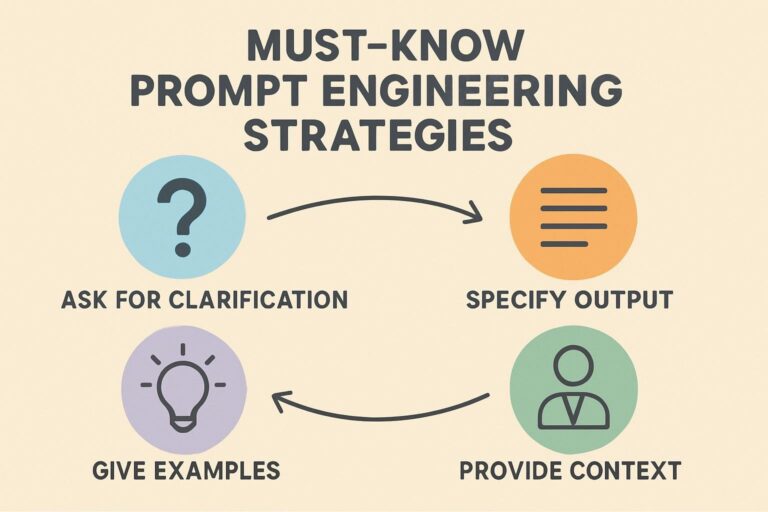
02Prompt libraryDocument what actually works — exact phrasing, aspect ratios, style references, negative prompts. This library, not any specific tool subscription, is the asset that compounds.
03Quality gatesDefine — specifically, not aspirationally — what’s client-ready, what’s internal-only, and what gets discarded. Write it down before the first client deadline forces an ad-hoc answer.
04Translator roleOne person owns the bridge between designer intent and tool output. Informal at first is fine. Nobody owning it is how you get the eight-month version of this story.
05Low-stakes client workMove to clients with looser brand-consistency requirements and faster revision cycles first. Build internal proof before your most demanding account sees AI-assisted work.
06Full client integrationOnly after gates, translator, and library are stable does AI touch your highest-stakes accounts.
I checked this sequence against both the Nike-style rollout and the Fed’s usage-frequency data before writing it up, and the two line up: the studios and workers capturing the top-quintile time savings are consistently the ones with embedded, repeated, low-friction use — not the ones granted broad AI access all at once. The ladder isn’t a data-backed sequence per se; it’s a synthesis that fits the pattern in the evidence available. Treat it as a planning tool, not a guarantee.
A working integration plan
The sequencing framework above is the “why.” Here’s the “how,” week by week.
- Weeks 1–2 — internal only. Generate internal marketing assets, blog headers, and alternate concept sketches. No client exposure. The goal is prompt vocabulary, not deliverables.
- Weeks 2–4 — build the prompt library. Log what worked: exact language, aspect ratios, reference images, what you had to fix by hand. This is the compounding asset the industry rarely writes about.
- Week 4 — set quality gates. Decide, in writing, what’s acceptable to ship, what needs a human pass, and what gets trashed outright.
- Week 4–5 — name a translator. Someone on the team — formally or not — owns the AI-to-designer bridge. Without this, Nike’s eight-month pattern is the realistic downside case.
- Week 6+ — move to client work selectively. Start with lower brand-risk accounts and faster revision cycles. Earn the case study before you bring this to your most demanding relationship.
If you’re a solo designer or a two-person studio, the translator role doesn’t have a dedicated person to hand it to — you have to become it, which takes time you may not feel you have. That’s a reason to budget 10–15 hours of deliberate, unbilled practice up front, not a reason to skip the step.
“Your prompt library is worth more than your tool subscription. Prompts compound. Software changes underneath you every few months.”
Editorial synthesis, based on the tool-turnover pattern documented across 2025–2026 comparison sourcesResist the instinct to learn every tool on the market. With 88% of organizations now using AI somewhere and adoption still accelerating, the number of tools competing for your attention will keep growing faster than your ability to master them. Source: McKinsey State of AI, 2025 wave Deep fluency in two tools beats shallow familiarity with ten. Interfaces churn; prompt craft and visual judgment don’t.
For designers vs. for leads
For: individual designers
What this means for your actual week
AI isn’t replacing your eye or your judgment — the Figma 2026 data is fairly clear that heavy AI users report the same sense of creative freedom as light users, not less. Source: Figma, State of the Designer 2026 It’s replacing your hands on the repetitive parts. The live question is whether you’re becoming the person who directs AI well, or the one who gets outcompeted by someone who is.
What to actually do: Build a prompt library this week — not a folder of cool outputs, but tested, reusable prompts tied to your real work: concept exploration, brand-adjacent variations, client-specific style references. That library is your moat. Your Creative Cloud subscription is not.
STOP: don’t send Midjourney output to a legally cautious client. Commercial terms tighten above roughly $1M in company revenue, and there’s no indemnification. Firefly is the safer default for anything client-facing, even when Midjourney’s version of the same prompt looks better.
For: creative directors & studio leads
The staffing question is more urgent than the tooling question
Your real risk isn’t picking the wrong tool. It’s putting AI in front of clients before your team has agreed on internal quality standards. Whether or not the exact eight-month figure attached to Nike’s case holds up to independent scrutiny, the mechanism it illustrates is sound: skipping the internal-experimentation phase is what turns a tooling decision into a prolonged productivity loss.
What to actually do: identify or develop one person who becomes your AI integration lead — building the prompt library, setting quality gates, and translating between what designers need and what the tools can currently do. Without that person, you’re running something close to the Philips pattern: a long ROI horizon and no one accountable when it stalls.
STOP: don’t measure 90-day AI ROI by output volume. That metric rewards tool bloat and hides quality debt building up behind it. Track revision-cycle length instead — if cycles aren’t shortening, you have a quality-gate problem, and adding more tools won’t fix it.
Mistakes to avoid — a quick checklist
- Deploying AI at the client interface before it’s been stress-tested internally
- Measuring early success by asset volume instead of revision-cycle length
- Using Midjourney output for a brand-sensitive client without a legal check
- Trying to master every new tool instead of going deep on two
- Skipping the prompt-library step because it doesn’t have an obvious billing code
- Leaving the “translator” function unowned instead of naming someone, even informally
- Quoting a 40%-productivity headline without checking what task it actually measured
Glossary
- AI design translator
- An internal role — formal or informal — that bridges what a design team needs and what a generative AI tool can currently produce. Identified as the missing piece in Nike’s early rollout friction.
- Commercial indemnification
- A vendor’s contractual protection against copyright claims arising from AI-generated output. Adobe Firefly offers it because its training data is fully licensed; Midjourney currently does not.
- Prompt library
- A studio’s documented, tested set of reusable prompts, reference images, and style parameters — treated here as a durable asset independent of any specific tool.
- Quality gate
- A written, specific standard for what AI-assisted output is acceptable to ship to a client versus what needs further human revision or gets discarded.
Frequently asked questions
How much time does AI actually save designers?
About 5.4–5.7% of weekly work hours on average among active users, per Federal Reserve Bank of St. Louis research — roughly 2.2 hours in a 40-hour week. Daily, embedded users save meaningfully more; occasional users barely register a difference. This is well below the 30–40% figures common in vendor marketing, which usually measure narrow writing-speed tasks rather than general design work.
Which AI design tool has the best commercial rights protection?
Adobe Firefly, because its training data is licensed or public domain only, which is why Adobe can offer commercial indemnification. Midjourney requires a paid Standard plan for commercial use and imposes additional terms on companies above roughly $1 million in revenue — get legal sign-off before using it on brand-sensitive client work.
Why do most AI design implementations fail to show ROI in year one?
McKinsey’s research on early AI installations found roughly 37% posted positive ROI within the first year. The recurring pattern isn’t tool choice — it’s sequencing. Teams that deploy AI into client-facing work before building internal quality standards tend to see an extended productivity dip; teams that start internally and build a tested prompt library first tend to capture gains faster.
Is Midjourney or Adobe Firefly better for a design studio?
They solve different problems. Midjourney generally wins on raw artistic quality for concept work and mood boards. Firefly wins on legal safety and native Photoshop/Illustrator integration once work is client-facing. Most working studios in 2026 run both, in that order.
What’s the single biggest mistake studios make adopting AI design tools?
Judging success by output volume in the first 90 days. That rewards generating more, not better, and hides quality debt that surfaces later as extra revision rounds. Track whether revision cycles are shortening instead.
How this was reported: I traced the headline productivity figure back to the original St. Louis Fed working paper (Bick, Blandin & Deming, 2025) rather than relying on secondary aggregator restatements of it, and cross-checked the Firefly indemnification claim against Adobe’s own published terms rather than third-party marketing copy. Where a claim — specifically the Nike and Philips timelines — traces back to a single secondary academic review with no independently locatable primary source, that’s flagged in the text rather than presented as confirmed. What the evidence doesn’t establish: a rigorous, design-industry-specific breakdown of ROI by firm size, or a controlled comparison isolating sequencing from other variables (team skill, budget, client type) in the Nike/Philips contrast. Treat the Sequencing Ladder as a reasoned heuristic built from the available evidence, not as a validated model.