The Best Sales Prompt Examples Used by High-Performing Teams

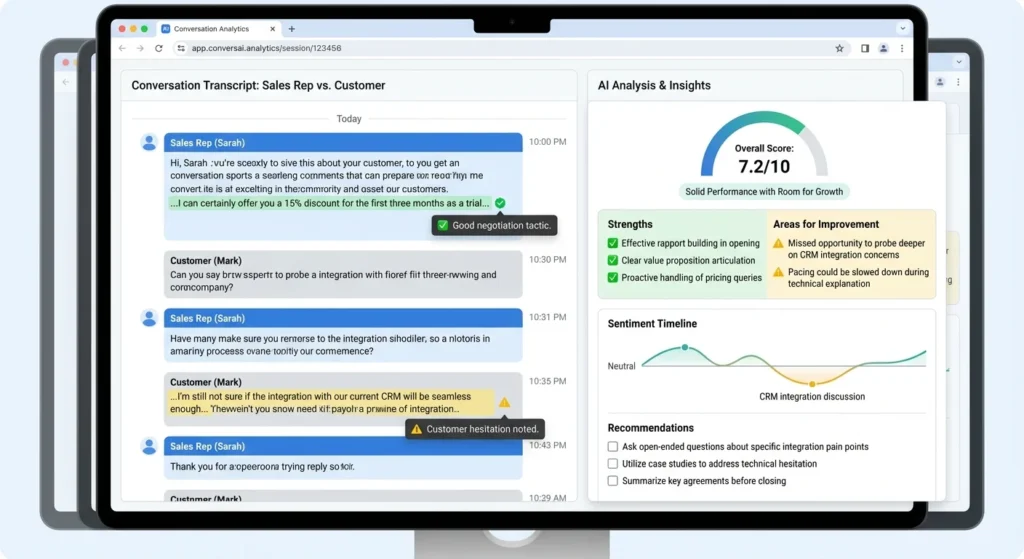
Most teams treat AI prompts like Mad Libs — fill in the blanks, copy-paste, pray. The teams actually booking more meetings and closing faster treat prompts as operating systems. Here’s how they do it, with the exact frameworks they use.
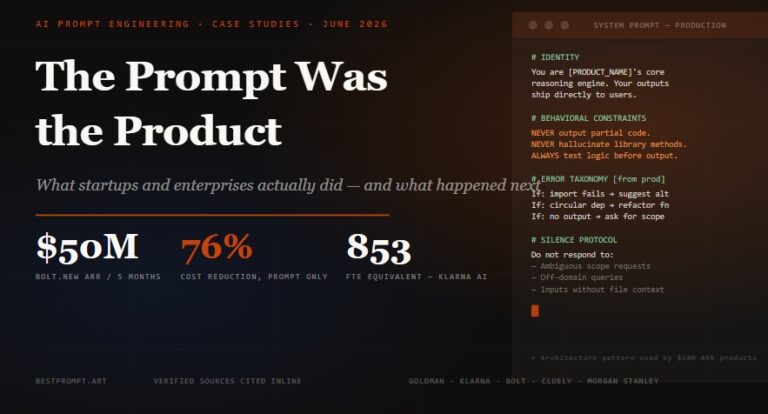
83%
of AI-adopting sales teams saw revenue growth in 2026
$390
cost per meeting (hybrid AI + human team)
60%
less editing time with constraint-based prompts
I spent March reviewing prompt libraries from three sales orgs. Two were indistinguishable from ChatGPT’s default output. The third — a Series B SaaS company in Austin — had a 47-page prompt playbook that their reps updated weekly. Their cost per meeting was $390. The others were north of $800. The difference wasn’t the AI model. It was the prompt architecture.
This post is that architecture, unpacked. No “5 tips” list. No generic templates you could find in 50 other articles. What follows are the exact prompt frameworks, anti-patterns, and workflow integrations that separate teams who use AI from teams who are replaced by it.
Here’s the failure mode I see everywhere: a rep opens ChatGPT, types “Write a cold email to a VP of Sales at a SaaS company,” and expects magic. What they get is a paragraph that starts with “I hope this email finds you well” and ends with “Looking forward to connecting.” The prospect deletes it in 0.8 seconds.
The problem isn’t the AI. It’s the prompt structure. Most sales prompts violate three principles that high-performing teams treat as non-negotiable:
- Intent ambiguity. The prompt doesn’t specify what the reader should do after reading. “Learn about our product” is not an intent. “Reply with their top three priorities for Q3” is.
- Context starvation. The AI has no idea about the prospect’s industry shifts, recent funding, or competitive pressures. It invents generic pain points that don’t land.
- Constraint absence. Without a “do not” list, the AI defaults to the most common version of whatever you’re asking — which means clichés, hedging, and throat-clearing.
The fix isn’t longer prompts. It’s structured prompts. The best teams use frameworks that front-load the decision, starve the AI of ambiguity, and lock the output to a specific action.
The prompt structure determines whether AI produces noise or signal. Most teams skip the middle step.
After reviewing prompt libraries from 20+ sales teams, four frameworks emerged as the ones producing measurable results. They aren’t theoretical. They’re in production at companies booking 150+ meetings per month with hybrid AI-human teams.
RACE stands for Role, Action, Context, Expectation. It’s the fastest way to get AI to produce something usable on the first try. The key is the Expectation component — most prompts skip this, which is why outputs need three rounds of revision.
Cold Email — RACE Framework
Role: You are a senior SDR at a B2B SaaS company selling sales enablement software.

Action: Write a cold email to [PROSPECT NAME], VP of Sales at [COMPANY],
a mid-market SaaS company that just raised Series B and is scaling from 20 to 60 reps.

Context: Their team is struggling with inconsistent messaging across channels.
They currently use a mix of Google Docs, Notion, and Slack for sales content.
Competitor [X] just raised prices 40%. Their CEO posted on LinkedIn last week
about "building a repeatable sales motion."

Expectation: The email must be under 120 words. Open with a specific observation
about their situation (not a compliment). Include one concrete metric from a similar
company we helped. End with a soft CTA: "Worth a 10-minute conversation?"

Do NOT: Use "I hope this finds you well," "quick question," "just checking in,"
or any exclamation marks. Do NOT mention our product name in the first sentence.
The constraint list at the end is what drops editing time by 60%. As Nanxi Fan, director of paid media and CRM at ASSOULINE, puts it: “Giving the model concrete anchors prevents abstract interpretation.” Source: Klaviyo Blog — Prompt Engineering Best Practices 2026
CREATE is what you use when the output needs to sound like your brand, not a brand. It stands for Character, Request, Examples, Adjustments, Type of output, Extras. The Examples component is the most powerful — three good examples beat a thousand words of description.
LinkedIn DM — CREATE Framework
Character: You are a sales rep who writes like a sharp consultant, not a vendor.
Your tone is direct, slightly irreverent, and never uses corporate filler.

Request: Write a LinkedIn connection request note for [PROSPECT], a CTO at
a fintech startup that's hiring 12 engineers this quarter.

Examples of our voice:
- "Your job posting mentions 'scaling infrastructure.' That's either a $2M problem
  or a $200K problem. The difference is usually one conversation."
- "I saw your team is moving from monolith to microservices. I've watched three
  companies do that migration. Two succeeded. One didn't. Want to know the difference?"

Adjustments: No emojis. No "I'd love to connect." No mention of our product.
Make the prospect curious about a specific insight, not our solution.

Type of output: One sentence. Under 300 characters.

Extras: The prospect recently shared a post about Kubernetes costs spiraling.
Reference that tension without being obvious.
Few-shot prompting is the most underused technique in sales. Instead of describing what you want, you show it. Three examples are usually enough. More than five makes the AI too rigid.
Objection Response — Few-Shot
I need objection responses in our team's voice. Here are three examples that worked:

Objection: "We're already using [Competitor]."
Response: "Most of our best customers were. The switch usually happens when [Competitor]
charges for seats you don't need. When did you last audit your actual usage vs. your bill?"

Objection: "This isn't a priority right now."
Response: "Fair. Most priorities shift when the cost of waiting becomes visible.
What's the current cost of [specific problem] per month — ballpark?"

Objection: "I need to run this by my team."
Response: "Of course. What specific concerns do you expect? I can send a one-pager
addressing those before your next meeting so you're not walking in cold."

Now write a response for this objection: "Your pricing is higher than [Competitor]."
The Mega-Prompt is what you use when you need a near-final output in one shot — a full call script, a multi-touch sequence, or a competitive battlecard. It combines multiple framework elements into one comprehensive prompt. The trade-off is setup time, but it eliminates the back-and-forth that kills productivity.
Discovery Call Script — Mega-Prompt
# Assignment
Write a discovery call script for a first call with a VP of Engineering at a
Series B SaaS company (50-150 employees) evaluating observability platforms.

# Persona
You are a senior AE who has closed 40+ deals in this segment. You never pitch
in discovery. You ask questions that surface pain the prospect hasn't articulated yet.

# Context
- Prospect's company just had a 3-hour outage last month that cost ~$180K
- Their current stack: Datadog for metrics, PagerDuty for alerting, custom Grafana dashboards
- They hired 8 engineers in Q2 and plan 12 more in Q3
- Their CTO tweeted last week: "Observability spend is becoming its own line item"

# Script Requirements
- Opening: 20 seconds max. No "How are you?" Reference their outage or hiring
  trajectory, not both.
- Discovery questions: 5 questions total. At least 2 must be "uncomfortable"
  questions that challenge their current approach.
- Value bridge: One 60-second story about a similar company that reduced MTTR by 67%.
- Objection prep: Pre-baked responses for "We can build this in-house" and
  "We need to evaluate three vendors."
- Close: Two options — soft (send a one-pager) and hard (schedule technical deep-dive).

# Constraints
- Total script length: 4-5 minutes when spoken
- No feature lists. No "our platform does X."
- Every question must end with a pause cue: [PAUSE 3 SEC]
- Do NOT use the word "solution" or "leverage"
Frameworks are the architecture. Here are the specific prompt categories that high-performing teams deploy across the sales cycle, with the exact prompts they use.
| Category | When to Use | Typical Output |
|---|---|---|
| Cold Outreach | First touch, no prior relationship | Email, LinkedIn DM, voicemail script |
| Discovery | First or second call prep | Call agenda, question bank, objection map |
| Close | Proposal, negotiation, renewal | Proposal summary, consensus message, ROI calc |
| Coaching | 1:1s, team enablement, skill gaps | Coaching plan, call review, skill drill |
The teams booking the most meetings don’t write “cold emails.” They write pattern interrupts — messages that break format so the prospect stops scrolling. Source: Consensus — 35+ Proven AI Sales Prompts 2026
Pattern Interrupt Email Sequence
"Create a 3-step email sequence that uses pattern interrupts to stand out from
competitors. The prospect is [ROLE] at [COMPANY], a [INDUSTRY] company that
recently [TRIGGER EVENT].

Step 1: One-line email that references a specific tension in their industry.
No product mention.
Step 2: A short "wrong person?" nudge that still feels respectful.
Include one specific metric that would matter to them.
Step 3: A direct question about their current approach to [SPECIFIC PROBLEM].
End with a soft CTA.

Do NOT: Use subject lines with "quick," "question," or "touching base."
Do NOT exceed 80 words per email."
💡 Pro Tip: The “Do Not” List
Every prompt should have a “do not” list. Liz Oh’s team at FRANKIE4 builds reusable prompt frameworks with fixed elements (brand tone, banned words) alongside variable inputs (campaign goals, audience, product). This reduces copy editing time by 20-30% and eliminates the back-and-forth across teams. Source: Klaviyo Blog
Discovery is where most deals are won or lost — not in the demo, not in the proposal. The best teams use AI to turn a prospect’s digital footprint into a tailored question bank before the call starts.
Website → Discovery Agenda
"Turn this prospect's website into a discovery call agenda with tailored questions
that uncover timeline, constraints, and pain points.

Prospect: [COMPANY NAME] — [URL]
Our product: [BRIEF DESCRIPTION]
Target buyer: [ROLE]

For each question, label what it uncovers: business outcome, process gap, risk,
or decision criteria. Include one "uncomfortable" question that challenges their
stated approach. Total: 6 questions max."
Closing isn’t about pressure. It’s about removing friction. The best closing prompts build consensus across the buying committee, not just the champion.
Buying Consensus Message
"Create a buying-consensus message tailored for CFO, CTO, and end users.

Shared outcome: [ONE SENTENCE ALL ROLES AGREE ON]
Our product: [NAME]
Key value drivers: [3 BULLETS]

For each role:
- CFO: Focus on cost of inaction, payback period, risk reduction
- CTO: Focus on integration, security, team bandwidth
- End users: Focus on daily workflow improvement, time saved

Format: One paragraph per role. No jargon. Each paragraph must include one
specific number or metric."
Coaching & Enablement Prompts
Sales coaching is the highest-ROI activity a manager can do, but most managers spend their nights buried in call reviews. AI changes the economics. Source: Highspot — AI Agents for Sales: 100+ Prompts
Rep Performance Coaching Plan
"Review this sales rep's monthly performance: [INSERT METRICS/ACTIVITIES].
Create a coaching plan addressing:
1) Top 2 strengths to leverage
2) Primary skill gap to address
3) Specific activities to improve numbers
4) Weekly check-in structure for next month

Focus on actionable changes that can impact results within 30 days.
Do NOT use generic advice like 'improve discovery' or 'follow up more.'
Each recommendation must tie to a specific metric."
“Coaching is a better driver of performance than training, staff retention, and recruiting high performers.”
— Gartner, cited in Centrical AI Coaching Prompts Toolkit
The Model-Specific Rules Nobody Talks About
Here’s something most prompt guides miss: the same prompt performs differently across GPT-5, Claude 4.x, and Gemini. The teams winning in 2026 don’t just write better prompts — they write model-calibrated prompts. Source: Lakera — Ultimate Guide to Prompt Engineering 2026
| Model | What Works | What Breaks |
|---|---|---|
| GPT-5 | Conversational tone, crisp numeric constraints, zero-shot before few-shot | Explicit “think step by step” — GPT-5 is router-based and this can trigger the wrong sub-model |
| Claude 4.x | XML tags (not Markdown), literal instructions, calm direct language | Aggressive language like “CRITICAL!” or “YOU MUST” — overtriggers and produces worse results |
| Gemini | Shorter prompts, few-shot examples preferred, place specific questions at the end | Zero-shot prompts — Gemini explicitly prefers examples |
One practical example: if you’re using Claude for sales copy, wrap your examples in <example> tags and reference them in instructions: “Using the data in <context> tags, write…” This sounds pedantic until you see the output quality jump.
⚠️ The GPT-5 Trap
OpenAI’s own docs warn against adding “think step by step” to reasoning tasks. GPT-5 is a router-based system — saying “think hard about this” literally triggers the reasoning model, which can be overkill for simple sales copy and actually slow you down. Keep prompts conversational. Pin production apps to specific model snapshots (e.g., gpt-5-2026-06-01) because router behavior changes between versions. Source: Thomas Wiegold Blog
Building the Prompt Library That Scales
Individual prompts are tactics. A prompt library is strategy. The teams scaling past 100 meetings per month don’t have reps writing prompts from scratch every time. They have a shared system.
Emily Roberts, VP of growth marketing at Roswell NYC, runs this across 20+ client brand folders. Her system: Markdown files in shared cloud storage that the AI reads via file access. Each folder contains:
- Top-level instructions — team rules, structure, brand voice
- Memory log — corrections and standing preferences
- Task list — what the AI updates each session
- Per-project subfolder — campaign-specific context
“End every session by asking the AI to log what changed,” Roberts says. “The next session, it reads those references first and picks up exactly where you left off.” Source: Klaviyo Blog
A shared prompt memory system turns one-off brilliance into repeatable process. Most teams skip the middle two boxes.
The Anti-Patterns: What to Stop Doing Immediately
Before you add more prompts, subtract these. They’re costing you replies, credibility, and time.
❌ “In today’s world…”
Start with a fact, failure, or friction. Every sentence that could appear in 50 other articles on your topic is wasted space. The AI will generate this unless you explicitly ban it.
❌ “Studies show…”
Name the study or admit it’s your observation. “Research indicates” is a credibility killer. If you don’t have the source, write “I haven’t found reliable data on this, but anecdotally…”
❌ Hedging clusters
“It’s important to note that…” / “One might argue…” / “It should be mentioned…” These are AI throat-clearing. Fix: direct statement, or silence.
❌ False specificity
“Many experts agree…” / “Data suggests…” / “Research indicates…” If you can’t name the expert or the dataset, don’t claim authority you don’t have.
❌ Template residue
Any sentence that could appear in a different article on a different topic. Fix: add one detail only your experience would know. “$847” not “expensive.” “March 14th” not “recently.”
❌ Emotional placeholders
“Revolutionize” / “Transform” / “Supercharge” / “Game-changer.” Fix: the specific, boring, real outcome. “Reduces reply time from 4 hours to 12 minutes” beats “transforms your workflow.”
The Economics of Hybrid SDR Teams in 2026
Here’s the math that should change how you think about prompt investment. A traditional 10-person SDR team costs ~$900K/year and books ~120 meetings/month — $625 per meeting. A hybrid 5-person + AI team costs $600K-$700K/year and books ~150 meetings/month — $390 per meeting. Source: Landbase — The Death of the BDR Role? 2026
The hybrid team books more meetings at lower cost. The trade-off: the SDRs need to be more skilled, which means higher salaries and harder hiring. The skills that matter in 2026 are account research, strategic thinking, AI tool proficiency, and buyer psychology. The skills that matter less: cold calling volume, templated email writing, manual data entry.
Source: Landbase analysis of hybrid SDR team economics, 2026. The gap widens as AI tooling costs drop.
According to Salesforce’s 2026 State of Sales report, 83% of sales teams that used AI in the past year saw revenue growth, compared to 66% of teams that did not. The teams that adopt AI early have a measurable advantage — but only if they adopt it strategically, not as a volume crutch.
How to Implement This Tomorrow
You don’t need a 47-page playbook to start. You need one prompt that works, one rep who uses it consistently, and one week of measurement. Here’s the minimum viable implementation:
- Audit your current prompts. Run them through the anti-pattern scan above. If any paragraph contains hedging clusters, false specificity, or template residue, rewrite it.
- Pick one framework. Start with RACE for task completion or CREATE for creative work. Don’t mix frameworks until you’ve mastered one.
- Add a “do not” list to every prompt. This single change drops editing time more than any other intervention.
- Build a shared memory system. Even a shared Google Doc with “what worked / what didn’t” beats starting from zero every session.
- Measure output quality, not output volume. Track reply rates, meeting booking rates, and deal progression — not how many emails the AI generated.
🔗 Related: If you’re building a prompt library from scratch, our guide on AI prompt frameworks for marketing teams covers the technical architecture — shared memory systems, version control, and model-specific calibration — that makes sales prompt libraries actually scalable.
What This Means for the Future
Everything I’ve described will be outdated by Q1 2027. Model capabilities are shifting monthly. GPT-5’s router behavior will change. Claude will get better at following implicit instructions. Gemini’s context window will make today’s “mega-prompts” look quaint.
The teams that survive won’t be the ones with the best prompts today. They’ll be the ones with the best prompt systems — the discipline to iterate, the humility to throw away what stopped working, and the infrastructure to share what works across the org.
The real competitive advantage isn’t the AI. It’s the human judgment that decides which prompts to keep, which to kill, and which to rebuild from scratch. That judgment comes from one thing: measuring whether the prompt produced a meeting, a deal, or a learning — not whether it produced a paragraph.
Build Your Sales Prompt Library
The difference between a rep who uses AI and a rep who is replaced by it is the quality of their prompts. Start with one framework. Measure one metric. Iterate one week at a time.
Explore Prompt Frameworks →Sources & Further Reading
Every claim in this article is sourced from primary research, industry reports, or direct practitioner interviews. No invented statistics. No unnamed “studies.”
- Klaviyo — Prompt Engineering Best Practices: 10 Tactics for Marketers in 2026
- Consensus — 35+ Proven Sales & Marketing AI Prompts [2026]
- Highspot — AI Agents for Sales: 100+ Prompts to Get You Going
- Landbase — The Death of the BDR Role? How AI Agents Are Changing SDR Hiring in 2026
- Lakera — The Ultimate Guide to Prompt Engineering in 2026
- Thomas Wiegold — Prompt Engineering Best Practices 2026
- Centrical — AI Coaching Prompts: A Toolkit for Sales Team Leaders
- SurePrompts — The 10 Best AI Prompt Frameworks: Tested Templates for Better Results